
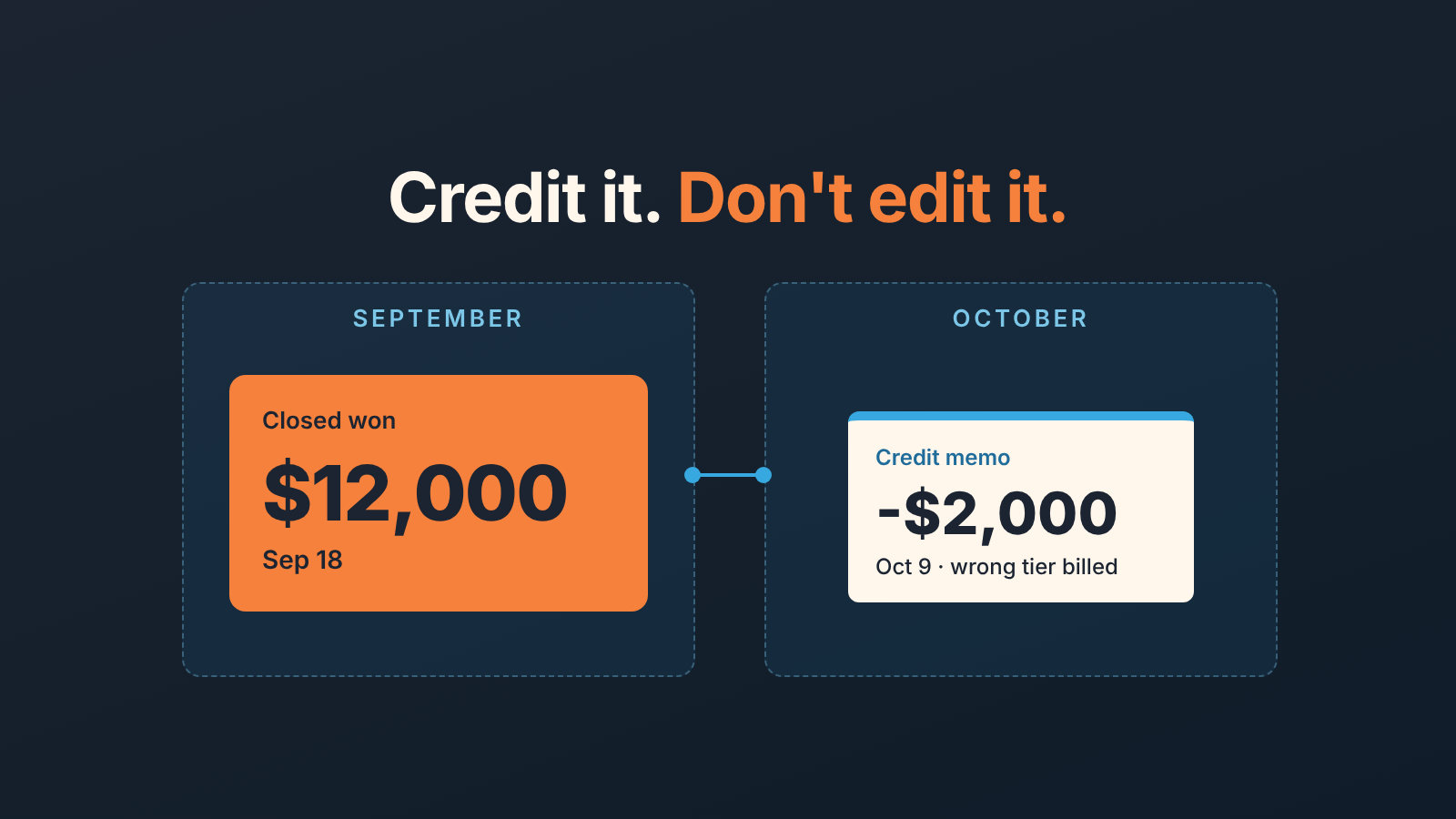
Do not rewrite a closed deal. When finance issues a credit memo against a won deal, leave the deal’s Amount and Close date as they were on the day it was won, and record the credit as a separate adjustment with its own date, amount and reason. That way last month’s closed total still reads the way it read in the sales meeting, the credit shows up in the month it was actually issued, and commission is settled by a rule you wrote down in advance rather than by whoever edits the CRM first.
This article is about the case where the deal stays won: the order stands, and only part of the money comes back or never gets collected. If the whole order collapsed, see what to record when a customer cancels after Won. Paying less from next term is a downsell, covered in where to record a downgrade without touching the won deal. A credit memo sits between those two: the deal is right, the invoice was not.
What a credit memo is and why finance issues it
A credit memo is a document from finance that reduces what a customer owes on an invoice that already exists. HubSpot’s own definition is the plainest one we have found: credit memos are used to “reduce or adjust the amount owed on an existing invoice,” and credits “can be for a partial or full amount of the invoice” (HubSpot: Create and apply credit memos). The same page names the usual reasons: refunds, billing adjustments and invoice corrections. The difference from an invoice is direction. An invoice says what the customer owes you; a credit memo takes some of that back.
On a small sales team the memo usually arrives for a dull reason. The rep quoted the annual tier and finance billed the monthly one. Two seats nobody asked for ended up on the order form. Onboarding was promised at a discount and invoiced at list. None of those is a lost deal: the rep sold the right thing and someone wrote the wrong number on a piece of paper, which is why the memo belongs to finance, the deal belongs to sales, and fixing one should not mean rewriting the other.
If your invoices live in HubSpot, the credit memo is a record of its own, created from an open invoice (Actions, then Create credit memo) or from the credit memos index, and it is applied against the invoice, not against the deal. The page does not mention deals at all. If they live in QuickBooks, Xero or a spreadsheet, HubSpot never hears about the memo unless you tell it. Either way, the deal record is not where the credit is born.
Edit the deal, add a negative line, or leave it
Three things tend to happen when the memo lands on a sales manager’s desk.
The first is to edit the Amount: open the won deal, change $12,000 to $10,000, move on. It takes ten seconds and it is the one we argue against. Amount is “the total value of the deal in the deal’s currency” (HubSpot: default deal properties), and once the deal is won that value is a historical fact: it is what the rep closed, what the forecast was compared against, and what the commission run read. Overwrite it and September’s closed total quietly drops two thousand dollars some time in October. Nobody gets an alert, and the next quarter report no longer matches the deck.
The second is a negative line item: keep the original lines and add one for -$2,000 named after the credit reason. It feels tidy but it has the same flaw plus one more. Recurring metrics on a deal, such as MRR and ARR, are calculated from “the values and term length of the recurring line items associated to the deal” and do “not take into account the value in the Amount property” (same page). A one-off credit line pushed into a recurring deal gets read as recurring, and now you have a second number to explain.
The third is the one we recommend: leave the deal alone and record the credit next to it. The won deal keeps its Amount and its Close date. The credit gets its own record, in the month it was issued, with three pieces of information: the amount, the date, and the reason. If you invoice from HubSpot, that record already exists, because the credit memo is its own object with it’s own date, and it sits on the invoice, which is associated with the deal (invoices created from a deal are associated with it automatically, per HubSpot: Manage invoices). If you invoice elsewhere, add three custom properties to the deal yourself: Credit amount, Credit date, Credit reason. The person who received the memo from finance fills them in and leaves a note with the memo number.
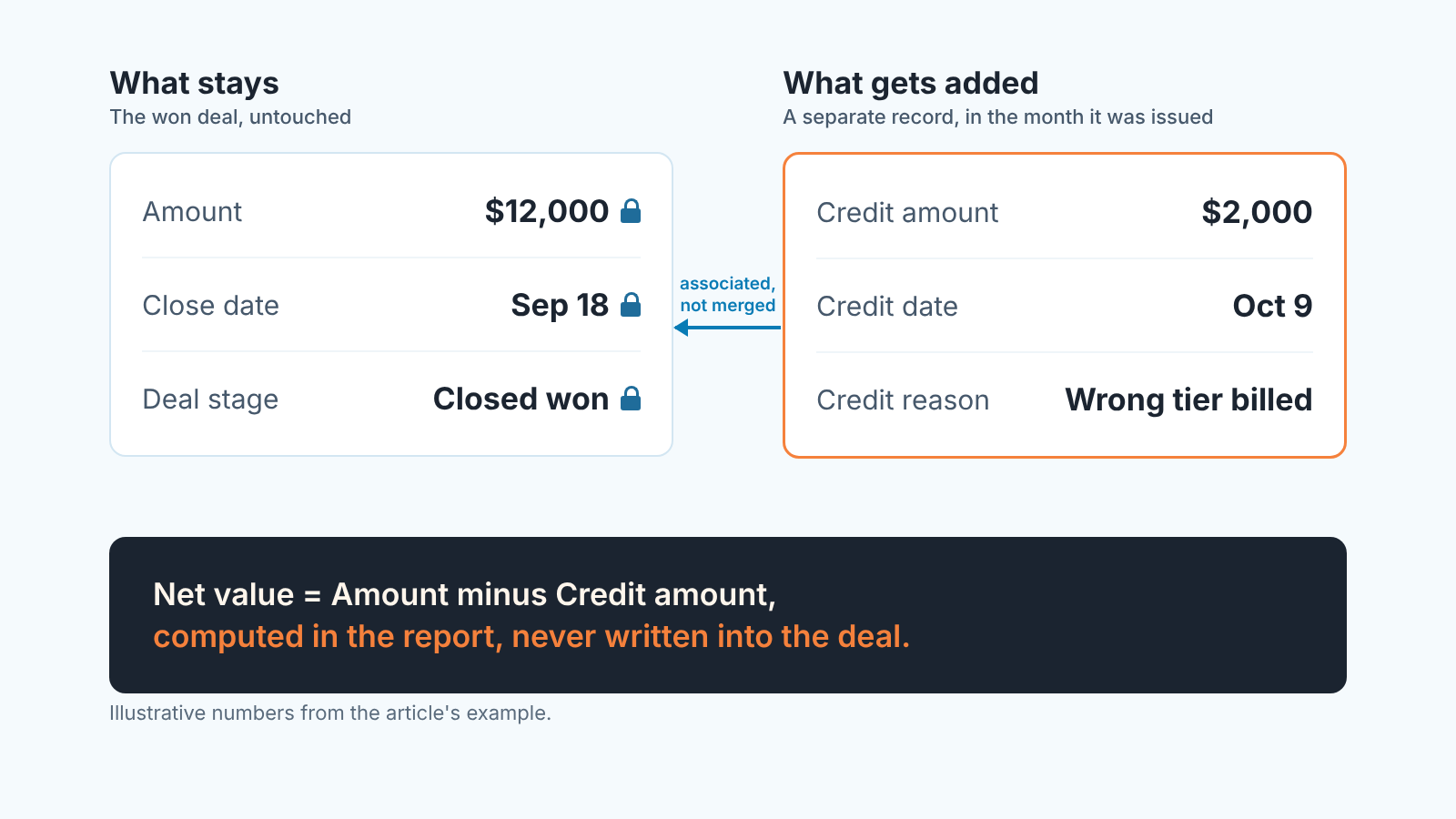
So where is the real number? In the report, not in the record. Net bookings for a period is Amount won in the period minus credits issued in the period. You compute it; you don’t store it in the deal, and that is what keeps the numbers explainable six months later.
Bookings, reports and last month’s closed total
A won deal in HubSpot is a booking, not revenue and not cash (see bookings, billings and revenue: which number your CRM actually shows). Here the reason it matters is timing. When a deal moves into a closed-won stage, HubSpot sets its Close date to that day (HubSpot: default deal properties), so every closed-won report you run is a report by Close date. The deal won on September 18 sits in September for as long as that date stands.
A credit memo issued on October 9 is an October event, and finance books it in October. Edit the September deal and sales and finance disagree about both months. Leave the deal and record the credit with its own date, and both teams have the same two facts: $12,000 booked in September, $2,000 credited in October.
Don’t “fix” a credited deal by reopening it and closing it again either: the same page says a deal moved into a closed-won stage gets today’s date, which is the month-shifting problem from how a won date edit moves revenue between months.
Win rate does not move. The deal is won and a credit does not change that, so if someone proposes counting credited deals as half-won, say no.
Closed-won total for September does not move either. What you add is a second line underneath it: credits issued in the month, and a net. That is one extra row in the monthly sheet. Watch it, because when credits start to take a noticeable share of bookings they are usually telling you something about quoting discipline, not about customers.
Commission clawback: who decides
The commission plan decides. If the plan is silent, the owner decides once, in writing, and then the plan is no longer silent. For the payout side, see commission tracking from the CRM.
We think a credit should reduce commissionable value when it comes from something the rep controlled (the wrong tier on the order form, an unwritten discount) and should not when it comes from something the company controlled (a delivery slip, a billing error in finance). Commission is there to shape rep behavior, and a clawback for a finance typo shapes nothing except the rep’s opinion of finance.
That rule needs the reason field to be real. Free text will give you a dozen spellings of the same thing by March. Make Credit reason a dropdown and decide for each value, in advance, whether it is commissionable: wrong tier quoted and undocumented discount on the rep side, billing error and delivery credit on the company side, goodwill as the owner’s call.
Then two mechanics, which matter more than the percentages. Timing: a clawback comes off commission in the the month the memo was issued, not by reopening last month’s payroll. Size: a clawback on a $2,000 credit at ten percent is $200, and a rule that says “credits under X are never clawed back” removes most of the arguments over amounts nobody would notice. And don’t let the clawback drive the CRM edit. Cutting the deal Amount to $10,000 just so a commission formula that reads Amount comes out right is fixing the report by breaking the record; point the formula at Amount minus Credit amount instead. Where X sits is a plan decision; back-test it against last year’s deals as described in sales commission structures for a small team.
Credit memo vs refund vs cancelled order
Is a credit memo a refund? No, and HubSpot handles the two in different places. A credit memo lowers the balance due on an open invoice, or moves to the customer balance for future invoices if the invoice is already paid, while “if the customer is due a refund, you should issue a refund via the payments index page instead of applying a credit memo” (HubSpot: Create and apply credit memos). Cash out is a refund. Owe less is a credit memo. For a credit or a partial refund, the deal stays closed won and its Amount stays as it was.
A cancellation is different: the product goes back, the deal is reopened or shrunk, and win rate can move, which is the subject of the cancelled-after-Won article. A downsell is about the next term rather than the current invoice, so it gets a smaller renewal deal, as in where to record a downgrade. A credit on this invoice plus a smaller plan from next month is two events with two records.
The grey case is a credit so large it is effectively a cancellation, say $11,500 against a $12,000 deal. Our rule: if the customer keeps the product in any form, it is a credit; if the product goes back, it is a cancellation, however the paperwork is titled. Argue the rule once, write it next to the reason dropdown and stop arguing it per deal.
Monthly reconciliation with finance
Once a month, after finance closes its books and before the sales number goes to the owner:
- Get last month’s credit memos with invoice number, amount, date and reason, from the HubSpot credit memos index or from finance’s export, and match each one to its deal through the invoice association or the invoice number in the deal notes.
- Check the deal’s Amount and Close date against what they were at the win; if either changed since, find out who changed it and put it back unless there is a written reason.
- Fill in Credit amount, Credit date and Credit reason, or confirm the credit memo object carries them.
- Send three numbers for the month (bookings by Close date, credits by credit date, and net) together with the clawback list, each line with its reason.
Step 2 is the one that finds problems, and the one people skip because it means comparing two exports. A disclosure, since we are at that step: we build SalesBond, a sales management layer on top of the CRM a team already uses; we started with Pipedrive. To try it on your own pipeline: Check your CRM with SalesBond. Whether a given credit was the rep’s fault is still a question for the reason dropdown and your rule.
Start with last month’s memos: if a credited deal’s Amount has already been cut, that is the first record to put back, with the credit logged next to it.


