A failed subscription payment should create one task for the account owner, and it should mark the renewal deal as at-risk only if the payment is still unresolved after the retry window. Record the payment status and the date the failure started on the HubSpot company or deal, so the account shows up in the weekly renewal review instead of sitting in a finance inbox nobody in sales opens.
This assumes a small B2B team: a few dozen to a few hundred subscription customers, one account owner each, and a renewal deal in a HubSpot pipeline. Billing in HubSpot gives you several pieces for free; billing outside it means an integration or a few fields set by hand.
A failed subscription payment is a renewal signal, not only a finance ticket
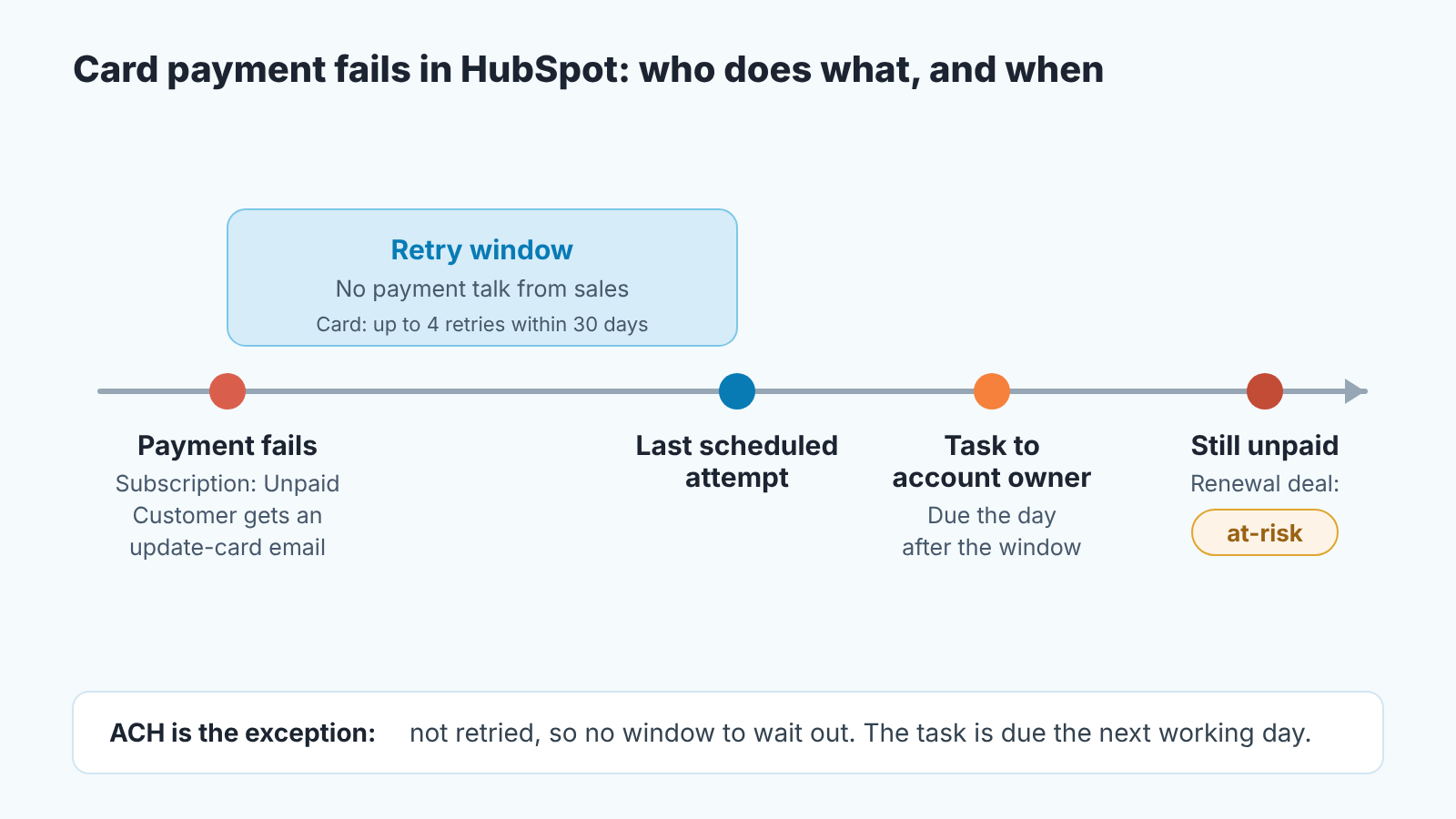
When a subscription customer’s charge fails, the renewal is at stake months before anyone opens the renewal conversation, and that makes it the account owner’s business, not only finance’s. Take a card that declines on the monthly charge. If the subscription is billed in HubSpot, the subscription record moves to Unpaid (“the scheduled payment for the current billing cycle failed”) and HubSpot emails the customer a link to update their payment method (HubSpot: Manage subscriptions billed in HubSpot). Finance sees it in the payments list. The account owner sees nothing, because nothing on the deal changed.
We think that is backwards. Why does a B2B card fail? The card expired because the champion who set it up has left. The company changed banks. Procurement froze card spend. Or someone decided to stop paying and let the card do the talking. The account owner should know about every one of those, and at least two are renewal conversations that just started early.
An invoice on net-30 terms that went past due is a different problem, about terms and a polite chase; we covered it in what to do when a customer with an overdue invoice places a new order. A failed automatic charge is a customer whose money stopped moving before anyone decided anything, which is exactly why sales needs to hear about it.
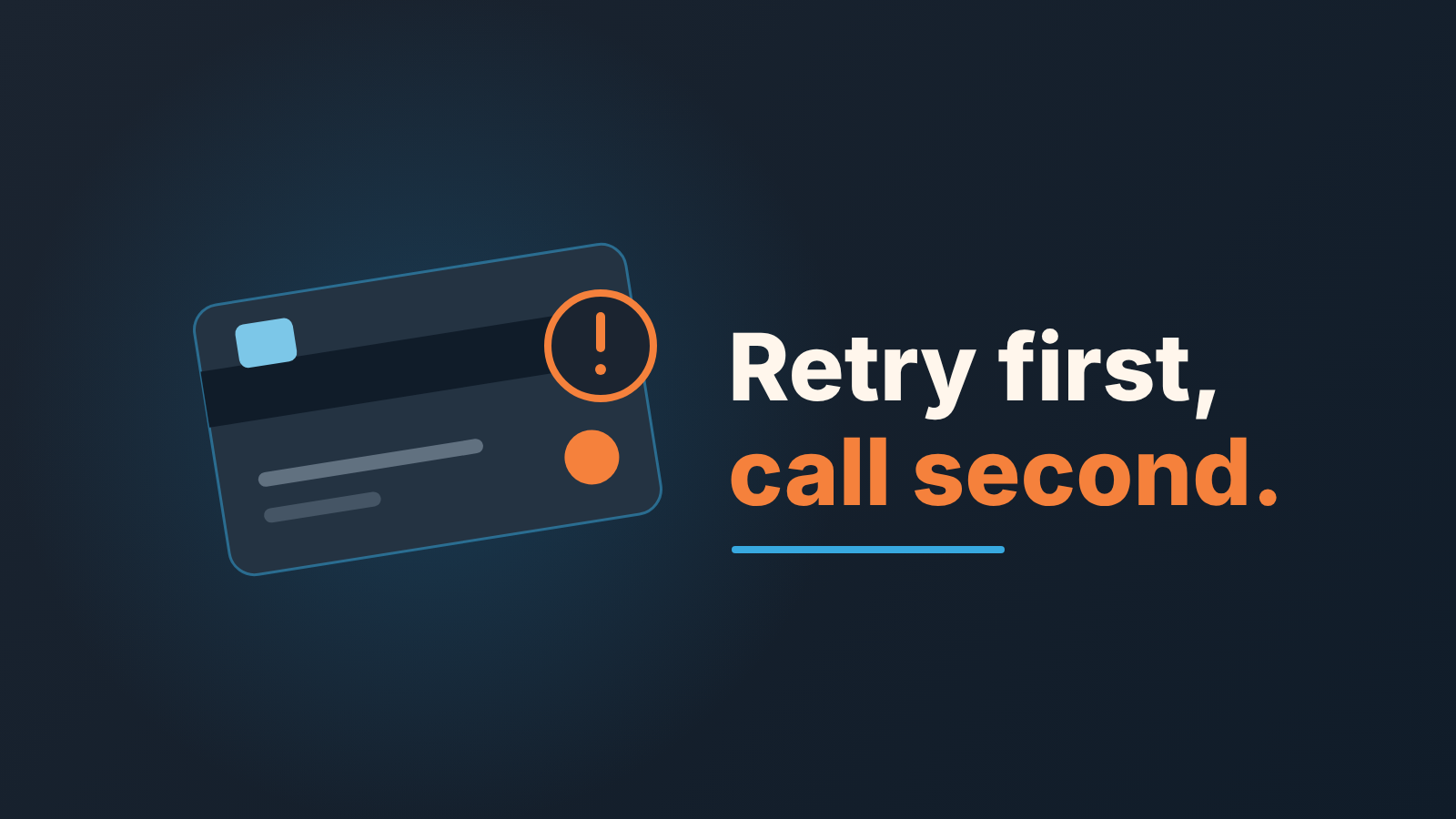
Retry first, call second: the window the rep must not touch
For a card payment billed in HubSpot, the window is up to 30 days: HubSpot retries a failed card payment up to 4 times within a 30-day window, finance can retry manually three times before the scheduled retries run, and bank debit payments such as ACH are not retried at all (HubSpot: Manage payments, failed payments). In this article, the retry window is that stretch between the first failure and the last scheduled attempt. Billing people call the whole retry-and-remind process dunning; we stick to “retry window” from here on.
Nobody should call the customer about money on day one.
On the payment record, Next automated collection attempt shows the date of the next retry, and Remaining manual collection attempts shows how many manual tries finance has left (HubSpot: payments and subscriptions properties). Until the last scheduled attempt has run the rep does not mention payment to the customer.
Plenty of declines fix themselves: the customer updates the card from the email and HubSpot charges “any unpaid subscription payments” to the new method (same subscriptions page). A rep who calls on day two about a payment that clears on day three has turned a non-event into an awkward one, and taught the customer that a declined card means a call from sales.
ACH is the exception. With no automatic retries, there is no window to wait out, so the task below is due the next working day.
A normal check-in is fine if one was due anyway. A second “your payment failed” message is not; HubSpot already sent one. If your retries run in another processor, read its schedule from the processor’s settings once and write the window length into your playbook.
Three fields on the company or deal: payment status, failed since, last attempt
If you bill through HubSpot, the subscription record already carries Status, Last Payment Date, Next billing date, Payment method and Processor (HubSpot: payments and subscriptions properties). That’s good data in teh wrong place. The account owner lives in the deal board and the company record, and a renewal deal doesn’t show the subscription’s status in its columns.
So we add three custom properties to the renewal deal. Put them on the company instead if you don’t open a deal per renewal.
- Payment status, a dropdown: OK, Failed (retrying), Failed (retries exhausted), Resolved. The dropdown exists so the weekly review can filter on it.
- Payment failed since, a date set once, on the first failure of this episode. Never move it forward.
- Last payment attempt: a date, updated on each retry, automatic or manual.
The two “Failed” values follow the soft and hard declines payment people talk about: a soft decline may clear on a retry, a hard one won’t. HubSpot notes that some payments can’t be retried because of the decline reason (manage payments page above); those go straight to “retries exhausted”.
How the fields get filled depends on where billing lives.
Billing in HubSpot, Professional or Enterprise: build a payments-based workflow with the payment’s Status property as the trigger, set to Failed. HubSpot’s own example of exactly this workflow uses the Create task action (HubSpot: Use payment data in other HubSpot tools), and payment properties work in workflows and custom reports on Professional and Enterprise (properties page above). That page doesn’t say whether the same workflow can update a property on the associated deal, so test it in your own portal before relying on it. If it can’t, the task carries the instruction and the account owner sets the three fields by hand. That takes a minute.
The same goes if you’ve connected Stripe as HubSpot’s payment processor: payment properties are available with either HubSpot payments or Stripe as the processing option (HubSpot: Connect Stripe as a payment processor), so you’re still on the HubSpot route.
Billing in Stripe’s own subscriptions or another processor outside HubSpot: none of the HubSpot pages we opened describe a native link between that processor’s failed charge and a HubSpot deal. You connect the two through an integration, such as Zapier’s ready-made Stripe-to-HubSpot template for failed payments, or finance sets the three fields when they see the decline. For a team with a few dozen subscriptions, by hand is fine, and it’s more reliable than an integration nobody owns. If your payments run through Stripe, the HubSpot Stripe integration piece covers which payment status is worth showing on the deal.
The task that goes to the account owner (and when it escalates)
Owner: the deal owner on the renewal deal, not a shared queue. Due date: the day after the retry window ends, so the task surfaces exactly when the rep is allowed to act. Title: “Payment failed: Acme, renewal 15 Mar”. Body in the state, reason, action order we use for every risk note:
State: subscription payment failed on {Payment failed since}. Reason: card declined, automatic retries scheduled through {Last payment attempt}. Action: if still unpaid on the due date, call the billing contact first, then your champion. Ask what changed, not when they will pay.
Two things about that call. First, the billing contact and the champion are often different people, and the one who fixes a card is rarely the the one who signed. We wrote up how to keep that person on the record in billing contact and accounts payable in the CRM; the HubSpot version is the same idea, with the contact’s role on the association. Second, the question is “what changed” because the answer tells you which case you’re in. A new card is a two-minute task. A budget freeze is a renewal conversation that just started early.
Escalation has one trigger: the due date passes and Payment status is still Failed. Then the renewal deal flips to at-risk (next section) and the manager gets a note. If you add it as an internal note on the subscription, HubSpot puts it on the associated deal, contact and company timelines (subscriptions page), so one note is enough. If the customer says on the call that they’re stopping, you’re no longer in a payment process at all. Move to the cancellation request process and close the payment task with that reason.
When a failed payment flips a renewal deal to at-risk
Not on the first failure. A renewal marked at-risk every time a card expires is a flag nobody reads by week three.
The deal becomes at-risk when any one of these is true:
- The retry window has ended and Payment status is still Failed (retries exhausted).
- The customer, when reached, said anything other than “we’re updating the card”. A vague “we’re looking into it” counts.
- The renewal date falls inside your normal renewal lead time and the failure is still open, whatever the retries say. A customer who isn’t paying this month is not one you can forecast for next year.
Where to record it: a deal property, Renewal risk, with values None, At-risk, Confirmed loss, or your existing risk field if you have one. We prefer a property over moving the deal to another stage, because stage drives probability and forecast in HubSpot, and a payment problem has not told you the deal is lost. Leave Amount and Close date alone too. That’s how a real signal gets buried in a forecast adjustment, and we wrote about why in the quote, stage and amount check for HubSpot deals.
Once the flag is on, the manager owns the next decision and the account owner stops being the only person who knows. That is all a risk flag is for.
The way back: Payment status goes to Resolved, Renewal risk goes to None, and a one-line note on the deal says what the cause was. Keep the “Payment failed since” date. A year from now, the pattern of a customer whose card failed three times is worth more than a tidy record. A falling score is the slower version of the same signal, and what a sales manager can read from the HubSpot customer health score is covered in a separate post.
Weekly check: renewals with an open payment failure
A saved view on deals does most of the work: pipeline is Renewals, Payment status is not OK, sorted by Payment failed since, oldest first. Add Renewal risk and the deal owner as columns. That’s the list the review opens with.
If billing is in HubSpot, compare it with a second list. Under Revenue > Subscriptions, the index page has an Unpaid tab as a default view (subscriptions page). Any subscription on that tab whose company has no open payment task and a Payment status of OK is a hole in the process, and its usually the most interesting account in the meeting.
For each deal on the list, four questions in this order: how many days has it been open, who has spoken to the customer, what did the customer say, and when is the next attempt? If the answer to the second is “nobody”, the review stops there and that deal gets its call before anything else.
A disclosure. We build SalesBond, a sales management layer on top of the CRM a team already uses; we started with Pipedrive, and it works with HubSpot, Salesforce and Zoho CRM. Deal Health checks every deal in the connected CRM against rules, such as no next activity scheduled or a close date that has passed, and shows the specific reason next to the deal. Customer Health watches whether a repeat customer’s next purchase is on time, late or probably not coming. The payment fields and the task above are still yours to set up; what SalesBond adds is the Monday list of deals that need attention, reasons attached. Check your CRM with SalesBond.
FAQ
What happens when a subscription payment fails in HubSpot?
The subscription moves to Unpaid, the customer gets an email with a link to update the payment method, and HubSpot retries a card payment up to 4 times within 30 days. Bank debit payments such as ACH are not retried. Nothing changes on the renewal deal unless you set it up.
Should sales contact the customer right after a failed payment?
Not about money while automatic retries are running. The account owner gets a task due the day after the retry window and asks what changed.
When is a renewal deal at risk after a failed payment?
When retries are exhausted and the payment is still failed, when the customer says anything other than “we’re updating the card”, or when the renewal date is near and the failure is still open.