
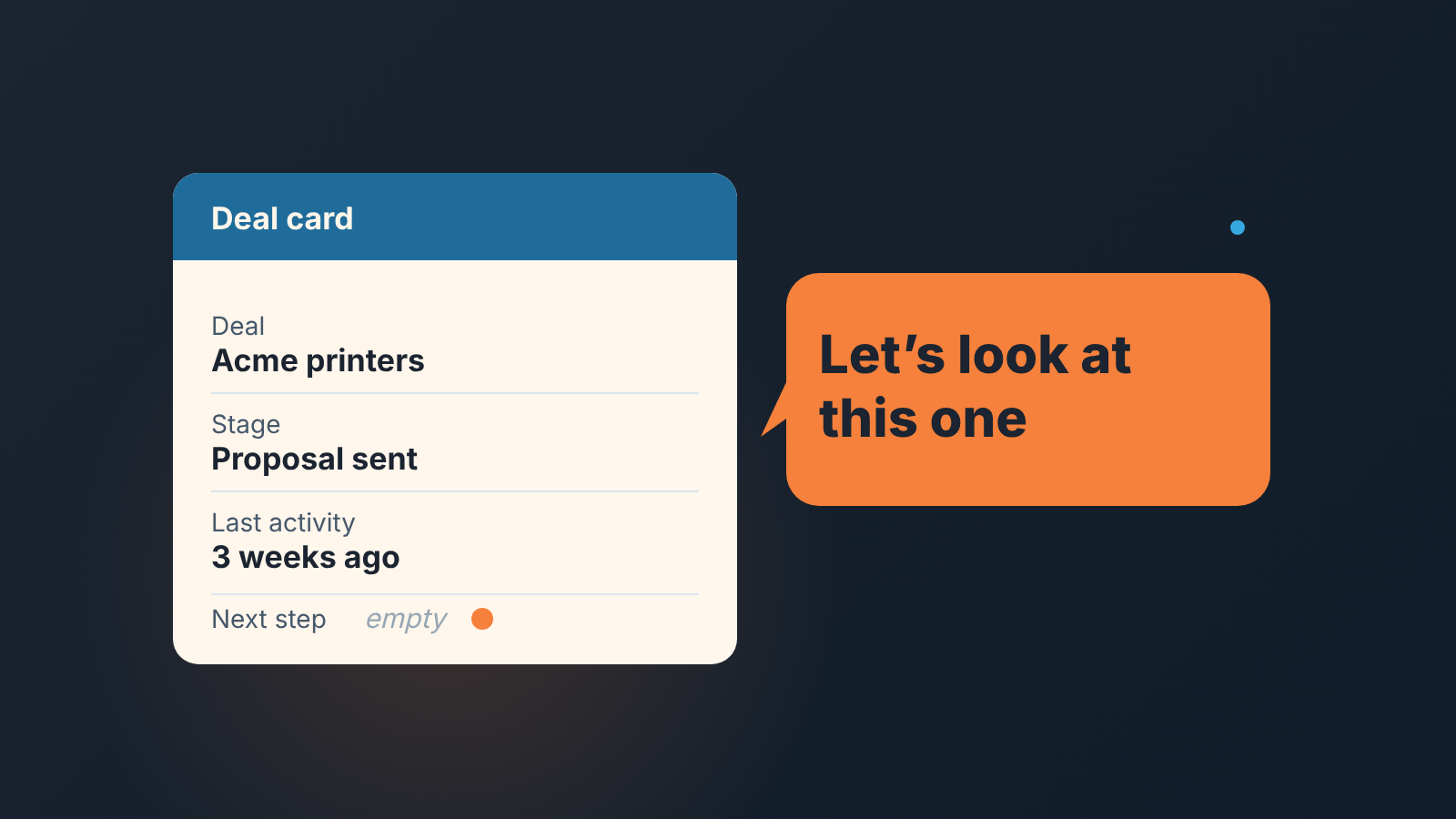
Feedback is information about how someone’s work or behavior is landing, given back to them so they can keep it or change it. That is the dictionary sense (Merriam-Webster, Cambridge), and it is also the management sense: a tool a manager uses with the people they manage (heyteam). For a sales manager it works best when it points to one deal, one date and one field in the CRM. “You’ve been slow on follow-ups lately” is an impression. “The Acme deal has had no next step since the 14th” is feedback.
The example deals and names are invented. The signals are the ones we see every week.
What is feedback? (and what it is not)
Feedback does one job: it shows a person something they did, clearly enough that they can repeat it or change it. In sales that usually means a deal moves, because the rep learns which field was empty or which step got skipped and books the next action. When a rep goes silent instead, which is often the first sign of quiet quitting for a sales rep, specific feedback is the cheapest way to test for it.
Good feedback is a single observation about something that already happened, with enough detail that the rep could have made the observation themselves. The University of Waterloo’s teaching centre separates it from evaluation: feedback is formative and uses descriptive, nonjudgmental language, while evaluation is summative and judges outcomes against a standard (Receiving and giving effective feedback).
Three things get called feedback in a sales team, and they are not the same.
Feedback is one observation and one response. “This deal has no next step. What happens next on it?”
Coaching is a cycle. You pick a pattern across several deals, agree on one change, and come back to it over weeks. We wrote about which CRM signal calls for which coaching conversation; this article stays on the single remark that feeds into it.
A performance review is a summary over a period, usually tied to a decision about pay, role or a plan. It should never contain a surprise, which means it should be built out of feedback that was already given. If a rep needs a formal plan, the 60-day improvement plan for a small team is the next step.
Why feedback to a rep fails: opinions instead of deals
Picture the Monday pipeline meeting. The manager says: “Dan, you need to be more proactive with your proposals.” Dan nods. Nothing changes, because nothing was asked of him. He doesn’t know which proposal, what “proactive” would have looked like, or what to do on Tuesday.
That is the common failure, and the cause is missing evidence. The manager has a real impression and hands over the impression instead of the deals. Dan can argue with an impression. He cannot argue with a deal card that shows Proposal sent on October 3rd, no activity since, and an empty next step.
The second failure runs the other way. The manager has the evidence but turns it into a character judgment: “You never follow up.” Dan has 30 deals, and 24 of them have a follow-up booked. He will spend the conversation defending the 24. Point at the six, and there is nothing to defend.
We think the fix is mechanical, and that’s good news. A sales team already keeps the record a manager needs: stage, last activity, next activity, close date, amount, lost reason. Feedback that points at those fields is specific without any effort from memory. It is also fair, because the rep can open the same card and see the same thing.
Types of feedback a sales manager gives
Positive feedback says: this worked, keep doing it. Managers skip it, because a deal that closed doesn’t look like it needs a conversation, though it does.
Corrective feedback says: this didn’t work, here is what I saw, what would you do differently? One deal, one gap, one next action.
Requested feedback is the one the rep asks for. “Can you look at the Northwind proposal before I send it?” Treat it as the most valuable kind, because the rep has already decided to listen. Answer the question asked, on the thing asked about, and resist the urge to bring up the three other deals you’ve been meaning to mention.
Summary feedback comes at the end of a period: the month, the quarter, the probation. It sits closest to evaluation, and it should contain nothing the rep hasn’t heard before. If the first time Dan hears about empty next steps is in his quarterly, the manager was the one who was late.
Most managers we know give too little positive and requested feedback and too much of the summary kind.
How to give constructive feedback: situation, evidence, next step
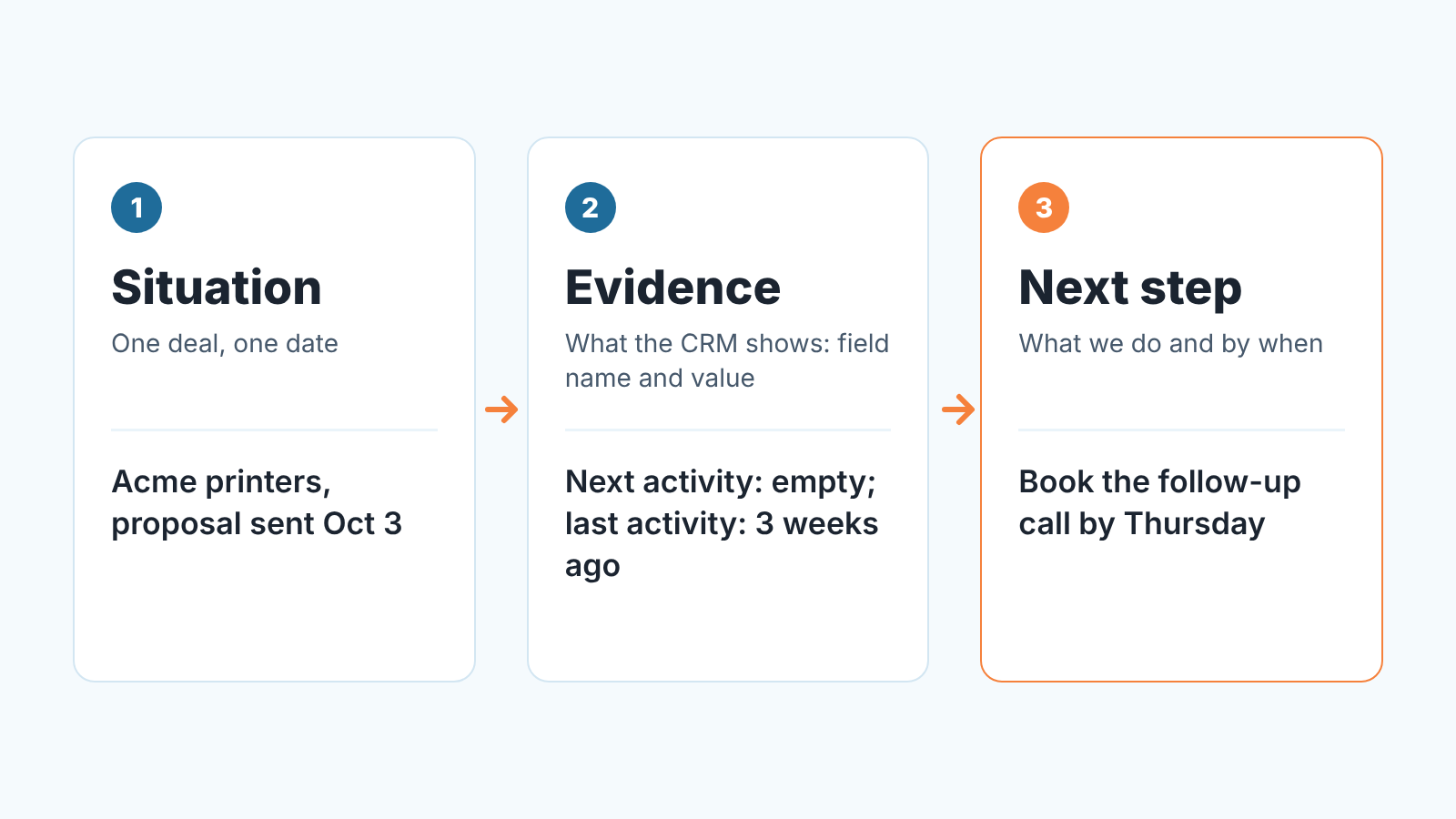
Constructive feedback fits in two sentences and a question. Say what the situation is, say what you can see, agree on what happens next. If you know the SBI model (situation, behavior, impact), this is a close relative, with the CRM record standing in for behavior and the next step replacing impact.
Situation is one deal and one date: “The Acme printers deal, proposal sent on the 3rd.” Leave out “your proposals” and “lately”. The rep should be able to open the card while you talk.
Evidence is what the CRM shows, named by field: “Next activity is empty, last activity was three weeks ago, close date is still the 31st.” You are only reading what is there. “You probably got busy with the Northwind pitch” is a guess, and a guess starts a debate about the guess. Let the rep supply the reason.
Next step is a question first and an agreement second: “What happens next on this one, and when?” Then write the answer into the deal as the next activity, right there. If the agreed step isn’t in the CRM when the conversation ends, you’ll have the same talk next week.
Feedback examples: eight things the CRM shows and what to say
These are the signals we would check before any 1:1. Pipedrive, HubSpot, Salesforce and Zoho CRM all have a version of each field. The first and the seventh overlap with our six coaching signals, so they stay short here.
-
No next step. “Acme has no next activity. What happens next on it, and when?” Then book it together.
-
Three weeks without activity. “Initech has been in Proposal for three weeks with nothing logged. Is it alive? If it is, what’s the next contact? If it isn’t, let’s close it lost today.”
-
Lost without a reason. The lost reason is empty or says “other”. “Vandelay went lost on Tuesday with no reason. What did they tell you? Put it in the field, because next month I want to know if it’s price again.”
-
Discount without a sign-off. The amount dropped between stages and nothing explains it. “Globex went from 24,000 to 19,500 between Proposal and Negotiation. Walk me through what we got for the 4,500.”
-
Close date pushed three times. Each move came without a new activity. “Umbrella’s close date has moved three times. What did the customer actually say about timing the last time you spoke?” A date that moves on it’s own is a forecast nobody believes.
-
Stage skipped. Qualified straight to Negotiation, no proposal in the record. “Stark went to Negotiation without a proposal. Was there one? If not, what are they negotiating against?”
-
Late stage, no amount. “Wayne is in Proposal with no amount. What did we quote?”
-
Closed fast, with the full cycle in the record. “Hooli: every stage, every call logged, closed in three weeks. Can you walk the new hire through it on Thursday?”
Pick the three your pipeline actually produces and ignore the rest until they show up.
Positive feedback also needs a deal number
Positive feedback, in simple words, is telling someone what they did well, specifically enough that they can do it again. “Great job this month” fails that test. It feels good for a second and teaches nothing, because the rep can’t tell which of the forty things they did was the great one.
Praise with a deal attached tells the rep what to repeat. Said in the pipeline meeting, it shows the team what the standard looks like. And it makes corrective feedback easier to hear, because the rep knows you read the good deals as closely as the the stalled ones. The same structure carries it: “The Globex deal: you booked the next step after every call and the close date never moved. Do the same on the two new ones from last week.”
We would put one piece of positive feedback with a deal number into every 1:1. The usual advice is the sandwich method, where praise cushions the criticism. We keep the two apart, one deal per remark. The praise is there because it’s true, and because a rep who only ever hears about the six stalled deals stops opening the CRM at all.
Right away, or save it for the 1:1?
Right away, when the deal can still change. A missing next step on a deal that had a call yesterday is a thirty-second message today: “Acme, no next activity after yesterday’s call, what’s booked?” Waiting a week for the 1:1 turns a reminder into a reprimand.
In the 1:1, when it’s a pattern or when it’s uncomfortable. Three deals with pushed close dates need a sit-down conversation. A discount without a sign-off needs one too, because the honest answer might be “I panicked”, and nobody says that in a Slack thread. Our piece on meeting cadence for a small team has the weekly rhythm this fits into; the short version is that the 1:1 is weekly and the pipeline review is the place for praise in front of others.
Corrective items never go into the pipeline meeting.
What not to do: feedback that reads like surveillance
There is a version of this that goes wrong. The manager reads the CRM every morning, messages each rep about every empty field, and calls it feedback. The reps call it something else.
Looking at the CRM every day is part of the job. The line is crossed by what you do with what you see. Feedback picks one signal that matters for the deal and asks a question the rep can answer. Surveillance reports every deviation and expects compliance.
A few rules we keep. One deal per message, even when eleven need attention. A question before an instruction. The lost reason field is for learning; a rep who gets interrogated over every lost reason starts writing “price” on all of them. And a deal that is fine gets no message at all, which is most of them. We went into this at length in what a manager can read in the CRM instead of checking in every day.
Make the evidence automatic: Deal Health rules as the starting point
All of the above assumes the manager finds the signals: in a CRM with 200 open deals, that is a saved filter per signal, opened before every 1:1. Most managers keep it up for about a month.
We build SalesBond, a sales management layer on top of the CRM a team already uses; we started with Pipedrive. Deal Health is the part that does the filtering. It checks every deal against more than 20 rules in six categories, Activity, Progression and Data among them, which is where most of these signals belong. The rep sees their own deals, the manager sees the team’s, so situation and evidence are already on the screen in the same words for both. The conversation starts at “what happens next”.
Deal Health has a limit. It scores deals and shows each rep’s average score across them, and it can’t tell you why Dan’s proposals stall; that is still a call review and a conversation.
To see what your own pipeline would show, the free CRM audit reads the last 30 days of your CRM and sends a PDF report, then a second one a week later with what changed. Check your CRM with SalesBond, and bring the deal health section to your next 1:1.


