
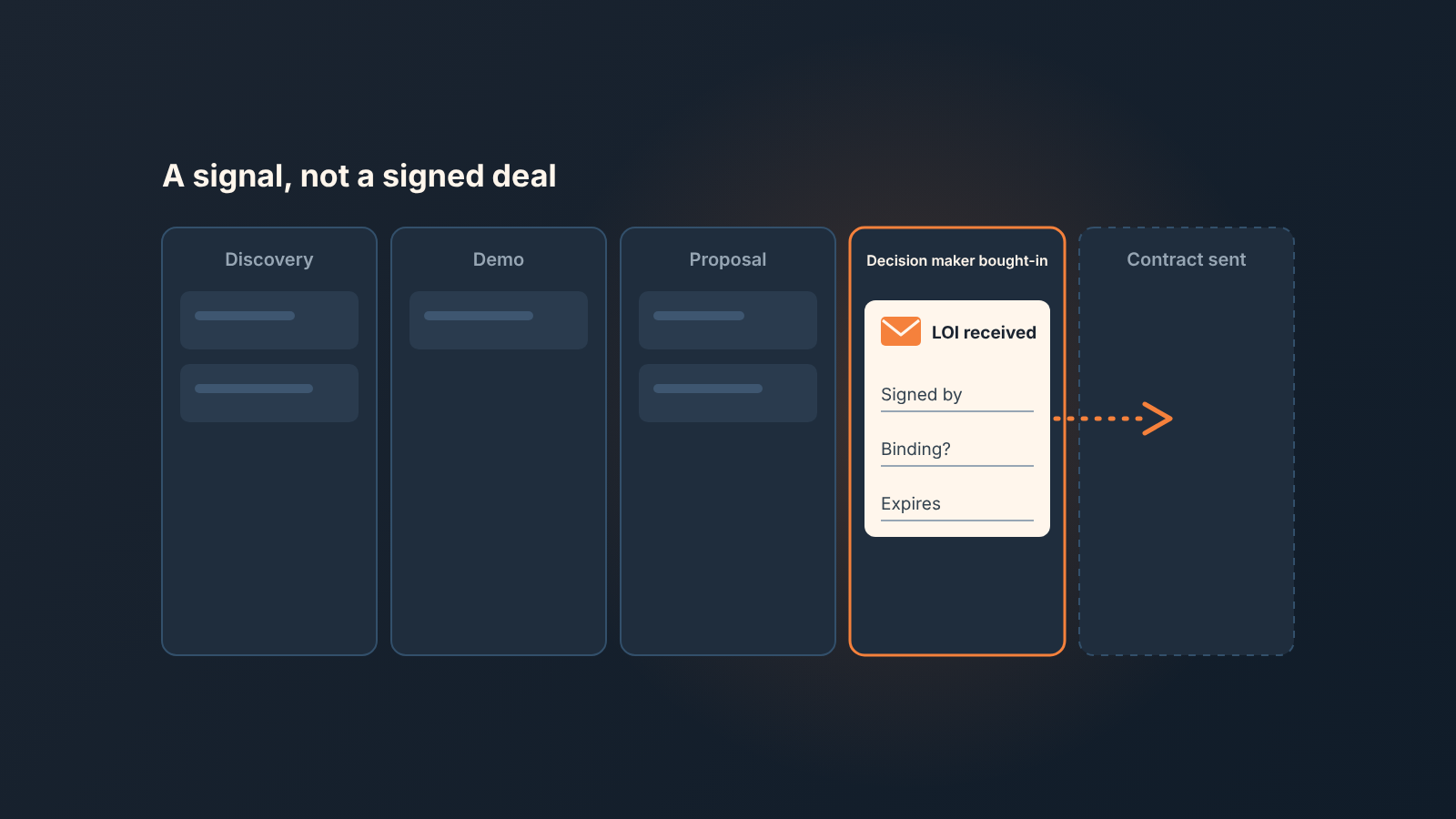
In business, a letter of intent (LOI) is a signal that a customer plans to buy, not a signed deal. It is usually non-binding, lists the main terms both sides expect to negotiate, and starts the contract work rather than ending it (Parr Business Law: what is a letter of intent). For a sales manager that means three things. Give the LOI its own checkpoint in the pipeline. Record who signed it, what in it is binding and when it expires. Forecast the deal at the probability of the stage it is really at until the contract is signed, not at the probability of a deal that is about to close.
This article is the sales side of the question. The legal side, what in a given letter actually binds, depends on the wording and the jurisdiction, and the honest answer is “ask your lawyer”. We won’t pretend otherwise below.
What a letter of intent means in business
An LOI is a short document, often from the buyer to the seller, that says: we intend to do this deal, on roughly these terms, and we will now work out the contract. It names the parties, the scope or the asset, a price or a price range, and sometimes a timeline and an expiry date. Most of it is written as intent rather than obligation.
Is it binding? Usually not, with one exception: sections written to bind, such as confidentiality or exclusivity, can be binding even when the rest is not (Parr Business Law). The wording decides, so ask your lawyer which clauses in yours do.
Who writes it varies. In the SMB software and services deals we’ve seen, it is more often the buyer’s procurement or finance lead who sends one, because they need something on paper to open a budget line or start a vendor review. Sometimes the seller drafts it and the buyer signs. Either way the person whose name is on it matters more than who typed it, and we come back to that.
A buying signal, not a signed deal
The difference between an LOI and a contract is not the number of pages. A contract creates the obligation to pay. An LOI records the plan to get there.
Set it next to the the other documents a rep brings to a pipeline review. A verbal yes on a call is a signal with no paper. A term sheet is a list of the commercial terms, usually also non-binding, and in practice many LOIs are a term sheet with a cover letter. The signed contract, whether that is an MSA with an order form or a single agreement, is the only one of the four that puts money on the table; we broke down the document chain in MSA, SOW and order form for a sales team.
So where does the LOI rank? Above the verbal yes, because someone put their name on paper and that name can be checked. Below the contract, because in most cases nothing has been promised that a court would enforce, and because the people who sign contracts (legal, a director, procurement) often haven’t seen it yet. We think of it as the strongest signal a deal can give before it becomes a deal. That’s a compliment. It is still not a deal.
Only the contract itself earns the stage change, and who has to sign first is covered in signed contract and Closed Won in HubSpot.
Where it sits in the pipeline: a stage or a checkpoint
Our position: do not add a stage called “LOI received” unless LOIs arrive in most of your deals. If one deal in ten brings an LOI, a stage for it sits empty, reps skip over it and your conversion reports gain a column of noise. Make it a checkpoint instead, a few properties on the deal that say an LOI exists, and keep the deal in teh stage it is actually at.
On HubSpot’s default Sales Pipeline that stage is almost always “Decision maker bought-in” (80%), not “Contract sent” (90%). The names describe the reality well: the decision maker has committed, the contract has not gone out. HubSpot lists the default stages and their probabilities in its pipelines help page (HubSpot: set up and manage pipelines). If you renamed yours, map the LOI to whichever stage means “they said yes, legal has not started”.
The exception is a team where the LOI is a standard step, say a services business where every engagement starts with a signed LOI before scoping. Then a stage earns its place, because every deal passes through it and the stage conversion rate tells you something. In HubSpot you add it in Settings, Objects, Deals, the Pipelines tab, “+ Add stage”, and pick its deal probability from the dropdown or enter a custom value (HubSpot: set up and manage pipelines). Put it before the contract stage, never after.
Whichever you choose, the checkpoint needs data, or it is a tick box nobody trusts by month two.
Three properties to fill when the LOI arrives
When a rep logs an LOI, we want three things on the deal record and nothing else as a hard requirement.
- Signed by: the name and role of the person on the letter. A role as well as a name, because “Head of Procurement” and “project lead who likes us” are different signals.
- What is binding: a short dropdown with nothing, confidentiality only, exclusivity, other (see notes). The rep is not expected to read it as a lawyer. They ask the customer and flag anything beyond “nothing”.
- Expiry date. Use the date the letter names, or the one the customer gives when asked, blank is not an option. If the letter has no date and the customer won’t give one, that is a finding and it goes in the notes.
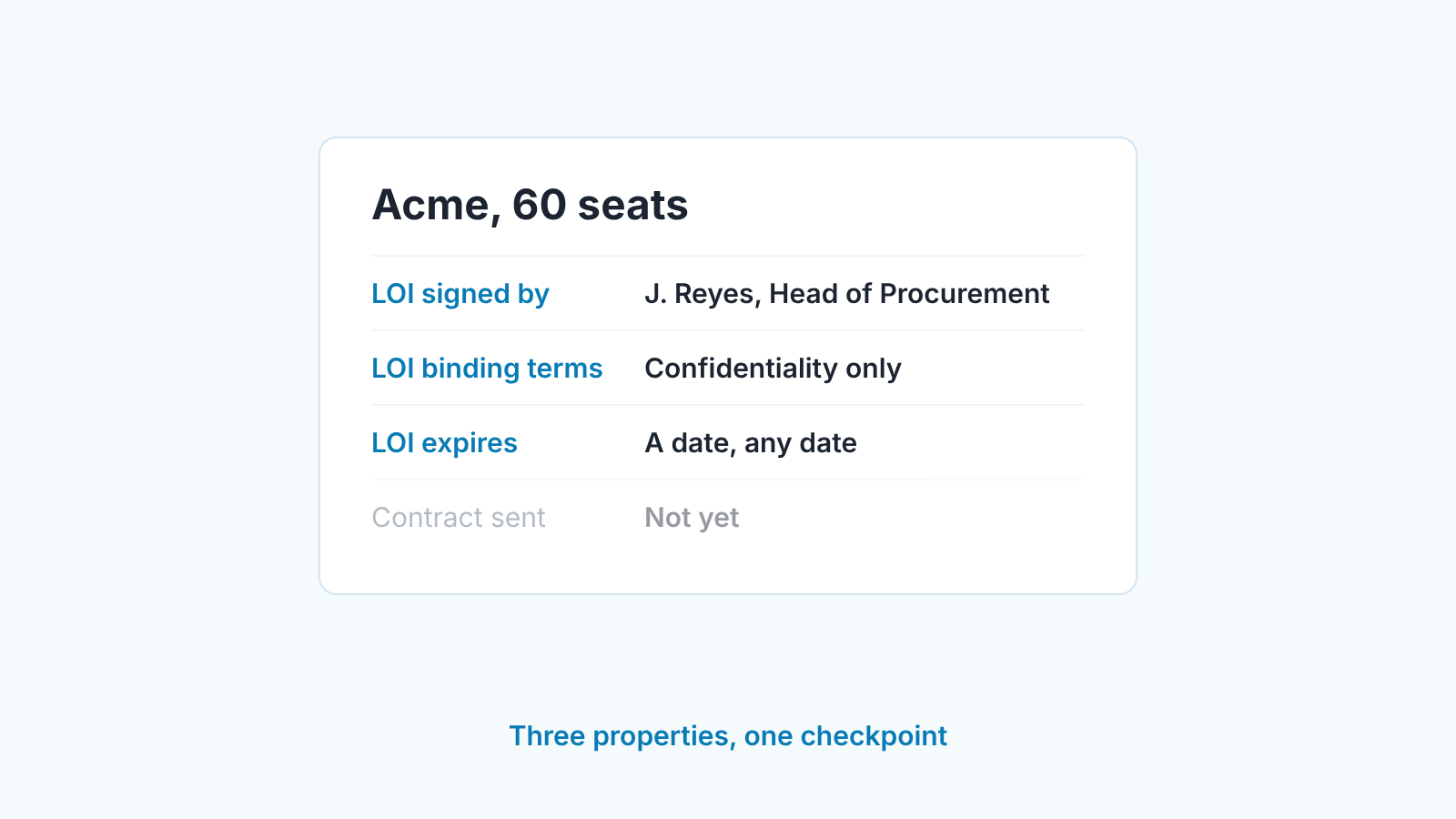
In HubSpot these are custom deal properties. Properties are the fields that store information on a record, and you create new ones under Settings, Properties, choosing the object (Deals) and a field type for each (HubSpot: create and edit properties). A single-line text for the signer, a dropdown for the binding terms, a date picker for expiry. Ten minutes of setup.
Now make them hard to skip at the right moment. HubSpot’s conditional stage properties show a set of properties when a user manually creates a deal in a stage or moves one into it. Each can be marked Required, and the help page is plain about what that means: users cannot create or update the record until they set a value (HubSpot: set up conditional stage properties). Open the pipeline, hover over the stage’s Conditional logic rules column, click Add rule, add the three properties, tick Required. You need Edit property settings permissions for this. Two limits from the same page. Read-only properties such as scores or calculations can’t be stage properties. And the form appears on manual creates and moves, so don’t count on it for deals that reach the stage some other way, like a workflow or an import.
That works cleanly for a dedicated LOI stage. If you went with a checkpoint, a required rule on the decision-maker stage would force LOI fields onto every deal there, LOI or not, so leave them optional and catch the gaps in the weekly review further down. For the general pattern of what to require where, the piece on required properties by deal stage in HubSpot is the longer version.
What it does to the forecast
An LOI keeps the deal at the stage its paperwork justifies, so it keeps that stage’s probability; it can change the close date, not the stage.
That is less than reps want. In HubSpot the stage sets the probability, and the weighted amount on the board is the total amount in a stage multiplied by that stage’s probability (HubSpot: set up and manage pipelines). So “what probability does an LOI get” is really “which stage does the LOI deal sit in”. If a rep drags it to Contract sent on the strength of the letter, it jumps to the contract stage’s probability with no contract. On the default pipeline that is a move from 80 to 90 percent for a document that, by its own wording, does not bind anyone to pay.
The close date is where the LOI earns it’s keep, because the letter usually tells you when the customer expects to sign. Set the close date to the date the contract is expected, not the date the LOI arrived. Keep the LOI expiry in its own property so the two never get confused.
If your stage probabilities are still HubSpot’s defaults, the LOI question is the smaller problem. Setting HubSpot stage probabilities from your own win rate comes first, and once the contract stage reflects how often sent contracts actually close, the gap between “LOI in hand” and “contract sent” becomes a number you measured rather than one you argued about.
What happens after the LOI: three checks before Contract sent
After the letter is signed the buyer usually does its own checking, and then both sides negotiate the agreement that actually binds (Parr Business Law). For the rep that leaves three questions the LOI doesn’t answer, and a rep holding an LOI tends to stop asking them: is the amount in it approved budget or the thing that gets budget approved, who on the customer’s side reviews the contract, and is there a vendor step such as a security questionnaire or supplier form waiting behind it. Put a name and a date next to each one and keep the deal where it is until all three are filled. The waiting itself is its own problem, covered in deals stuck in legal and procurement (the mechanics there are Pipedrive, the queue is universal). And tell whoever owns contracts on your side that the LOI exists now, not when the redlines arrive, because that is where the quote-to-cash handoff begins.
When the LOI expires or goes quiet
An expiry date on the deal is only useful if something happens when it passes. What we do: a saved view of open deals where the LOI expiry date is before today, reviewed on Monday with the rest of the exceptions. Each deal on that list gets one of three outcomes that week. The customer confirms a new date, and the rep updates the property and the close date together. The customer has gone quiet, and the deal moves back a stage, because an expired letter with no reply is weaker evidence than the verbal yes it replaced. Or the deal is lost, and it is marked lost with the reason rather than left to age.
Moving a deal back can feel harsh. It isn’t. The LOI was real when it arrived, and the pipeline report is only honest if it says what is real today. A rep who argues the deal is “still live” can prove it with one thing: a reply from the signer with a date in it.
Two smaller habits help here. Log the LOI as an attachment on the deal, so the next person does not have to dig through email. And when the expiry passes, the rep’s first message goes to the person who signed, not to the champion.
The signer’s silence is the information.
Two mistakes we keep seeing
The first is counting the LOI as won. It shows up as a deal at the contract stage with no contract, or worse, as closed won with a note that says “LOI signed, contract to follow”. The forecast then carries revenue that nobody has agreed to pay, and when the contract slips a quarter the miss lands as a surprise. The fix is the stage rule above plus a weekly look at every deal in the contract stage that has no contract attached.
The second is letting the LOI sit without a date. No expiry, no close date update, no next activity. The deal looks strong because of the document and gets less attention than a deal with nothing, which is backwards. A letter of intent is the customer telling you when and how they plan to buy. If the CRM can’t say when, nobody read the letter closely enough.
A disclosure, since this is where tooling comes in. We build SalesBond, a sales management layer on top of the CRM a team already uses; we started with Pipedrive. The three properties and the Monday view above work without it, and for a small team that may be all you need. If you want a second look at how your pipeline holds up, check your CRM with SalesBond.


