
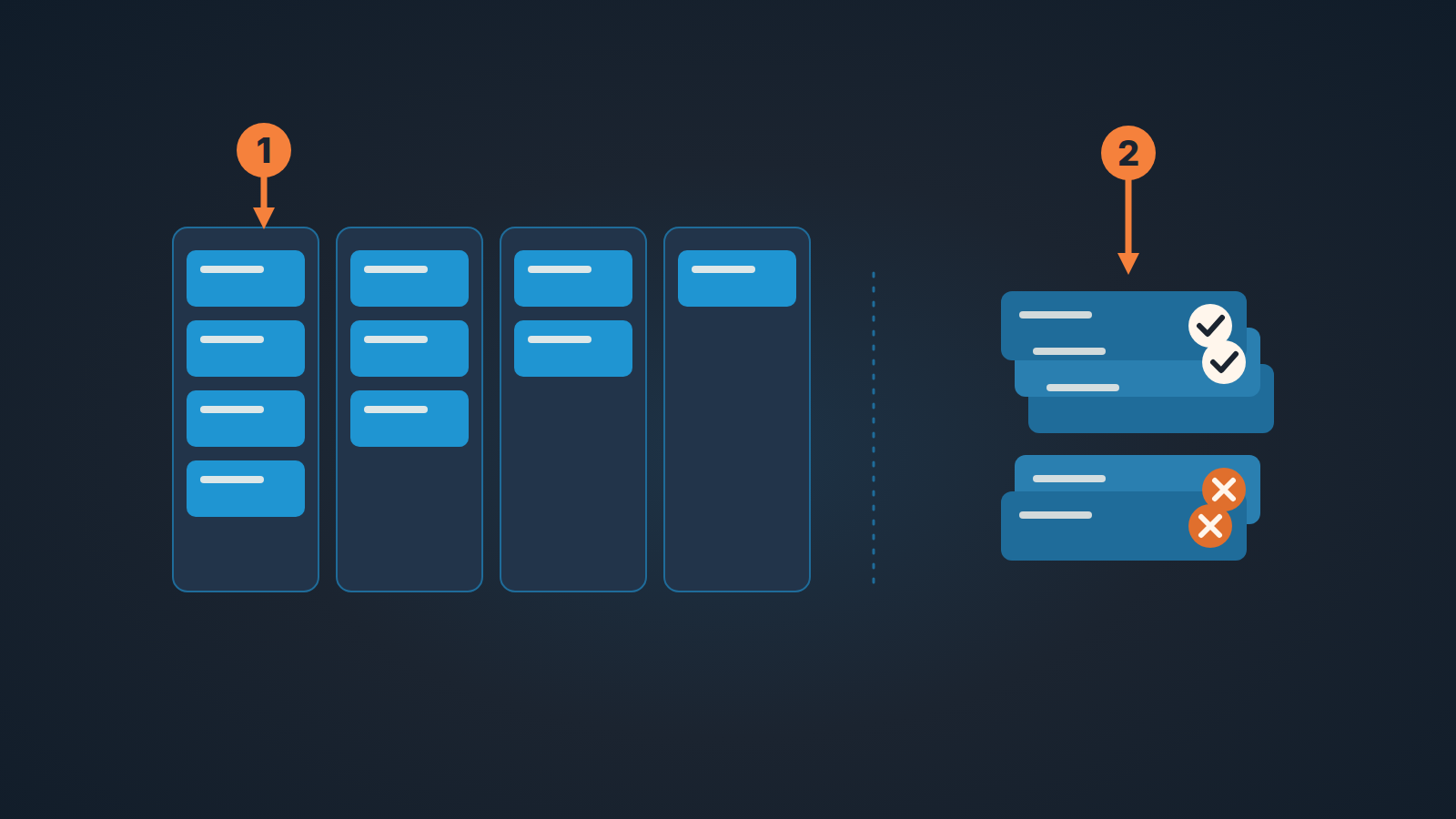
Since the August 2026 release, Pipedrive can keep won and lost deals visible in the pipeline and list views through a persistent toggle, instead of dropping them out of sight the moment a deal closes. The older route still exists too: you can filter for won or lost deals in the same views. For the weekly review, the toggle changes how the meeting should run. Read the open pipeline first and decide what happens next on every live deal. Then show the closed deals and walk through what the team won and lost in the period. Keep the two passes apart and the toggle earns its place. Mix them, and the review spends its best attention on deals nobody can do anything about.
The Monday review where Friday’s wins share the view with open deals
A made-up scene, but one most sales leads will recognize. Monday, September 28, 2026, nine in the morning. The head of a four-person team opens the pipeline for the weekly review with closed deals showing. Two deals won on Friday afternoon and one lost the same day are right there in the view, alongside the open work.
The conversation starts where the eye lands. The rep who won the two deals tells the story of the Friday calls, and it is a good story. Somebody asks about the lost one. The lead opens it and reads the notes aloud. The meeting ends on time and in a good mood.
On Wednesday the lead goes back through the open deals and sees what the meeting didn’t produce. Not one of them came out of Monday with a new commitment: no agreed next step, no name against it, no date.
Nothing went wrong with the tool here. What went wrong is the order. The team gave the sharpest part of the meeting to work that was finished, and the deals that still needed a decision got whatever was left.
Closed deals in the pipeline view: what changed in August
The release note on Pipedrive’s product updates page (August 2026, Deals) reads, in full: “See closed deals in pipeline and list views. Maintain complete visibility over won and lost deals via a persistent toggle that shows closed deals directly in your pipeline and list views. You can also filter for more recent timeframes.” (Pipedrive product updates, opened October 3, 2026)
The help center, as of its September 3, 2026 update, describes the behavior that existed before. The pipeline view article says: “Closed deals are removed from the active pipeline view. You can still access them later by filtering for won or lost deals.” (Pipedrive: pipeline view) The filtering article adds: “You can filter for your won, lost or deleted deals in the pipeline view and deals list view.” (Pipedrive: filtering for my won, lost or deleted deals)
So there are two descriptions in circulation. The help pages, dated after the release, describe the filter route. The release describes a toggle that keeps closed deals in view. We aren’t going to read anything into the gap. For this article, what counts is what the release line actually says: closed deals can be shown directly in the pipeline and list views, the toggle is persistent, and you can narrow to more recent timeframes. The rest of the article stays inside those three points.
Open work first, closed work second: the order for the review
The weekly review has one job: every open deal leaves the meeting with a next step that somebody owns. We wrote up the timing of that in the 15-minute weekly pipeline review, so we won’t repeat the structure here. The point is narrower. Closed deals belong in the the review, but after the open ones and in a separate pass. Before the meeting, answer one question from data: why the pipeline number changed since Monday.
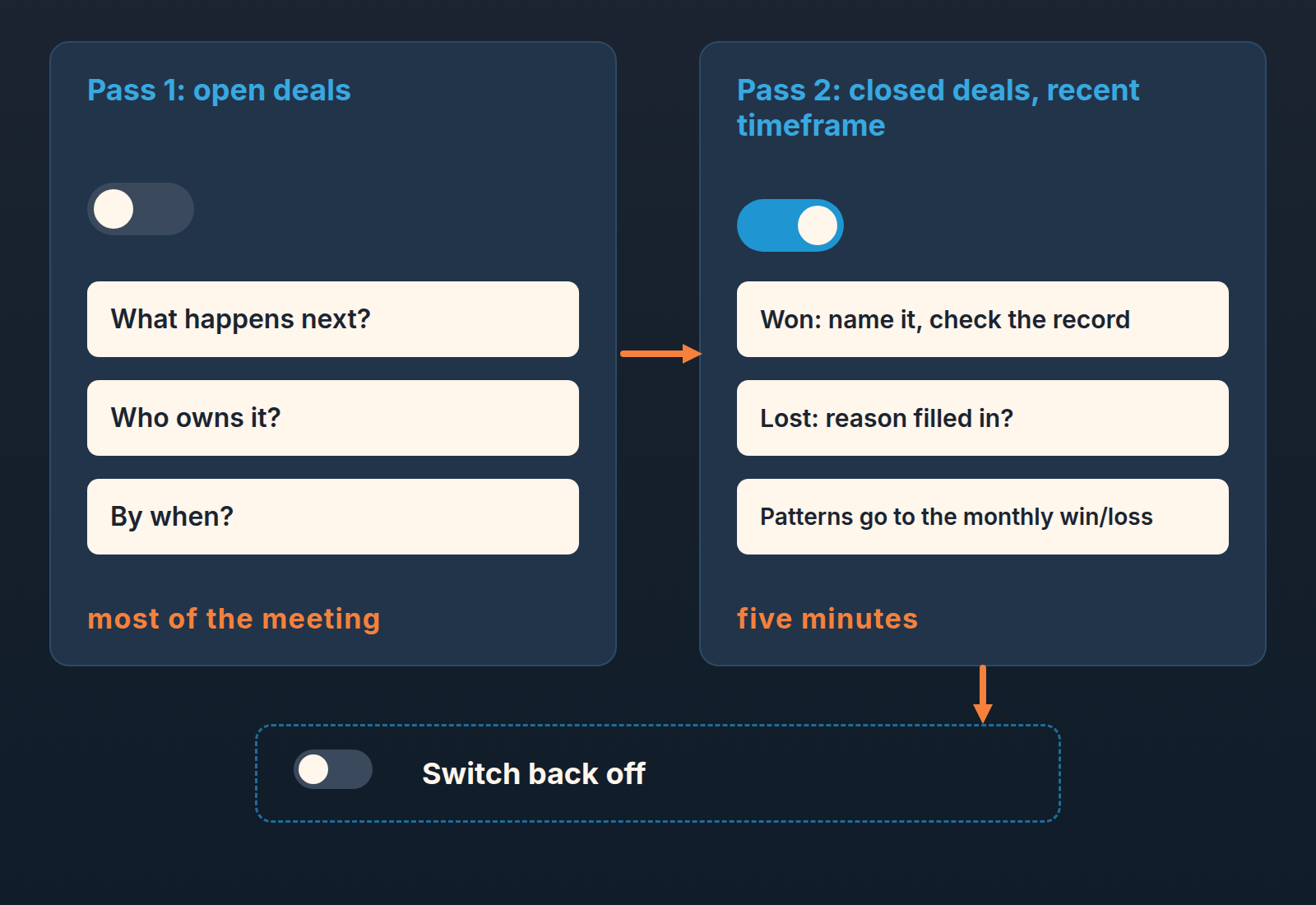
Pass one: open deals, closed deals hidden. Start with the toggle off, so the screen shows only work that still needs a decision. Begin with the deals closest to closing and ask the rep three questions about each:
- What has to happen next for this deal to move?
- Who is doing it?
- By when?
If the rep can’t answer the first one, that is the coaching conversation, and it is worth more of the meeting than any recap. This pass should take most of the time. If the review keeps sliding into checking whether records are filled in and stages are right, that is a different job with a different cadence; we separated the two in pipeline inspection vs pipeline review.
A disclosure, because this is the pass our product is built for. We build SalesBond, a sales management layer on top of the CRM a team already uses; we started with Pipedrive. Deal Health checks every deal in the connected CRM against the enabled rules (more than 20 of them), assigns a health score, shows the specific violations and explains what to do. Check your CRM with SalesBond if you want that picture of the open pipeline before Monday. The order of the review stays the same either way.
Pass two: closed deals on, narrowed to the period. Now switch the toggle on and narrow the view to a recent timeframe, which the release says you can do. This pass is a recap. It is short on purpose, and it comes second on purpose, because a won deal needs nothing from the room except acknowledgement and a quick look at its record. If you run this pass in the list view, a standard list view for the whole team keeps the columns the same on every screen.
Five minutes on closed deals: what the second pass is for
The second pass is not a win/loss analysis. It is the last cheap moment to look at a closed deal before it stops being anyone’s problem. In the list view this pass needs nothing saved: temporary conditions above the list are enough for a look at the deals lost last week.
For a won deal say it out loud and name the rep. Then open the record and look at the value, the won time and whatever your team uses to describe what was sold. This is the week the rep still remembers the deal. A month later the won time will be whatever the system recorded, and fixing it will be a reporting argument. We wrote about why that date matters more than it looks in the won time field and the month-end edit.
For a lost deal, one question: is the lost reason filled in, and is it specific enough that you would recognize the pattern if it came up again? “Price” is not a reason. “Chose incumbent after we missed the second demo slot” is. If your lost reasons list doesn’t let a rep say that, the fix is in the list, not in the rep; see Pipedrive lost reasons that actually get used.
That is the whole pass. Anything that looks like a pattern across several lost deals gets noted and taken to the monthly conversation, where there is time to look at it properly. We described how a small team does that without a data analyst in win/loss analysis for a small team on Pipedrive. The weekly review is the wrong room for it. Try it there anyway and you are back at the Monday from the scene above.
When to leave the toggle off
The release calls the toggle persistent, so make switching it off the last step of the review.
We’d keep closed deals hidden in these situations:
- The forecast conversation. When the question is “what will close this month”, the deals that already did are noise in the view, and the eye goes to them first because they are the good news.
- One-on-one deal coaching. A rep working through their own pipeline should see the deals they can still influence. Won deals beside open ones are a comfort the open ones haven’t earned yet.
- A pipeline inspection. The inspection asks whether each record should be in the pipeline at all. Closed records have already answered that.
- Anyone new to the team. A new rep reads the board as a to-do list for thier first few weeks. Give them a board that is one.
Old closed deals are a separate matter. Showing the past few days of won and lost deals during a recap is useful; carrying years of them in the views is not, and that is a clean-up decision rather than a toggle decision. We covered what to keep and what to archive in archiving old deals and leads in Pipedrive.
A one-line rule
Open deals decide what we do this week; closed deals tell us what happened last week. Read them in that order, in two passes, and switch the closed ones off when you’re done. And before anyone reads an open column as a ranking, remember what the top of a column really tells you.
The toggle is a good addition because it makes the recap easy. The catch is that it also makes the wrong order easy, and the wrong order is the one the eye prefers. Put “open deals first” at the top of next Monday’s agenda and leave it there until nobody needs the reminder.


