
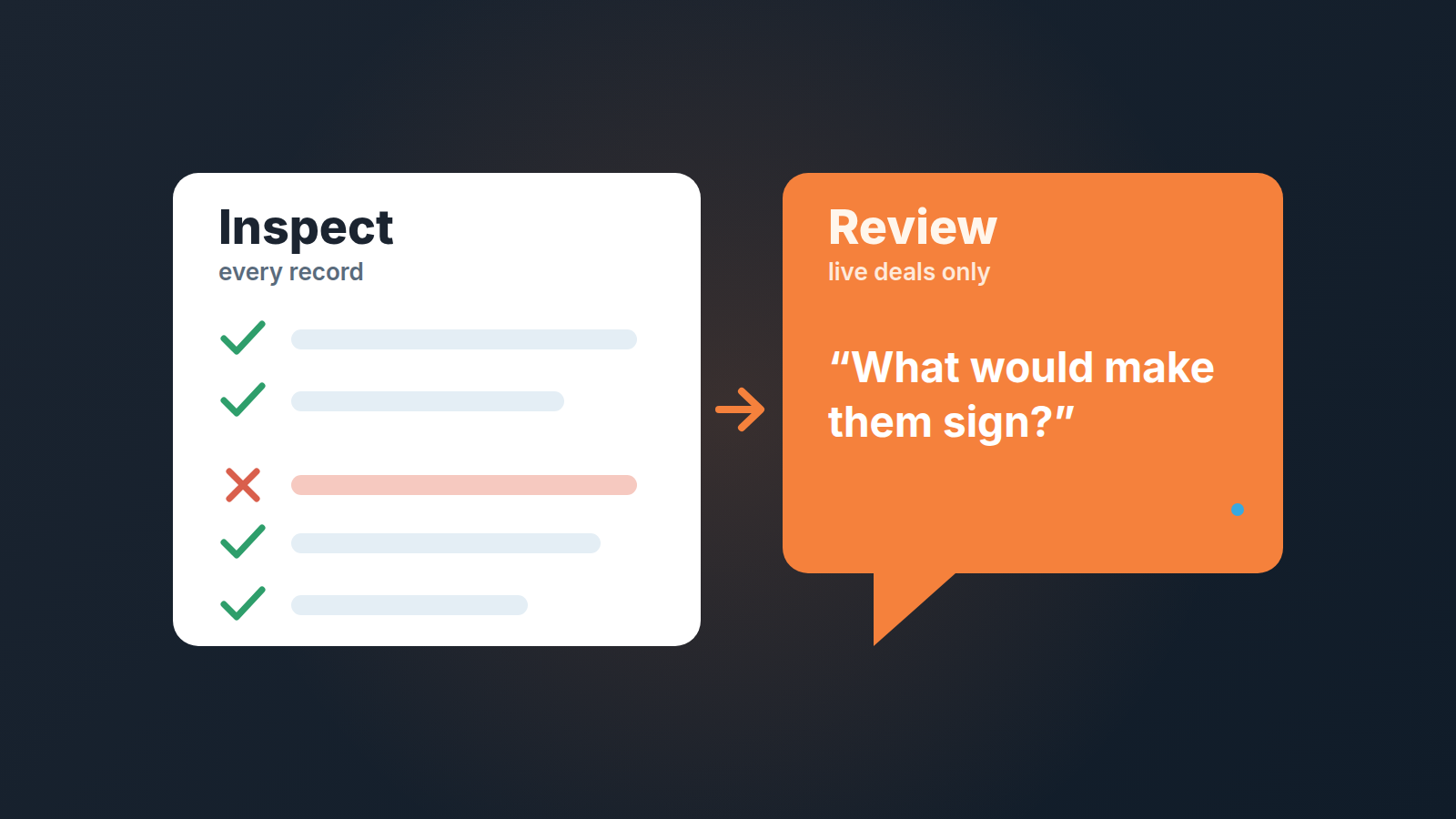
A pipeline review is a conversation about what to do next on live deals. In sales, a pipeline inspection asks a colder question: does each record deserve to be in the pipeline at all? Run the inspection first, on every deal, and let the owner clear the failures. Then the review hour goes to coaching instead of cleaning.
To get ready for that hour, ChatGPT can turn a deal export into questions.
Most small teams run one meeting and call it a review. In practice it is half inspection: the manager scrolls the pipeline, spots a close date from last month, asks why it is still there, the rep explains, and ten minutes are gone. Multiply by six reps and the “review” never gets to the deals that actually need a decision. Splitting the two jobs is the fix, and Pipedrive has enough built in to run the inspection without extra tooling. Think of it as B2B sales pipeline hygiene with a fixed slot on the calendar.
Pipeline review vs pipeline inspection: two jobs that look alike
ORM Tech draws the line cleanly: a review is coaching with reps, an inspection is an audit of all records (ORM Tech). The difference is not the room or the people. It is what you are judging.
In a review you judge the deal. Is the champion real, what is blocking the next stage, what does the rep say on Thursday’s call. The unit of work is one opportunity and the output is a next step the rep did not have before. The stage names and days in stage on the progress bar give you the first question before the call starts.
In an inspection you judge the record. Not “will this close” but “is this row telling the truth.” Does it have a next activity, is the close date in the future, is the amount plausible, is the stage where the evidence says it is. The unit of work is the whole pipeline and the output is a shorter list of records you can trust.
| Pipeline review | Pipeline inspection | |
|---|---|---|
| Question | What should we do next on this deal? | Does this record belong here as written? |
| Scope | Deals worth a conversation | Every open deal |
| Who does the work | Manager and rep together | Deal owner, alone, from a saved filter |
| Output | A next step per deal discussed | Records fixed, closed, or archived |
| Fails when | It turns into data cleanup | Nobody owns the exceptions list |
When the two are merged, the inspection wins by default because its questions are easier to ask and quicker to answer. “Why is the close date August?” is a one-line question. “What would make this prospect sign?” takes real thinking. A manager with thirty minutes and a messy pipeline will spend them on the easy questions every time.
What a pipeline inspection checks: five rules a record must pass
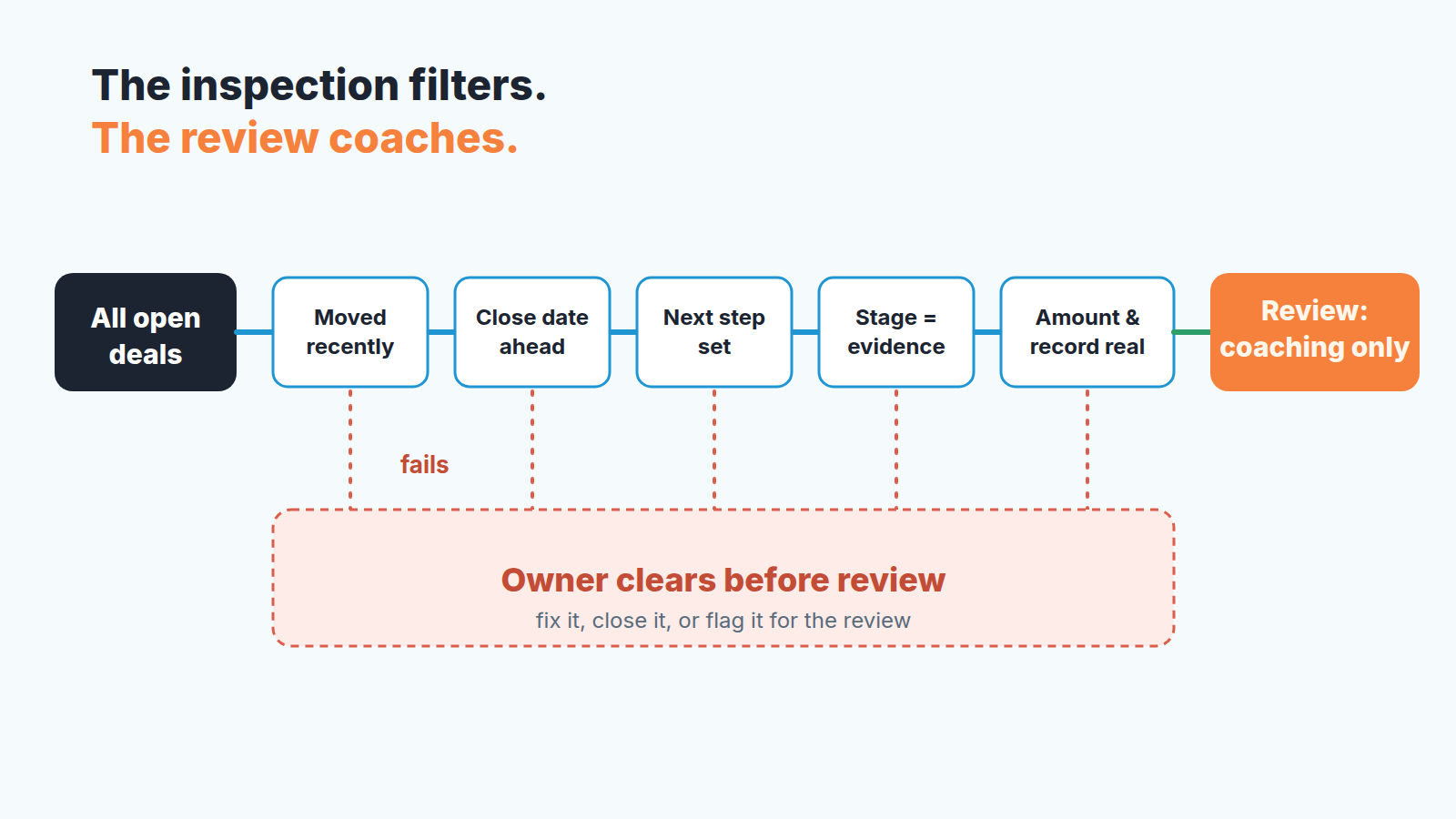
ORM Tech lists the inspection checks as time since last change, past close dates, missing next steps, stage misalignment, odd amounts and duplicates (ORM Tech). We fold odd amounts and duplicates into one check, because both come down to “is this record real,” and you want a list a rep can hold in their head.
- It moved recently. A deal nobody has touched in weeks is not in the pipeline, it is in the archive with the wrong label. The fix is either an update or an honest close.
- The close date is ahead of today. In our experience a past expected close date is the most common lie in a small-team pipeline. It is not malice, it is a rep who forgot to push the date, but the forecast reads it as money this month. We wrote up the pattern in why close dates keep getting pushed in Pipedrive.
- There is a next step. No scheduled activity means no plan. A deal with no plan is a hope. Our guide on the next activity field in Pipedrive covers why we treat this field as one of the strongest signals on a deal.
- Stage matches the evidence. “Proposal sent” with no proposal attached, “Negotiation” with one email thread and no call. The stage should be the last thing the buyer actually did, not the thing the rep hopes happens next.
- The amount and the record are real. A round placeholder value that never got updated, a value ten times the team average, or the same company opened twice by two reps. Duplicates are their own problem and we cover them in duplicate records in Pipedrive.
None of these needs judgment. That is the point. A rep can run all five on their own deals in the time it takes to make coffee, which is why the owner does the inspection and the manager does the review.
Running the inspection with Pipedrive filters
The whole inspection lives in saved filters plus one pipeline setting. Nothing to buy, nothing to export.
Start with the filter drop-down in the top right corner of the deals view and choose “Add new filter.” A filter takes conditions combined as ALL (the deal must meet every condition) or ANY (the deal must meet at least one), up to a maximum of 16 conditions, and it gets a name and a visibility: shared filters are visible to all users, private filters only to the person who created them (Pipedrive Help: advanced filtering). Filters apply in both the pipeline view and the deals list (Pipedrive Help).
Build one shared filter per check, with the check in the name so nobody has to open it to know what it does. “Inspection: close date in the past.” “Inspection: stage without evidence” (this one leans on a custom field, see below). Shared, not private, because the inspection is a team rule and the rep should see exactly what the manager sees. It helps to save the columns with the shared filter too, so the rep sees the same fields as well.
For check one, use the rotting feature instead of a filter. Switch on “Rotting in (days)” for each stage from the pencil icon in pipeline view. The timer counts from the deal’s last updated time, not from the day the deal entered the stage. Marking an activity done, adding a note or a file, or an email sent or received on the deal all reset it, and a deal left untouched past the limit turns red on its tile (Pipedrive Help: the rotting feature). Red tiles are the stale list. We walk through the settings in Pipedrive rotting deals.
Rotting does not cover check three. Pipedrive ignores the next activity date when it decides what is rotten, so a deal with a call booked two months out can still go red, and a deal with no next step stays green as long as someone keeps touching it (Pipedrive Help). Give the missing next step its own shared filter.
For checks two, four and five, the fields you need are standard deal fields: expected close date, pipeline and stage, value, owner, plus any custom fields you have added (Pipedrive Help: list view). The “stage matches the evidence” check needs one custom field that records the last buyer action, a single-option field with values like “call held,” “proposal sent,” “verbal yes.” Then build one filter per stage, for example Stage is Negotiation and Last buyer action is anything other than “call held.” Yes it is one more field to fill in. It is also the only way to make stage misalignment visible without reading every deal.
The last piece is bulk edit. After you select items in any list view the bulk edit panel opens; for deals you can change owner, pipeline and stage, value, expected close date, custom fields, and you can archive or delete, with “Schedule activities” available on Growth and higher plans (Pipedrive Help: list view). That turns “fourteen deals with past close dates” from fourteen clicks into one selection and one new date. Use it for the obvious cases only. A past close date on a deal that is genuinely alive should get a real new date from the rep, not a blanket push to next quarter.
Before you confirm, read what a bulk edit sets off, because Pipedrive can’t undo it afterwards.
When each one happens
ORM Tech recommends clearing exceptions monthly and a full scrub two weeks before quarter end (ORM Tech). We would tighten the first half for a small team. A rep’s own inspection should be the first thing on the day of the review, not a separate monthly ritual, because teh filters do the finding and the owner only has to clear a handful of rows. The deal owner runs the inspection; the manager audits it once a month. If the lists are empty, it took two minutes. If they are not, that is the point.
The manager’s monthly pass is the one that walks the whole pipeline with the shared filters open, mostly to catch what reps clear by moving a date instead of fixing a deal. The pre-quarter-end scrub is where you are strict about check five: amounts and duplicates, because that is what the forecast is about to be built on.
The review keeps its own slot, and it is shorter than you expect once the inspection is separate. Our weekly pipeline review in 15 minutes assumes you walk in with records that already pass. If you have never done a structured cleanup, the Pipedrive audit is the one-time version of what this article turns into a habit.
One rule makes the whole thing hold: a deal that fails inspection does not get discussed in the review. It goes back to the the owner. One check before it goes back: if the deal looks empty only to you, find out whether the activities are hidden from you. The first time a manager says “that one has no next activity, we’ll take it next week when it does” the team learns in one sentence what the inspection is for.
What to do with the failures
Failed records fall into three piles, and the owner sorts them before the review.
The first pile is alive and under-maintained. The rep knows the deal, has a plan, and simply did not log it. Fix the record: schedule the activity, update the date, correct the stage. This is most of the list in a healthy team and it should take seconds per deal.
The second pile is dead and nobody said so. The prospect stopped replying in July, the rep kept hoping. Close it as lost with a reason, or archive it. Do not let it sit at a low probability “just in case.” A pipeline that carries dead deals is one the manager stops believing, and once that happens the review stops working too.
The third pile is the interesting one: the rep cannot say which of the first two it is. That deal is not an inspection failure, it is a review topic, and the deal review questions are built for exactly this kind of deal. Flag it, pass it, and spend the coaching time there. This is the handoff the two-job split is built for. The inspection does not decide anything about the deal. It decides whether the record is clean enough for the deal to be worth a decision.
Over a few cycles the second pile shrinks on it’s own, because reps stop opening deals they would not defend, and the third pile becomes the review agenda without anyone writing one. That is what a pipeline you can trust looks like from the inside: nobody argues about the data, so everybody argues about the deal. Inspection catches incomplete records, not deals created to make the pipeline look full; those take a separate pass over creation dates and stages.


