
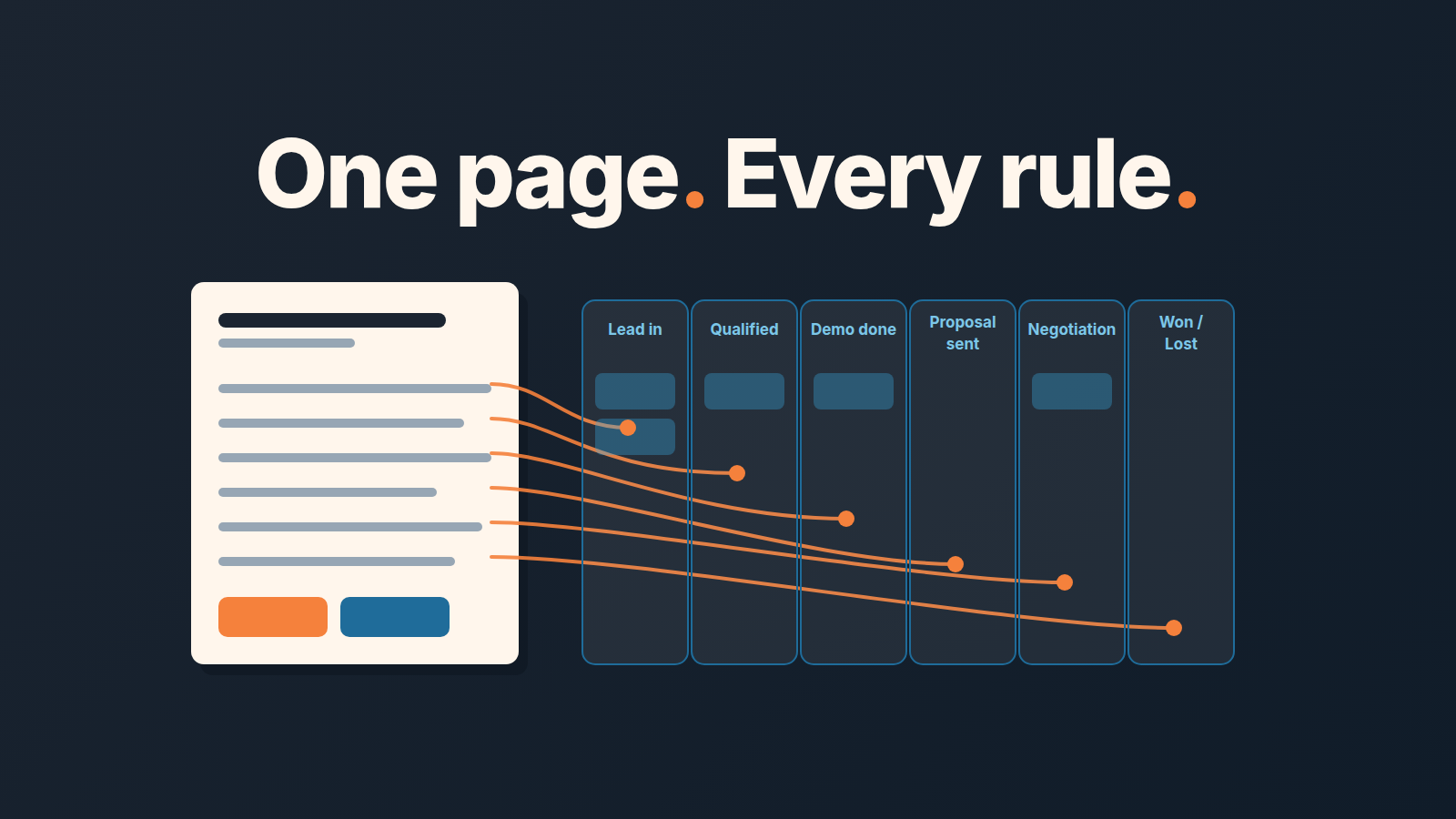
A sales playbook is the written set of rules and plays your reps follow to move deals forward. For a small team it fits on one page: what must be true for a deal to leave each stage, plus three or four plays for the situations you meet most often. Put every rule into Pipedrive as a required field or an activity reminder, because a rule nobody can see inside the deal gets forgotten within a month. Below is a one-page template and how to write that page for a team of three to eight reps, and how to make Pipedrive hold it up when you are not looking.
Why long playbooks die
Open a typical playbook template and count the sections. Pipedrive’s own guide lists company information, products and pricing, commission, methodology, sales process, personas, plays, tools, KPIs and scripts (Pipedrive blog). That is a reasonable table of contents for a company with a sales enablement person whose job is to keep it current. A team of five has nobody in that job. The manager sells too, the document gets written once in a burst of good intentions, and by the second quarter teh pricing section is wrong and the scripts describe a product that has since changed.
Dave Kellogg makes the sharper version of this argument: a playbook is a collection of plays, and a startup with fewer than a dozen reps needs three or four plays, each shorter than a page, rather than the whole binder (Kellblog). A play, in his sense, is a short recipe for one deal situation you keep running into. His four are win the way you have won before, replace a big incumbent vendor, beat a rival startup, and politely walk away from unqualified deals.
We agree, and we would add one test he does not spell out. A rule belongs in a small team’s playbook only if you can check it in the CRM without asking anyone. “Always qualify budget before the demo” fails that test as written. “The Budget owner field is filled before a deal enters Demo” passes it, and it is the same rule. The second version can be enforced by Pipedrive and audited with a filter. The first lives in people’s memory, which is where rules go to die.
So the page has two halves. Exit criteria per stage, each with the Pipedrive field or activity that proves it. And a handful of plays. No company overview, no scripts, no commission plan. Those documents can exist, but they are not the playbook. The exact words for the hardest moments in a call can live on a separate card, a sales talk track.
What goes on a one-page sales playbook
Start with your pipeline as it exists today, not the one you plan to build. If the stages themselves are wrong, fix those first (how to set up sales pipeline stages). A playbook written over a broken pipeline just makes the breakage official.
For each stage, write one line: what must be true for a deal to move on, and where in the deal that truth is recorded. Here is the version we would hand to a new manager of a five-rep team selling to SMBs. Treat it as a one-page sales playbook template: copy the table, then swap in your own stages and fields.
| Stage | Exit criteria (what must be true) | Where it lives in Pipedrive |
|---|---|---|
| Lead in | We know the person’s role and why they replied | “Job title” custom field on the person; “Trigger” single-option field |
| Qualified | Problem written in their words; budget owner named | “Problem” text field; “Budget owner” person field |
| Demo done | Decision process known; next step agreed with a date | “Decision process” text field; next activity scheduled |
| Proposal sent | Price and start date in the proposal match the deal | Value; Expected close date |
| Negotiation | Named objection and what we offered against it | “Main objection” single-option field |
| Won / Lost | Lost reason chosen from the list, never “other” | Lost reason, with predefined lost reasons turned on so reps pick from a list |
The field names are examples. The shape matters more than the names: one criterion per stage, phrased as a fact that is either in the deal or not. “Rep feels confident” is not a criterion. “Next activity scheduled” is.
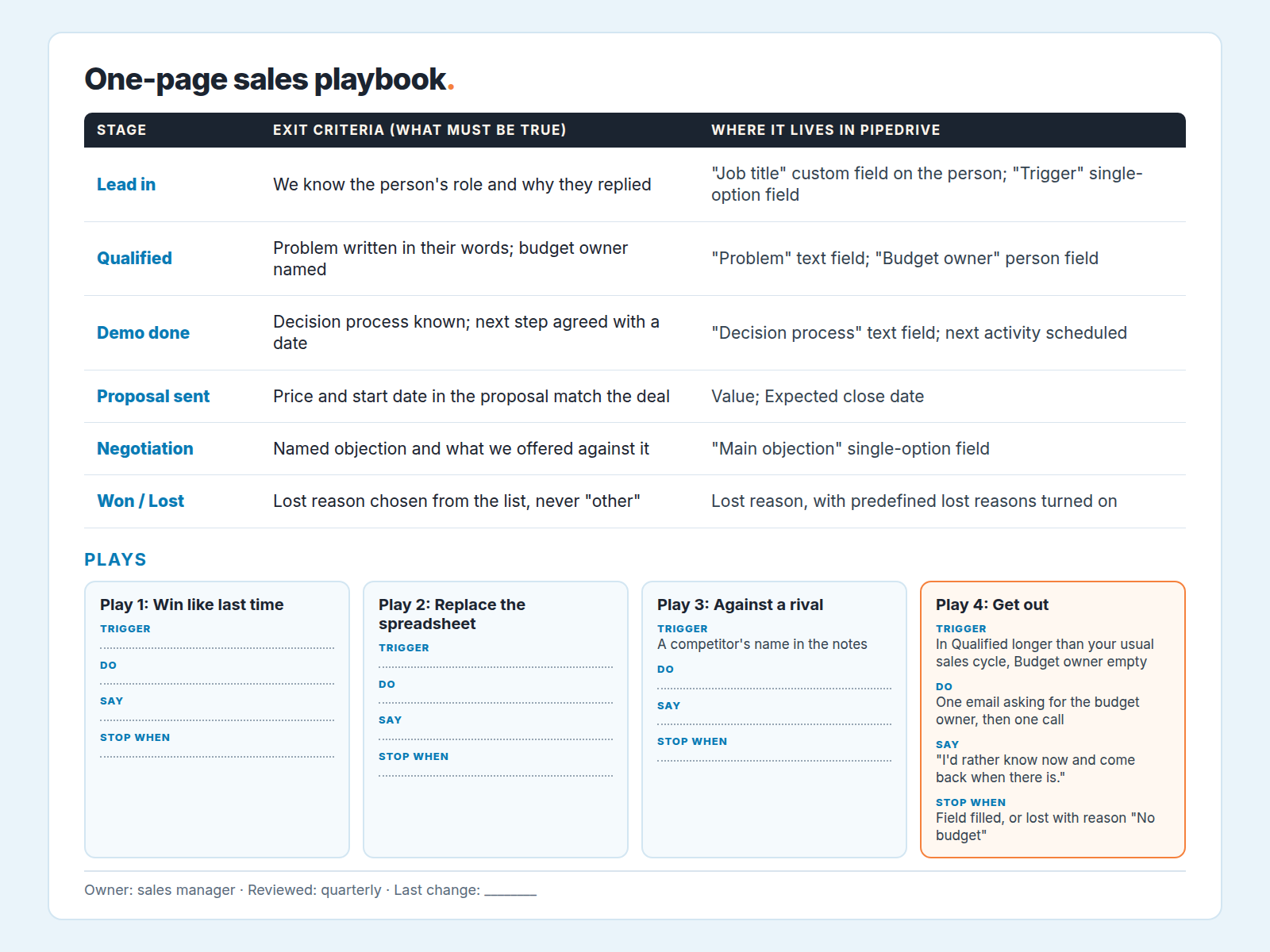
Under the table go the plays. Kellogg’s four translate well to most SMB teams, so take his list as the default and rename them for your market. Each play fits in four lines:
- Trigger: the thing in the deal that tells you this play applies (a competitor’s name in the notes, a lost-reason pattern, a reference customer in the same industry).
- Do: the two or three actions, in order.
- Say: one sentence the rep can use tomorrow.
- Stop when: the condition that ends the play, including “disqualify”.
A worked example, and the one most teams skip. Play 4, get out of unqualified deals. Trigger: a deal has sat in Qualified longer than your usual sales cycle with no Budget owner filled. Do: send one email asking for the budget owner’s name, then schedule one call. Say: “If there isn’t a budget for this in the next two quarters, I’d rather know now and come back when there is.” Stop when: the field is filled, or you mark the deal lost with the reason “No budget”. That only works if lost reasons are a list rather than free text, so turn on predefined lost reasons (a Deals admin can do it) and put “No budget” on it. That play alone cleans more pipeline than any report.
For the play against a rival, the first Do line is opening the competitor’s card; if you do not have one yet, here is how to build a battlecard for a small team from your lost deals.
Add a “Play” single-option field to the deal with the four names in it. It costs reps one click and gives you the only usage data you will ever get on whether the plays are used. To make one play stick, rehearse it on live deals at a sales kickoff meeting.
Make Pipedrive hold the line
A playbook you have to remember is a playbook you will forget. Every row of the table should become something Pipedrive does on its own.
Required fields are the first tool. An admin can make a field required per pipeline and per stage, so “Budget owner” can be required for a deal to enter Demo done and not before (Pipedrive support: required fields). The feature is limited to higher Pipedrive plans, and only admins can configure it. Set one required field per stage transition, matching the exit criteria column of your page. Our walkthrough of required fields in Pipedrive covers the setup.
Two things about required fields matter before you lean on them. First, they are enforced when a person moves the deal in the interface. Deals that arrive through imports, bulk edits, the API or automations are not checked (same source). If your leads come in by import or from a web form integration, those deals will sit in a stage with empty fields, and a weekly filter for “stage is Qualified and Budget owner is empty” stays part of the manager’s job. Second a required field that reps can satisfy with “TBD” is not a rule. Use single-option and person fields wherever you can. Free text is for the problem statement and little else.
Pipedrive also distinguishes required fields from important fields, which highlight what should be filled without blocking the move (Pipedrive support: custom fields). Use important for criteria you want visible but are not ready to fight over, such as “Main objection”. Promote them to required once the team fills them anyway.
Activity reminders are the second tool, and they cover the half of the page that is about time rather than data. “Next step agreed with a date” is not a field. It is a scheduled activity on the deal. Make it a team rule that every open deal past Qualified has a next activity, and the deals without one become the list you read on Monday morning. Our guide to activity reminders in Pipedrive shows how to set these up so reps get nudged before the deal goes quiet rather than after.
The test at the end of the setup: open a test deal and try to push it through every stage without filling anything. Each place it stops is a rule that now enforces itself. Each place it sails through is a rule that still depends on memory, and you should decide whether it earns its place on the page.
Once a quarter, read the page with the pipeline open
A one-page playbook survives because it is cheap to revisit, so revisit it. Block an hour at the end of each quarter, open the page next to the the pipeline, and go row by row. For each exit criterion, look at what the field actually contains across the quarter’s deals. A required field full of “n/a” and single letters is telling you the rule is wrong, or the stage is, and either way the rep is not the problem. A field that is consistently filled with something useful is a rule that has become a habit, and that transition can probably carry a second one.
Then look at the Play field. If one of the four plays was never selected, it is either a situation you do not meet or a play people do not believe in. Ask the team which, then cut it or rewrite it. If most won deals carry no play at all, the plays are living on the page and not in the deals, and the fix is usually to make the Play field required at Proposal sent rather than to run another training session.
Change one thing per quarter. A rule that moves every month never gets enforced, and reps stop trusting the page. One rule changed, with the date written in a line at the bottom, is a playbook that is still alive a year later. The same page is the first document a new rep should get on day one (30-60-90 onboarding plan). If a new hire can read it in ten minutes and know what every stage demands, it is doing its job. If it needs an explanation, trim it. The whole point of managing sales by process is that the process can run without you for a while.
We build SalesBond, a Pipedrive-native AI mentor for small sales teams, and the page above is what we would ask any new customer’s sales manager to write before turning anything else on. The fields are the playbook. The document is just where you agreed on them.


