
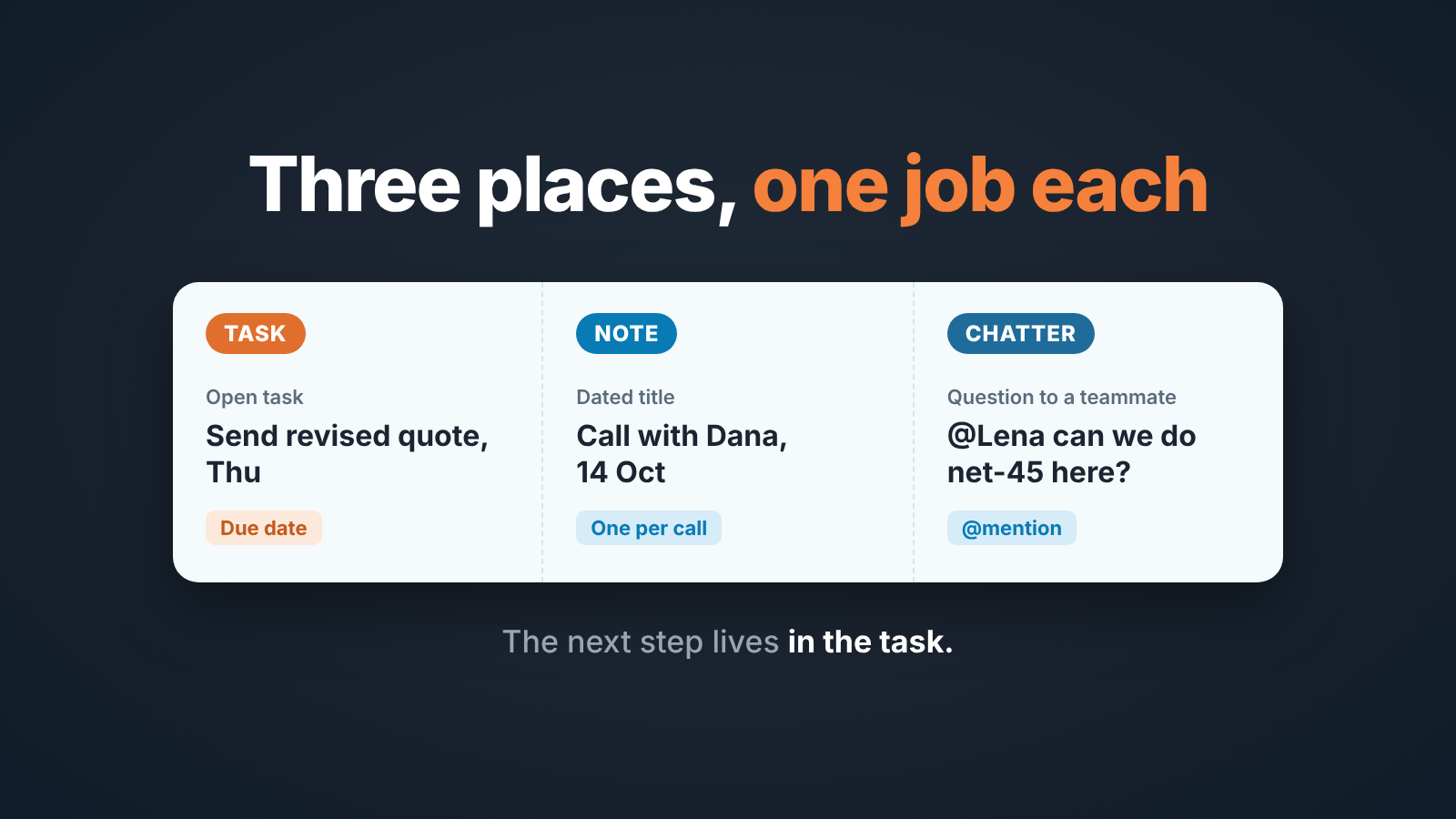
Salesforce Chatter is an in-app feed for conversation around a record, not a place to keep the deal record itself. For a small sales team, keep the commitment as a Task with a due date, call context as a Note, and use Chatter for questions to teammates. A manager reading a deal later should never have to scroll a feed to find the next step.
That last sentence is the whole argument. The rest is about making it true on a five-rep team.
What Salesforce Chatter is, in one honest paragraph
Salesforce Chatter is the collaboration feed built into Salesforce: each record, an opportunity included, gets its own feed, people @mention colleagues to pull them in, groups have feeds of their own, and anyone can follow a record to see its updates in their What I Follow feed. With Feed Tracking on, a change to a tracked field posts to the record’s feed by itself; for opportunities the default tracked fields are Amount, Close Date, Opportunity Name, Opportunity Owner and Stage (Trailhead: Chatter feed tracking). Admins switch it on and configure it in Setup (Salesforce Help: Salesforce Chatter). So a rep posts a line, a colleague answers, and the exchange stays attached to the deal. That is useful. It is also exactly what it sounds like: a conversation. Posts have no due date, no owner and no status, and the newest one sits on top whether it matters or not.
We like Chatter for what it is. We stop liking it the moment it becomes the place a team keeps the deal.
Chatter vs Notes vs Tasks: what each one is for on an opportunity
Three things get written about a deal every week, and Salesforce gives each one a home.
A commitment is something that has to happen by a date: send the quote, call procurement, chase the security questionnaire. That is a Task on the opportunity, with a due date and an owner. We wrote up the rule itself, one open task per opportunity, in one open Salesforce task per opportunity, so the short version will do here. If it can be late, it is a Task.
Context is what the buyer said and what changed. That is a Note on the record, dated, one per conversation. How to run Notes, and where Description fits, is in where deal context should live in Salesforce; we won’t repeat it.
A question to the team is anything that needs a colleague, not the buyer: “can we do net-45 on this one?”, “who owns the legal review?”, “has anyone sold into this group before?”. That is a Chatter post, with an @mention so the right person sees it. In practice the discussion often changes the deal, and when it does the result moves out of the feed and into a Task or a Note. The thread stays as history. It does not stay as the record.
The test we give reps: your manager opens this opportunity in three weeks while you are on holiday. Will she find what you just wrote in the first place she looks? If the answer is “she’ll see it in the feed”, you wrote in the wrong place.
What a manager can and cannot report from Chatter
You can report on who posted and when. You cannot report on what the next step is. Admins ask about this in the Salesforce community often enough that the threads have titles like How to report on Chatter feed, and the person asking there already had a Chatter groups report running. It just didn’t show what she needed.
Think about what you actually report on as a head of sales. Stage, Amount, Close Date, the Next Step field, whether an open Task exists and when it is due. Every one of those is a value on the opportunity or on a related activity. A Chatter post is text with an author and a timestamp. Pull posts into a report and that is what you get back: someone wrote something on a date. Not “the next step is X and it is due Thursday”, because nobody structured the post that way, and the post after it may have changed the plan anyway.
From Chatter a manager can see that a deal is being talked about, who is talking and when the last post landed. Across thirty deals at once, she cannot see what the next step is or whether it’s overdue. That takes Tasks, the Next Step field and list views built on them, which is why we lean on those in list views for manager deal hygiene.
A busy feed is not a managed deal. It tells you about attention, not execution.
The one-place rule for a five-rep team
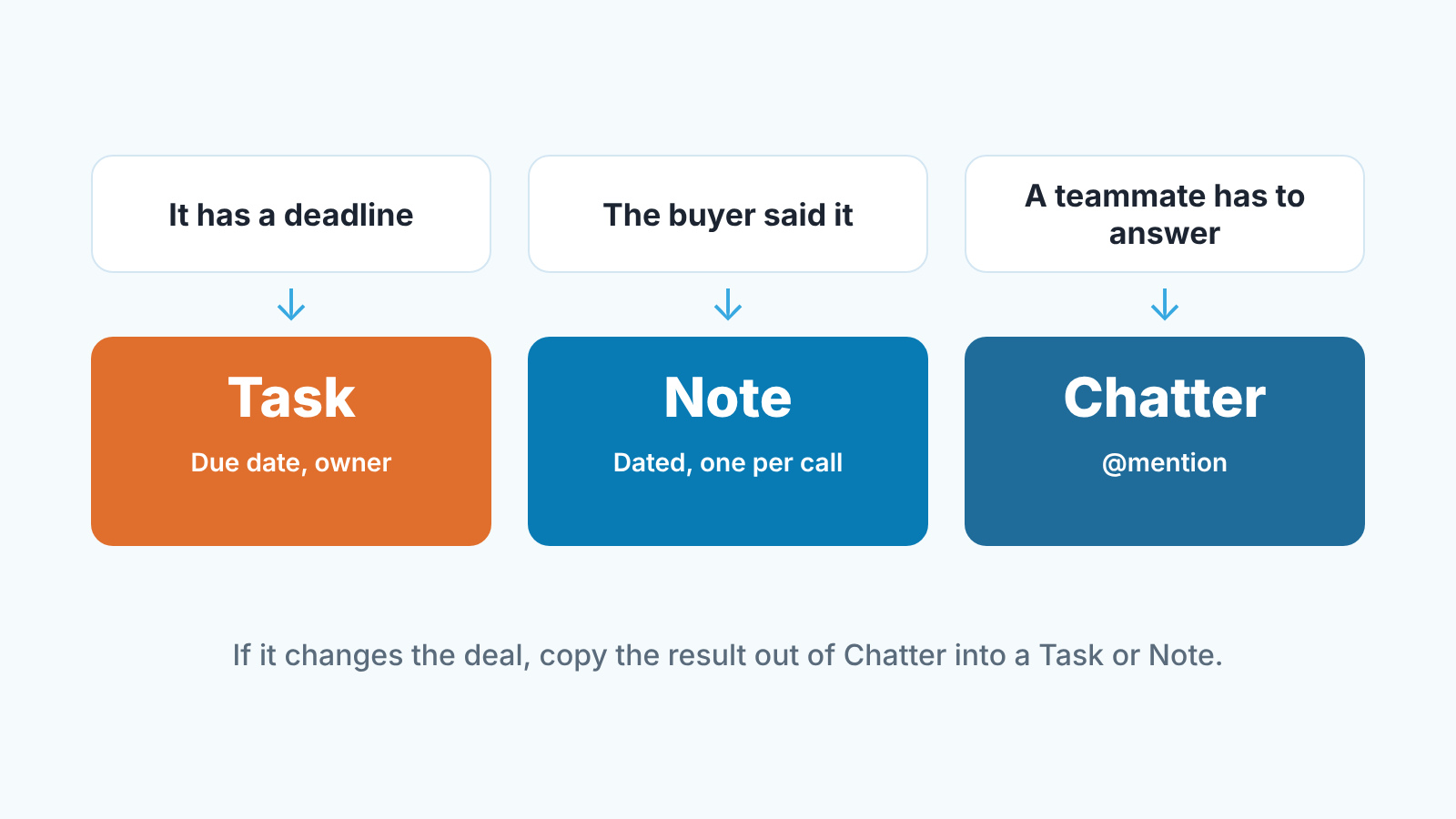
The rule has three lines, and we say them out loud at the Monday meeting until nobody needs reminding:
- A date goes in a Task. Not in a post, not in a Note.
- The buyer’s words go in a Note. One per conversation, dated.
- A question for a teammate goes in a Chatter post with an @mention. If the answer changes the deal, the rep copies the outcome into the Task or Note that same day.
Where does the Next Step field fit? It is the one-line summary of the open Task, written so a manager can read it in a list view: “Send revised terms, Thu”. The Task is the execution, with the date and the owner; the Next Step field is the headline. When the Task changes, the rep updates the line.
Why three and not a longer list? Because a rule a rep can hold in thier head on a call is a rule that gets followed. Five lines and they start guessing, and guessing is how a deal ends up spread across every free-text box Salesforce offers.
The part teams skip is the copying. A thread where Lena approves net-45 feels like it has settled the matter. It has, for the two people in the thread. For the manager reading the deal in November, what counts is a Note that says “Net-45 approved by Lena, 14 Oct” and a Task that says “Send revised terms, due Thu”. Thirty seconds of copying saves a twenty-minute dig later.
One more thing we insist on, and it is unpopular. The rep who posts the question owns the follow-through, not the person who was mentioned. Chatter makes it easy to feel that asking was the work. It wasn’t.
A Monday check: deals whose last update lives only in a feed
Ten minutes, once a week. That is all this takes.
Open a list view of open opportunities, sorted by Close Date so this quarter’s deals come first, with Next Step as one of the columns. Blank Next Step? First suspect. Open the deal and look at the activity timeline next to the feed. No open Task, and the newest thing on the record is a Chatter post? That deal’s plan exists only as conversation.
Then go through deals where Next Step reads like a label rather than an action: “follow up”, “waiting”, “in progress”. The real plan is usually in the feed there too, one layer down.
Do not fix the deals in the meeting. Read out the names, give each rep the day to move the plan into a Task, and look at the same view on Tuesday morning. After a few Mondays the list gets short, not because anyone was shamed but because reps learn the feed is where the manager does not look.
Should you turn Chatter off?
We wouldn’t. The temptation is real when a feed fills up with pricing arguments and congratulations, but switching Chatter off does not end the conversation. It moves to Slack or email, away from the deal and invisible to whoever picks the opportunity up next. A messy feed on the record beats a clean one nowhere.
What we do instead is narrow its job. Chatter on opportunities is for questions and decisions that need a teammate, and that’s it. No “great call today” posts, no pasted call summaries, no “next step: send quote” lines; those already have homes. When a rep posts a next step in the feed the manager’s reply is not “thanks”, it is “put that in a Task”. Say it three times and you won’t have to say it a fourth.
A disclosure, since we have spent an article on where things should live: we build SalesBond, a sales management layer on top of the CRM a team already uses; we started with Pipedrive, and today that includes Salesforce. When it suggests a next action on a deal, accepting it creates one CRM task, which is the same habit this rule asks of reps. The rule works without it, though. The rule is the hard part.


