
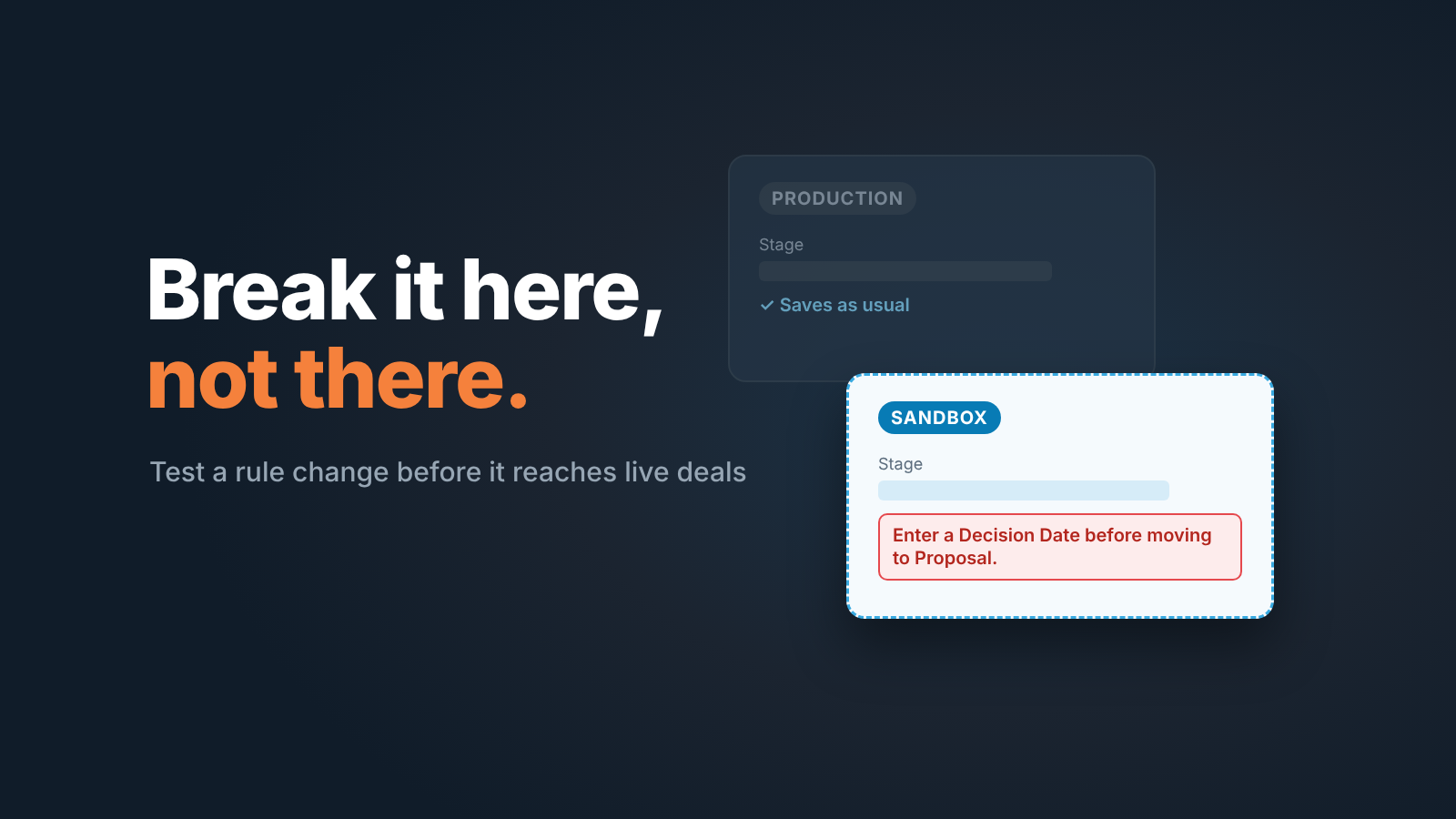
A Salesforce sandbox is a copy of your org (your Salesforce organization) where you can change a validation rule, a flow or the stage picklist without touching live deals. A team of three to ten reps needs one for exactly two kinds of change: anything that can stop a rep from saving an opportunity, and anything that moves amounts or stages in the reports the owner reads. A new list view, a report or a dashboard can be built straight in production.
What a Salesforce sandbox is, and why a bad rule costs nothing there
Salesforce calls it “your safe space for development, testing, and training”: a replica of your production org (Salesforce: what is a sandbox). Every sandbox copies your configuration, the metadata: fields, picklists, validation rules, flows, layouts. Some types also copy records. You create it from the production org you already pay for; a free Developer org or a Trailhead Playground can’t create one (Trailhead: developer environments).
Why should a sales manager care? The change that hurts a small team is rarely a big one. It is a validation rule written on Friday that makes Amount required from Qualification, and on Monday three reps can’t save deals because the rule also fires on the Closed Lost records they are cleaning up. Nobody loses data. Everybody loses the morning. In a sandbox you catch it on five copied opportunities before anyone sees it.
Reps log in at test.salesforce.com with their username plus a period and the sandbox name (maria@acme.com in a sandbox named test becomes maria@acme.com.test) and the production password they had on the day the sandbox was created (Trailhead: use sandboxes to manage change). So a real rep can try the change, not only the admin.
Three questions: should this change be tested first?
Most changes in a small team’s Salesforce don’t need a sandbox. We ask three questions before touching Setup in production, and a single yes sends the change to the sandbox first.
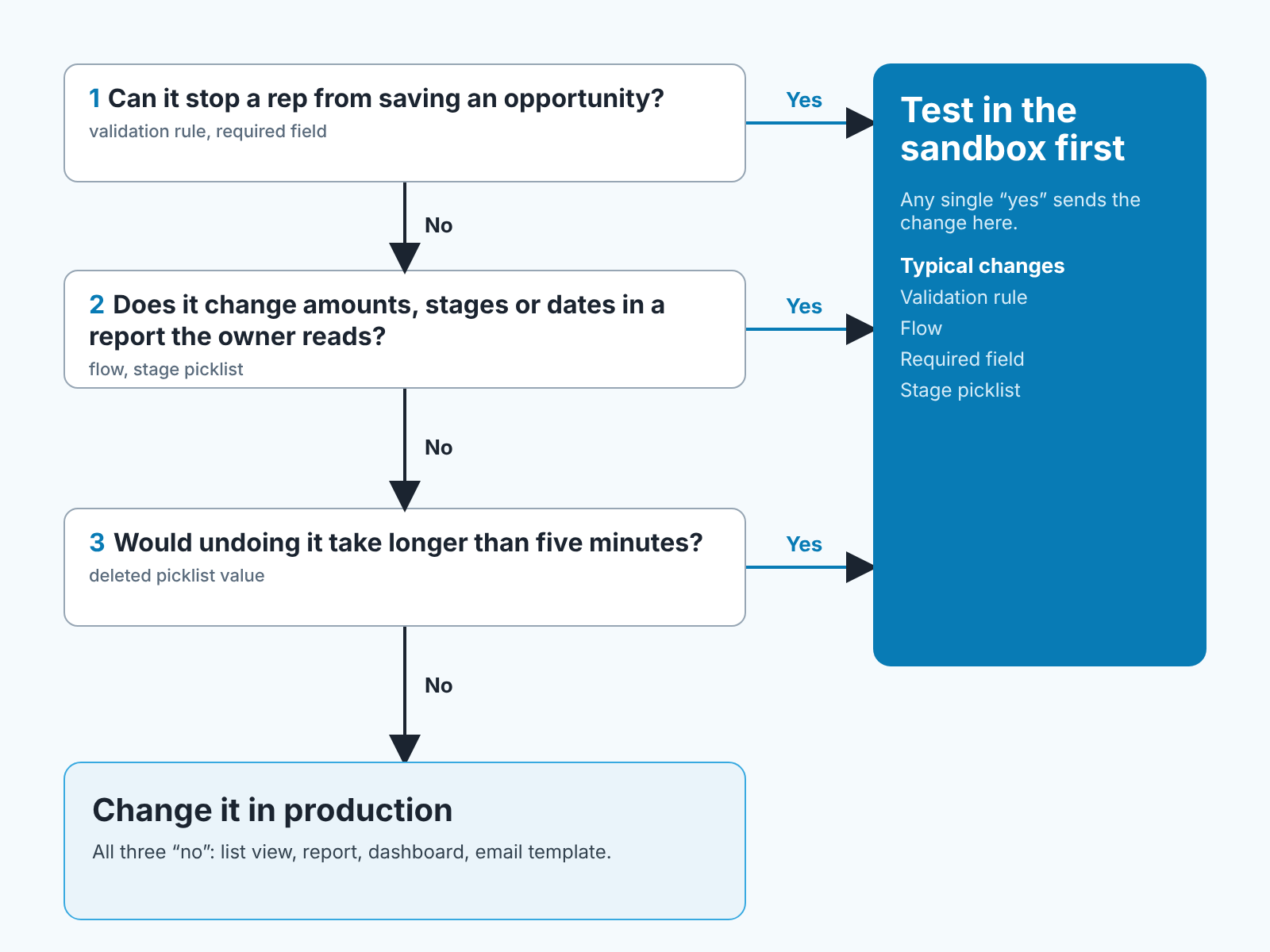
Can it stop a rep from saving an opportunity? A validation rule, a field marked required on the page layout, a required field in a record type. If the answer is yes, the change can block the entire team at once, and it will do so at the worst moment, which is the end of the month.
Does it change amounts, stages or dates in a report the owner reads? A flow that updates Close Date, a renamed or deleted stage value, a formula field feeding the pipeline report. These changes don’t throw errors. They quietly make the Monday forecast wrong and you find out when the owner asks why the pipeline dropped by a third.
Would undoing it take longer than five minutes? Deactivating a validation rule is a minute. Putting a deleted picklist value back onto a hundred opportunities is an afternoon with Data Loader or Workbench. If rollback is slow, test first.
Three no’s and you change it in production. A list view filtered on stage, a new report, a dashboard component, an email template: if it is wrong, you fix it, and no deal was touched. We don’t think a sandbox makes those changes safer. It makes them slower.
What to test for a sales team: required fields, stage rules, flows
For a sales team, test four things in the sandbox: validation rules, required fields, flows and stage picklist changes, each on deals like the ones your reps actually have.
For a validation rule on a stage, open opportunities at every stage, including Closed Won and Closed Lost, and edit something harmless on each. A rule written for Qualification often fires on closed records too, because the formula says “stage is Qualification or later” and closed stages are later. The rules we recommend per stage are a separate topic.
For a required field, create a brand-new opportunity the way a rep does after a first call, with the name, the account, a stage and nothing else. If the save fails, the field is required too early, and the rep will type a placeholder to get past it.
For a flow, run it on at least one record that should trigger it and one that should not. A stale-opportunity flow that creates a task should create exactly one task on the stale deal and none on the fresh one. Check the task owner too: assign it by the opportunity owner, not a hard-coded user.
For a stage picklist change, rename or add the value, then open the pipeline report grouped by stage and check that every existing deal still lands where you expect.
One more thing we always do: let one rep in. Give them the test.salesforce.com login and ten minutes to create a deal and move it through the stages. A rep finds the the awkward error message faster than the admin who wrote it.
Salesforce sandbox types: what a small team actually needs
Salesforce offers four sandbox types; for a sales team, what matters is whether records are copied and how often you can refresh (Salesforce: sandbox guide; Salesforce: sandbox pricing).
| Type | What it copies | Data storage | Refresh interval | List price |
|---|---|---|---|---|
| Developer | Metadata only | 200 MB | Once per day | Included with CRM licenses |
| Developer Pro | Metadata only | 1 GB | Once per day | 5% of net spend |
| Partial Copy | Metadata plus a subset of data chosen by a template | 5 GB | Every 5 days | 20% of net spend |
| Full Copy | Metadata and all production data | Same as production | Every 29 days | 30% of net spend |
For a team of three to ten the Developer sandbox is the right one. Its weakness: no records. Load twenty real opportunities with their accounts from production and you have closed, fresh and stale deals to test on. A Partial Copy sandbox brings a sample of real data instead; it lists at 20% of net spend, although the Sales Cloud pricing page shows one Partial sandbox included per org on Core, Advanced and Max (Salesforce: Sales Cloud pricing).
Creating one is in Setup. Search for Sandboxes, click New Sandbox, give it a name and pick the type; Partial and Full Copy also let you apply a template that decides which data is copied (Salesforce: sandbox guide). Name it test or uat: the name becomes part of every login.
How does a sandbox differ from a UAT environment? UAT is a job, a sandbox is a place: user acceptance testing is the rep trying the change, and Salesforce suggests a Partial Copy sandbox for it, though a small team does it in its one Developer sandbox.
Moving the change to live with a change set
A change tested in the sandbox is still only in the sandbox. Change sets move it: in the sandbox you add the components (the validation rule, the flow, the field) to an outbound change set, upload it to production and deploy it there (Trailhead: deploy your flow to production; Salesforce: sandbox guide). Setup moves, data doesn’t, so the test deals stay behind (Trailhead: use sandboxes to manage change).
Flows have a trap. By default, change sets deploy flows as deactivated, even if the version in the sandbox was active, and they carry every version of the flow (Trailhead: deploy your flow to production). After deploying, activate the right version and debug it once on a real record. A flow that “worked in the sandbox” and does nothing in production is usually just off.
Then the check we think is the whole point of the exercise. Open the one report the owner reads, the weekly pipeline view or whatever yours is, before you deploy and again right after. Same filters, same date range. If the total pipeline, the count by stage and the close dates match, the change did what you tested. If a number moved and you didn’t intend it to, deactivate the rule or flow and look again. You are now comparing two numbers, not reconstructing a Monday.
Refreshing the sandbox without losing work
A refresh syncs the sandbox with the latest production metadata, plus data for the copy types, so anything you built only in the sandbox and never deployed won’t survive it. In Setup, open Sandboxes, select the sandbox and click Refresh; a Developer sandbox can be refreshed once a day, and afterwards you choose whether to activate the new copy or keep the current one (Salesforce: sandbox guide). Deploy or note every change you want to keep before activating, and refresh before each round of testing so you test against this month’s stages.
If your edition has no sandbox: the low-tech version
On the Sales Cloud pricing page, Free Suite and Starter Suite list no sandbox at all. Pro Suite includes a Developer sandbox, and Core, Advanced and Max add a Partial one (Salesforce: Sales Cloud pricing). Choosing an edition is its own decision; on Starter you can still avoid breaking Monday.
Make the change on a quiet afternoon, tell the team the hour, and create two deals named TEST - delete me to move through the stages with the new rule active. Edit a Closed Lost deal to see whether the rule fires where it shouldn’t, and compare the pipeline report’s total and count by stage before and after. Keep the rule one click from deactivated for an hour, and delete the test deals the same day.
Its less comfortable than a sandbox. It is still a test, and it beats saving the rule and walking away.


