
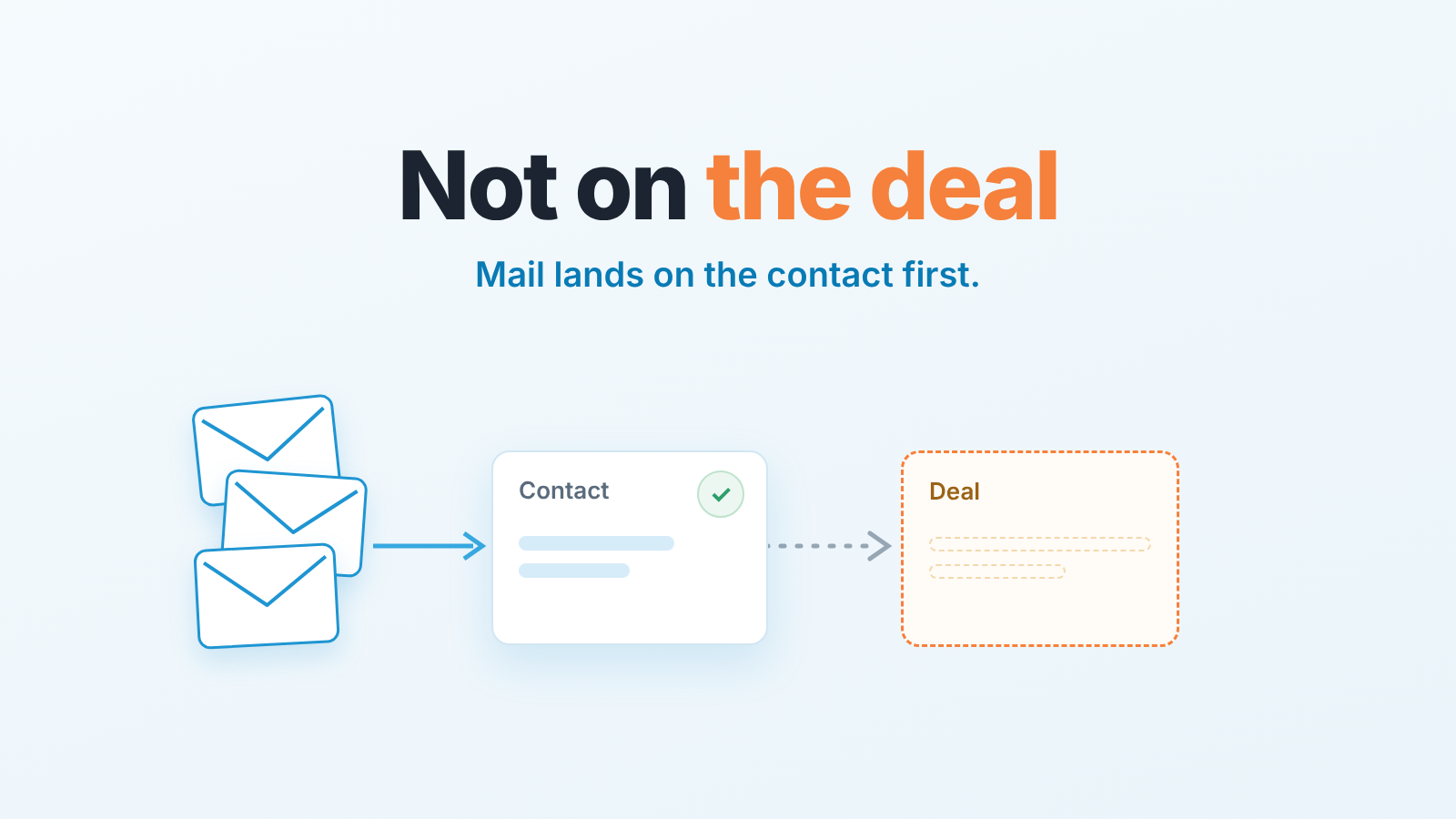
Connecting Gmail or Outlook to Zoho CRM only helps a manager if the emails are linked to the deal, so check weekly for open deals with recent mailbox activity but no emails on the timeline, and set a rule for how a rep links a thread to a deal. The gap between “connected” and “every deal shows its correspondence” is where most teams live for months without noticing.
Email that is not on the deal does not exist for the manager
A deal with no emails for three weeks has two possible stories: the rep has not written to the buyer, or the rep has written five times and none of it reached the deal. From the deal page they look identical. We think sorting them out is the manager’s job, and in Zoho CRM it has a concrete answer once you know which route each email takes in.
Gmail add-on, Outlook and the other routes: what each connects (per Zoho help)
Each route into Zoho CRM does something different (Zoho CRM: your guide to email tools).
IMAP or POP3 inbox integration. The rep connects their mailbox; Gmail, Outlook and Office 365 users sign in with OAuth. Mail to and from the primary and secondary addresses of leads and contacts then shows up on those records with no per-email action, reaching back as far as the rep chooses (Zoho CRM: email configuration for IMAP and POP3).
Gmail API. Chosen under Setup > Channels > Email. Unlike IMAP, “the Gmail API does not store the emails in Zoho CRM’s database,” so if the connection is deactivated the emails leave the record (Zoho CRM: using Gmail API).
Zoho CRM for Gmail add-on. It lives inside Gmail. From an open message the rep adds the sender as a lead or contact or associates the email with one. It’s a per-email action, and Zoho notes that “once an email is associated with a contact it cannot be re-associated.” A Google Workspace administrator can install it for the whole domain (Zoho CRM: configuring the Gmail add-on).
Zoho CRM plug-in for Microsoft Outlook. Downloaded from Setup > Marketplace > Microsoft, on the Professional edition and above. It syncs outgoing mail and lets the rep add incoming messages by hand (Zoho CRM: FAQs on the Outlook plug-in).
BCC Dropbox logs a copied email against a lead or contact, never a deal. Sending from CRM without a connected inbox is “a limited setup that cannot track replies to emails sent via CRM,” so the buyer’s answer stays in the mailbox.
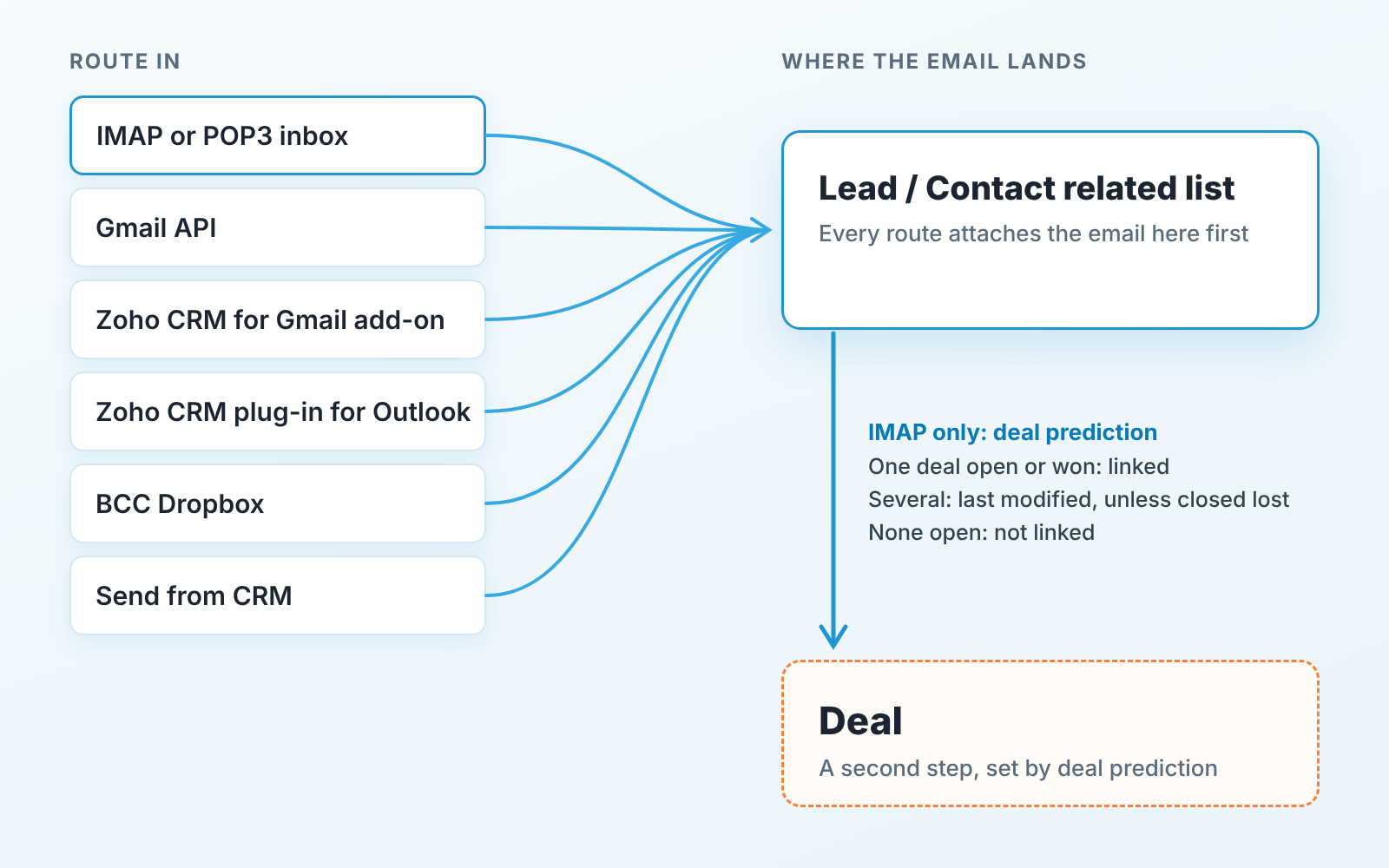
What lands on the deal timeline and what stays in the mailbox
Every route above attaches an email to a lead or contact, never straight to a deal. The deal step is separate: Zoho calls it deal prediction (Zoho CRM: email association with deal). It runs for users with IMAP configured. One deal that is open or closed won: the email goes there. Several deals: the last modified one, unless it is closed lost, in which case the last modified open deal. No open deal: “the email will not be linked to any deal.” Reps can relink or unlink by hand. Zoho’s developer team adds that an email can be linked to only one deal at a time (Kaizen #229: email-deal associations).
Read that rule from the manager’s side and the gaps fall out of it.
- The buyer writes from an address that isn’t on the contact: a colleague CCd into the thread, a procurement alias. Nothing matches, so the message sits in the mailbox.
- The CFO is on the deal as a contact role, not the primary contact. Zoho says emails “will not be linked automatically to deals where the contact is involved in a contact role.”
- The contact has a renewal and an upsell open, and the rep touched the renewal yesterday. The upsell negotiation lands on the renewal, and a deal closed won and edited since can pull mail the same way.
- The rep uses only the Gmail add-on or the Outlook plug-in, with no IMAP. Deal prediction never runs.
Who sees whose emails
An admin sets email sharing per user: Public, Private, Custom (shared through record sharing) or User’s choice. By default emails are shared with the user’s immediate superior roles, and Zoho says this “cannot be edited” (Zoho CRM: setting up email sharing permissions).
So a peer covering a deal during a vacation may report “no emails on it” when the emails are there and simply Private. Our position: customer email should be Public inside the sales roles, with excluded domains for HR and personal mail, because a deal only its owner can read is a deal the team can’t help with. The same trade-off in Pipedrive is in shared versus private email visibility in Pipedrive.
The weekly gap check: open deals with no emails in 14 days
About twenty minutes for fifty open deals. We run it on Monday, before the pipeline review.
- In the Deals module, build a custom view of open deals (every stage except closed won and closed lost), sorted by modified time with the oldest first.
- Open each deal’s Emails related list and make sure the drop-down says “Emails associated with this deal,” the default. The other option shows the contact’s mail and hides exactly the gap you want. Mark every deal with no email in 14 days. Skip deals created in that window: mail sent before the deal existed stays on the contact.
- For each marked deal the rep searches their Sent folder for the buyer’s domain over the same 14 days:
to:buyer.com newer_than:14din Gmail, a recipient search with a date filter in Outlook. - Sort the results. Mail went to an address not on the contact: add it as a secondary email so new mail matches, and link the existing thread by hand. Mail went to the wrong deal: relink it. No sent mail at all: that is the coaching conversation, and now it is a fair one.
Once the first two piles stop appearing, the check takes five minutes. It fits an account manager’s weekly routine in Zoho CRM and catches cadence steps that were sent but never logged, which cadences in Zoho CRM for a sales manager depends on. Teams on other CRMs hit the same problem in Salesforce Outlook sync and Pipedrive’s Gmail sync.
Two lines for a new rep on day one
Connect the mailbox through IMAP first and set the sync period to cover the deals you inherit. The add-on is for creating records from the inbox, it is not the sync.
When a buyer brings a new person into a thread, add them as a contact or a secondary address before replying. Otherwise your reply is on the deal and theirs is not.
A disclosure, since this is the kind of check we spend our days on: we build SalesBond, a sales management layer on top of the CRM a team already uses; we started with Pipedrive. It won’t see an email that never reached the CRM, which is why the the Monday check still matters. Check your CRM with SalesBond.


