
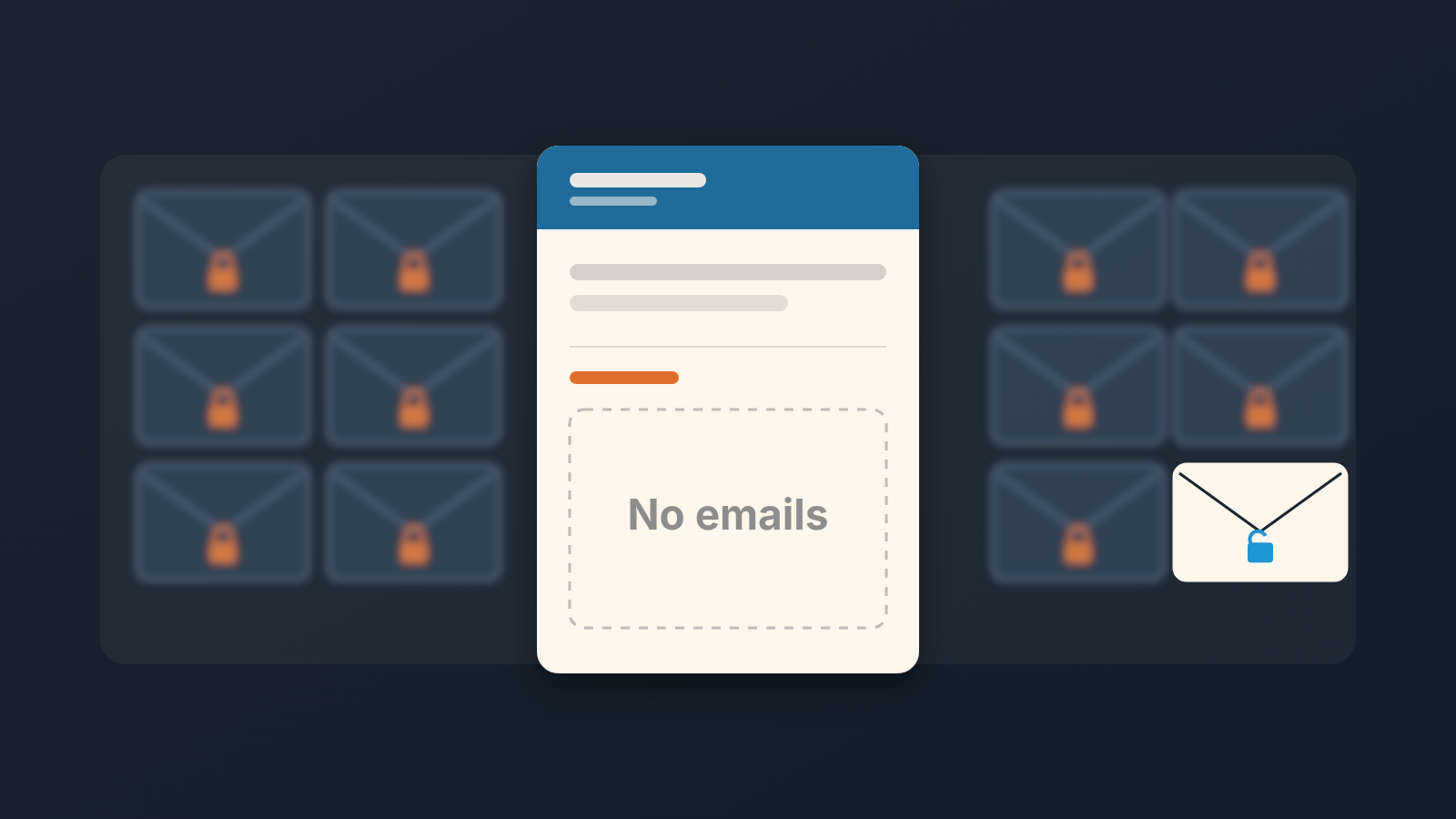
A colleague’s synced email shows up in a Pipedrive deal only when three things are true at once: the thread is set to Shared, it is linked to the deal or to the contact, and you have access to the item it is linked to (Pipedrive: email privacy and sharing emails). Miss any one of them and the deal shows no correspondence while the rep is writing to the buyer every other day. For a team of three to ten people our rule is short: everyone’s default is Shared, every thread is linked to the deal, and the manager treats “no emails” in a review as a question, not a finding.
Pipedrive documents the switches clearly. This article is about the moment they cost you: a manager opens a deal with the buyer still on the phone, sees an empty history, and starts treating a live negotiation as a dead one.
A deal with no emails: silent customer or hidden thread?
A composite case, not a client of ours.
Jonah sells software seats to mid-size logistics firms. On Tuesday, September 15, he sends a proposal to Anneke, the operations lead at a regional carrier. They trade emails over the next nine days: a question about onboarding, a revised seat count on Wednesday the 23rd, a request on Thursday the 24th to adjust two clauses in the contract. Eleven emails in total. Jonah logs none of it as activities, because the thread sits right there in his Pipedrive inbox and he can see it.
On Monday, September 28, Jonah starts a week off. On Wednesday the 30th Anneke calls the office number and asks whether the amended contract is on its way. Priya, the sales manager, picks up, opens the deal while Anneke is still on the line, and sees a call logged on September 14 and nothing after it. No emails. No notes. As far as the card is concerned, the deal went quiet two weeks ago after a first proposal.
Priya does what a careful manager does with a cold deal and a buyer on the phone. She promises to look into it, hangs up, and spends the afternoon reconstructing a conversation that already exists, in full, eleven emails long, in a thread set to Private.
Nobody did anything wrong by the rules they knew. Jonah’s inbox in Pipedrive is his: each user’s inbox is private and separate from everyone else’s, whatever visibility or permissions the other users hold (Pipedrive: email privacy and sharing emails). Jonah’s deal had a full history. It just lived in one person’s mailbox.
We have seen the other version too, where the buyer really has gone quiet and the manager does need to step in. From the deal card the two look identical. That is the problem. If you have also been chasing deals that look dead because a send failed, the failed-emails article covers that cause; this one is about emails that were sent and received and still don’t show.
Visibility is not the only reason a thread is missing from a deal; we explain what Smart Bcc does with an email when a contact has two open deals.
Who can see an email: the three conditions
Pipedrive is explicit about this. Another user sees an email from your inbox only if the thread is set to Shared, the thread is linked to a deal or a contact, and that user has visibility access to the linked item (Pipedrive: email privacy and sharing emails). All three. Two out of three gives the colleague nothing.
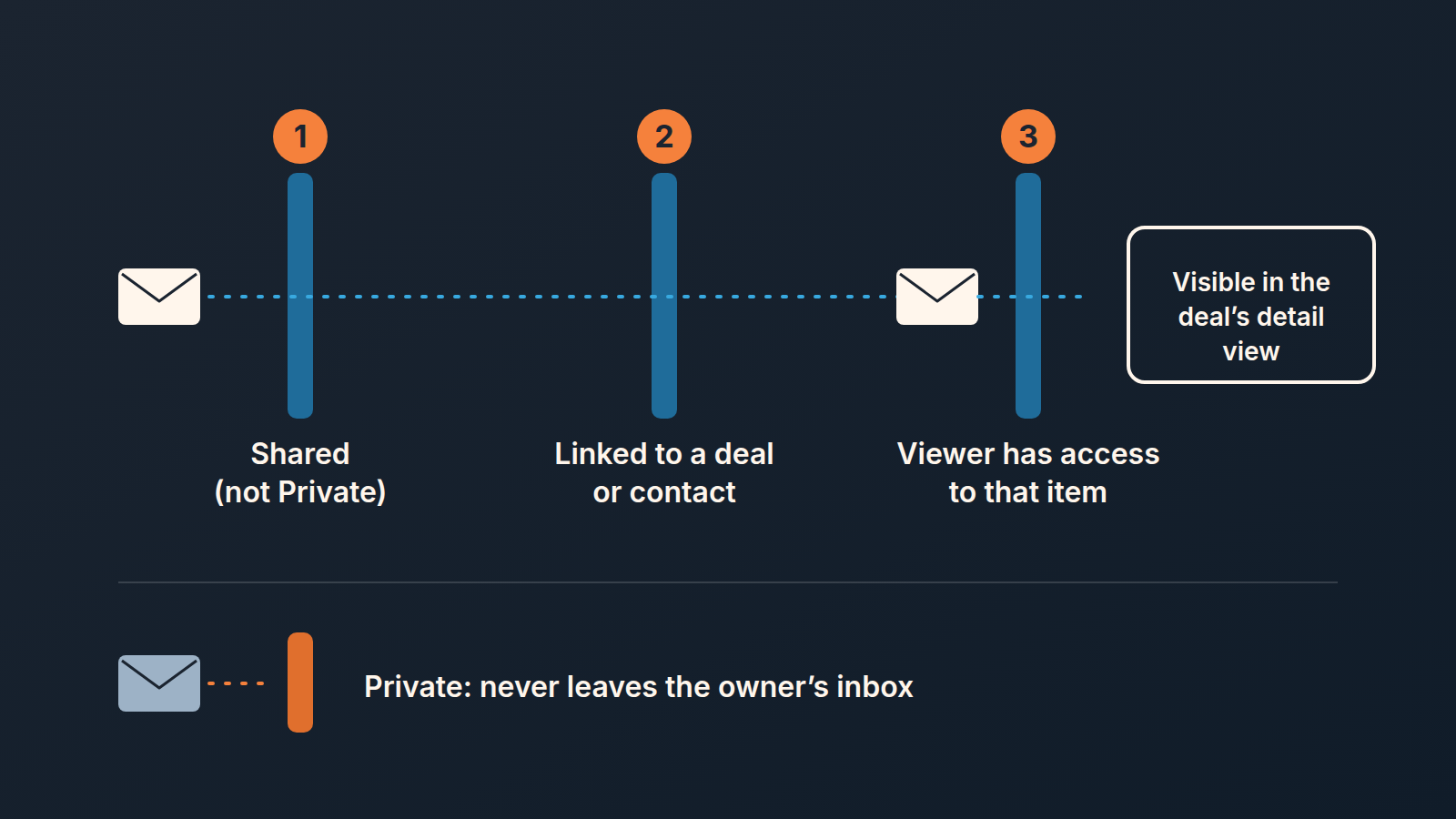
Two consequences matter for a manager.
First, where shared emails appear. Colleagues see them in the detail view of the linked deal or contact, and only there; a shared email never lands in anyone else’s inbox (Pipedrive: email privacy and sharing emails). So “I checked my own inbox and there was nothing from that buyer” tells you nothing about the deal. Open the deal. And visible is not the same as read: here is what an opened icon does and does not prove.
Second, visibility is not participation. You can read a shared thread, but you can reply to or forward an email only if you are included in it (Pipedrive: email privacy and sharing emails). For vacation cover that means a Shared default lets Priya read what was promised, but her answer to Anneke goes out from her own mailbox. Better to know that before the rep leaves.
The third condition is the one small teams forget exists. If a rep cannot open the deal in the first place, no visibility setting on the email will help. We wrote about that side of the fence in the piece on permission sets for a new rep.
Where the defaults live, and who can change a thread
Visibility is set per thread, and each user carries a default that new threads pick up. Where that default sits depends on how the email gets into Pipedrive. For a synced personal account it is under the account menu in the top right, then Personal preferences > Email sync, with a choice between Shared and Private. Smart Bcc has its own default on the Smart Bcc tab, in the default email sharing setting. A team account chooses between Shared and Team only (Pipedrive: how can I view or adjust email visibility). Changing a default applies to emails synced or forwarded after the change, so it does not open last month’s threads.
A visibility set by hand on a single email overrides the default, and changing one email leaves the default alone (Pipedrive: email privacy and sharing emails). Owners can share threads one at a time or select several and share them in one go and a thread set back to Private drops out of colleagues’ view, by the first of the three conditions.
Now the part that decides how you run the team rule: only the conversation owner can change the visibility of their emails (Pipedrive: how can I view or adjust email visibility). Priya cannot flip Jonah’s thread to Shared while he is on a beach. Nobody can. The visibility icon sits next to the email in the conversation list and in the history section of the linked item, and it answers to the owner alone.
Linking is a separate control. Email conversation owners, global admins and users with account settings rights can link or unlink email conversations from items (Pipedrive: how can I view or adjust email visibility). So if a thread is Shared but floating, unattached to the deal, an admin can fix that from the outside. If it is Private, only the owner can. Unlinking is not deleting, and archiving is not either; what archive and delete each do to the deal history is worth settling before anyone tidies the inbox.
That is why we don’t leave visibility for a cleanup later. The settings are per person and per thread, the repair is in the rep’s hands, and you usually discover the gap exactly when the rep is unavailable.
Our team rule: Shared by default, linked to the deal
For a team of three to ten on Pipedrive, this is what we put in writing. Three lines, agreed once, no exceptions by role.
- Default is Shared, set on day one. Every user with a synced mailbox opens Personal preferences > Email sync and sets the default to Shared; anyone who forwards through Smart Bcc does the same on the Smart Bcc tab. The manager asks each person to do it during setup and does not assume it happened. The default only governs future emails, so a rep who joined with Private has a backlog to share by hand, several threads at a time.
- Every buyer thread is linked to its deal. Shared without a link is still invisible in the deal. The rep checks the link when the first email goes out, and whoever reviews the deal checks it when the history looks thin.
- “No emails” in the weekly review is a question, not a verdict. Before anyone writes “no activity, chase or close”, the manager asks the rep one sentence: “Is there a thread on this one that I can’t see?” It takes five seconds, and it saves a Priya afternoon. Calls and tasks can go missing the same way, when an activity is linked to something the reviewer cannot open. (The opposite trap, where email counts make a deal look busier than it is, is in the piece on inflated email activities.)
A shared mailbox is a different case. A team account’s choice between Shared and Team only is made by whoever connects it, in the team account settings, not by each rep. The team inbox article covers that setting and why we pick Shared for a sales address.
Private is still a legitimate setting. A rep negotiating their own commission, an HR conversation that got forwarded by mistake, a personal email that landed in the sync: those should be Private, and the the rule says so. Private threads still count when someone asks to be erased; see what to do with emails and copies after a deletion request. What the rule removes is Private as a habit for buyer correspondence.
A disclosure, since tooling comes up here: we build SalesBond, a sales management layer on top of the CRM a team already uses; we started with Pipedrive. Deal Health checks every deal against more than 20 rules, activity among them, and shows the manager which deals break them. That list is useful exactly because it is a list of questions. A silent-looking deal on it is either genuinely stalled or hidden behind a Private thread, and the rule above is how you tell them apart in the review. Check your CRM with SalesBond if you want the list built for you; the conversation with the rep is still yours to have.
What to do when a rep keeps a thread private
Start by assuming its a habit, not a choice. In our experience the rep set Private once, months ago, maybe on a previous team, and has not thought about it since. The fix is the default in Personal preferences > Email sync plus a bulk share on the open deals, done in the same sitting as the conversation.
If it is a choice, ask what the rep is protecting. Sometimes the answer is reasonable: a personal thread mixed in, or a buyer who wrote something off the record. Keep those Private and share the rest; visibility is per email, so the two don’t have to travel together (Pipedrive: how can I view or adjust email visibility). Sometimes the answer is “those are my relationships”. That is a conversation about whose data the pipeline is, and we have written our position on it in who owns the CRM data in a small sales team. The short version: the deal belongs to the company, the mailbox belongs to the person, and a Shared thread linked to a deal is the compromise Pipedrive already built for exactly this.
Whatever the reason, skip the workaround of asking the rep to forward every buyer email to you. It doubles their work and gives you a copy in your inbox that is not attached to the deal, which recreates the original problem one level up. If forwarding is how your team wants to work, a shared Team Inbox does it properly. For one-to-one buyer threads, Shared and linked is simpler.
And when the gap turns up during cover, as it did for Priya, record it as a visibility gap, not as a lapse by the rep or the buyer. Jonah worked the deal and kept it moving; his manager could not see it because of a default nobody had discussed. When he comes back, he shares the eleven emails in one go, and the deal looks like what it always was: a live negotiation two clauses from a signature.


