
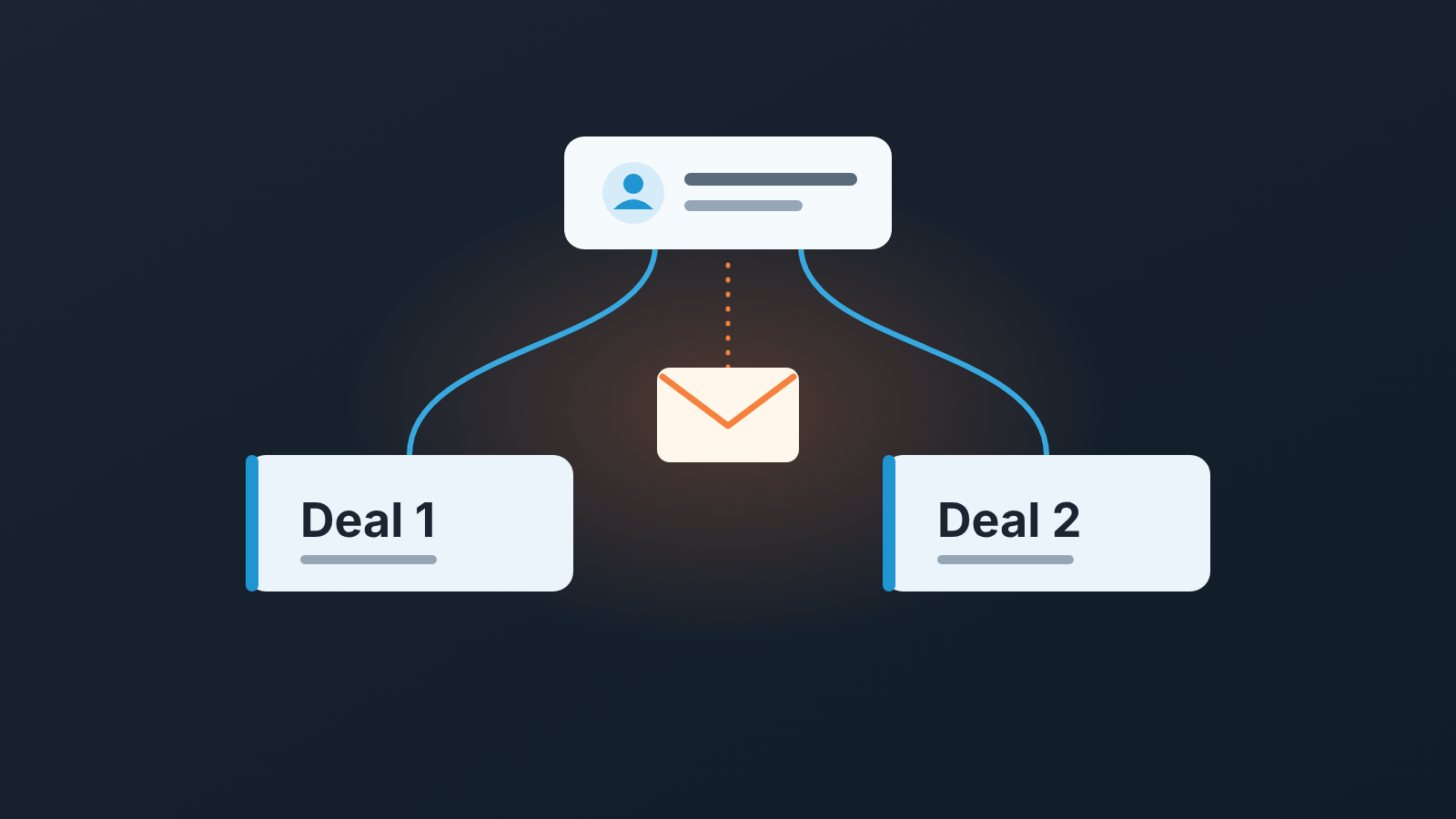
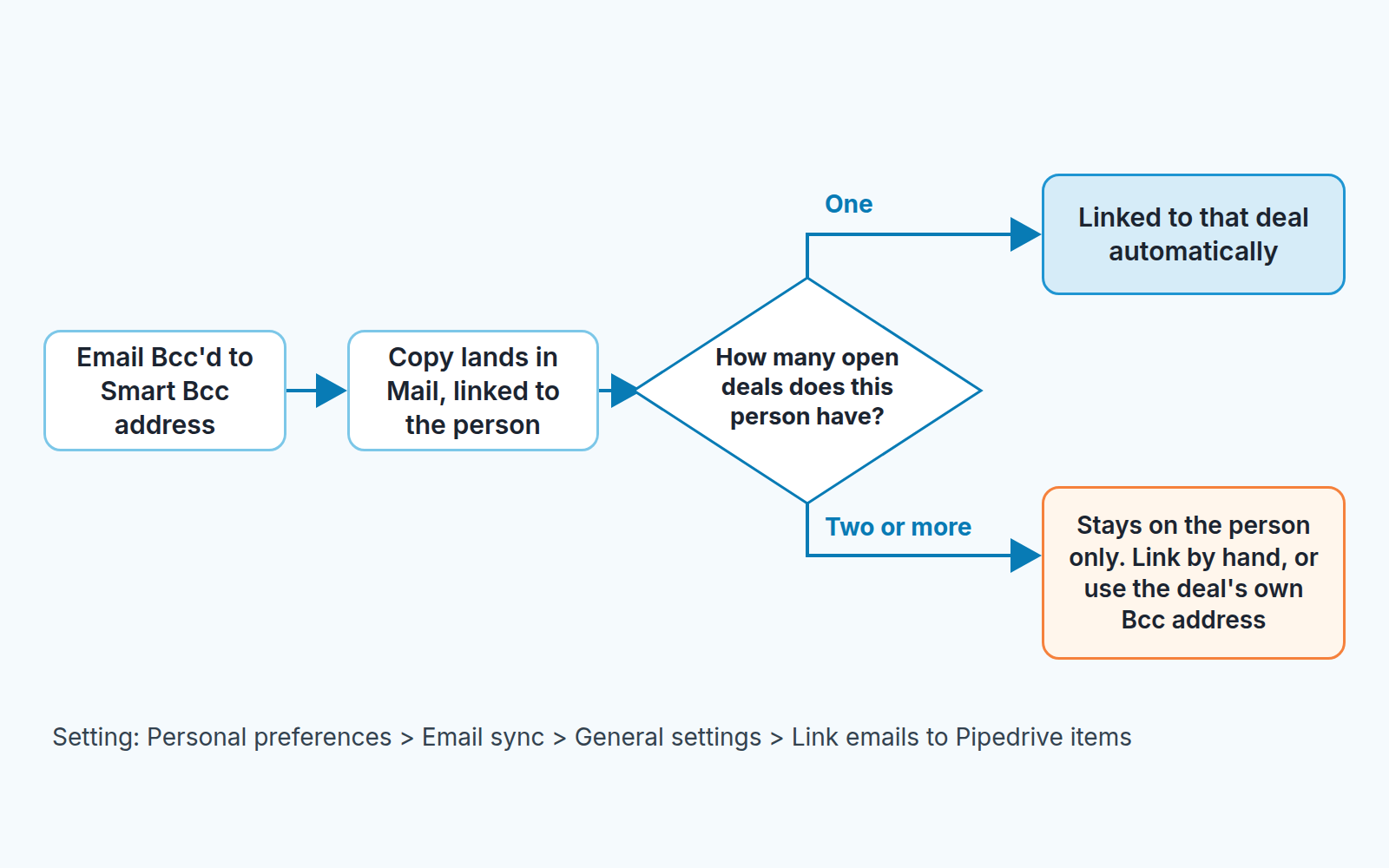
With “Link emails to Pipedrive items” switched on, Pipedrive’s Smart Bcc links a forwarded email to a deal automatically only when that deal is the contact’s single open deal. Without that setting there is no automatic deal linking at all. The moment the same person has two open deals, say a re-roof in negotiation and a maintenance agreement you opened last week, the email still arrives in your Pipedrive inbox under Mail and is still linked to the person, but it attaches to neither deal until somebody links it by hand (Pipedrive: Smart Bcc). That is the whole mechanism. The rest of this article is about what it does to a team that doesn’t know it, and the two habits that fix it.
The day the upsell opened, the deal history went quiet
A composite case, not a client of ours.
Nanda sells commercial roofing. Her biggest open deal this quarter is a full membrane replacement on one warehouse at a logistics park, and the buyer is the park’s property manager. For six weeks she has Bcc’d every email to her Smart Bcc address, the way the owner asked the whole team to do. Scope revisions, the drone survey, a question about working around the tenant’s night shifts. The deal’s history reads like a diary.
Then the property manager asks, almost in passing, whether Nanda’s crew could also inspect and maintain the two neighbouring buildings every spring. Nanda does the right thing. She opens a second deal, an annual maintenance agreement, with it’s own value and its own close date.
From that morning the diary stops.
Every new email she Bcc’s still shows up in her Mail tab. Each one is linked to the property manager as a person. None of them land on the replacement deal, and none land on the maintenance deal. Nanda doesn’t notice, because she reads her mail in her mail client and the Pipedrive copy looks fine when she glances at it.
Two Mondays later the owner runs his pipeline review. The replacement deal, the one he is counting on for the quarter, shows its last email fourteen days ago, still in Negotiation. He writes “stalled, re-engage” in the notes. The maintenance deal shows no emails at all, so he tells Nanda the upsell “isn’t real yet, don’t forecast it”. Nanda, who sent a revised maintenance scope on Thursday and got a reply on Friday, has no idea what he is talking about.
Nobody touched a setting. The second deal did this.
How Smart Bcc decides which deal gets the email
The Pipedrive help article is explicit, in one line most people skim past: an email will only be linked to a deal if it is that contact person’s only open deal (Pipedrive: Smart Bcc).
Here is the full chain, as Pipedrive describes it. You copy your Smart Bcc address from Settings > Email sync > Smart Bcc and put it in the Bcc field of an email you send or forward. A copy of that email appears in the inbox under the Mail tab. If the address you forwarded from is linked to a contact person, the email is linked to that person; if there is no matching contact, Pipedrive creates one. Linking to deals is a separate step. With “Link emails to Pipedrive items” switched on under Personal preferences > Email sync, Pipedrive automatically links the forwarded email to the leads, deals and projects connected to that email address, and for deals it applies the one-open-deal rule. When you have multiple open deals with the same recipient, Pipedrive’s own instruction is to choose “Manually” so you can pick the deal yourself (Pipedrive: Smart Bcc).
The rule is wider than deals, too. Pipedrive’s troubleshooting page says automatic linking stops whenever the person has more than one open deal, lead or project, so an open lead plus an open deal is enough to trigger it. Two more cases sit on the same page: a thread that started before the deal was created won’t link to it retroactively, and once a deal is marked won, lost or deleted, later emails no longer link to it automatically (Pipedrive: why emails aren’t linked to deals).
We think Pipedrive is right to behave this way. Guessing the wrong deal would be worse than not guessing, because a manager would then read a maintenance email as progress on a replacement deal. The problem is not the rule. The problem is that the failure mode looks like success: the email arrives, the person is linked, nothing is red. On the deal, there is just silence.
One more detail from the Smart Bcc article matters for the roofing scene. Replies from your customers only appear in your Pipedrive inbox if you forward them to the same Bcc address (Pipedrive: Smart Bcc). So the inbound half of the thread already depends on the rep doing something by hand. Smart Bcc is a habit, not a sync. The second open deal just adds a step to the habit.
Where the unlinked emails sit and how to put them on the deal
They sit in the Mail tab, in your inbox, linked to the person. Pipedrive gives you two ways to get them onto a deal, and for a contact with two open deals we use both. WhatsApp messages have the same problem: which of the two deals does the message land on?
Link after the fact. Open the email in your Pipedrive inbox. In the window on the right side you can find an existing item or create a new one, and the item can be a lead, a deal, a project or a contact person (Pipedrive: Smart Bcc). That is the repair path for what already happened: Nanda opens each email from the last two weeks and attaches it to the replacement deal or the maintenance deal, one by one.
Send to the deal’s own address. This is the prevention path. Each deal and each lead in your Pipedrive account has its own unique Bcc address. For a deal it sits in the detail view, in the Smart Bcc side panel. Paste that address into the Bcc field instead of the universal one and the email is linked to that specific deal (Pipedrive: Smart Bcc). Pipedrive adds one caution: don’t forward the same email to multiple deal-specific addresses at once.
What if one email really concerns both buildings? A thread can be linked to only one deal, lead or project. To get it onto the second deal as well, forward the email to your Smart Bcc address once more and link that copy to the other deal (Pipedrive: link emails to items).
Threads are also where the deal-specific address can trip you up. Pipedrive threads together emails with a matching subject line and two or more matching participants, and a thread can only be linked to one deal. So if Nanda hits reply in the old “Re: membrane replacement” thread to talk about maintenance and Bccs the maintenance deal’s address, that email can still end up under the replacement deal (Pipedrive: deal-specific Bcc under the wrong deal). For the upsell, start a new email with a new subject.
Three small things from the Smart Bcc page that bite roofing teams in particular:
- The total message size, including attachments, must be under 20 MB. Drone photo sets and scanned scope documents get there fast. Send the link to the file, not the file.
- If you delete a linked email from the Mail tab, it disappears from the deal’s detail view too. Archive instead; we cover archiving versus deleting with email sync separately.
- Your Smart Bcc address is based on your company domain, so changing the domain changes the address. A rebrand quietly breaks every template and signature that carried the old one.
Two open deals with one contact: our rules for upsells
The tempting fix is to never have two open deals with one person. Fold the maintenance agreement into the replacement deal as a line item, or wait to open it until the replacement closes. We think both are worse than the problem. A maintenance contract has a different close date, a different decision and a different value, and your forecast is only honest if it shows that. Keep the second deal. Change the habit around it.
Our rules, written for a team of three to ten reps, which is where we see this most:
The day you open a second deal for a contact, copy that deal’s Bcc address out of its Smart Bcc side panel and into whatever you use to address emails about it, whether that is a saved contact in your mail client or a signature block for that account. From that day, the universal Bcc address is for contacts with one open deal only. And a new topic gets a new subject line, not a reply in the old thread.
Any contact with two or more open deals is a “link by hand” account. Emails to or from them that still went to the universal address get linked the same day, before you close your laptop. Not Friday. Same day, because the owner might open that deal tomorrow morning.
For the manager, the rule is the one this whole article is about: silence on the deal is not silence from the client. Before you write “stalled” on a deal open the person. Linked emails give you the picture of the ongoing conversation from the detail view of the person as well as the deal (Pipedrive: Smart Bcc), so the person page shows the thread even when the deal page doesn’t. If the person page is busy and the deal page is empty, you have a linking problem, not a buyer problem. If both are empty, read what to do when a prospect goes quiet after the demo instead. And if the thread exists but you still can’t see it, the cause is probably that the rep’s emails are set to Private; that one has its own article.
A disclosure, since this is where tooling comes up. We build SalesBond, a sales management layer on top of the CRM a team already uses; we started with Pipedrive. Deal Health checks every deal in the connected CRM against more than 20 rules, activity among them, and shows the specific violations with a plain explanation of what to do. A deal with no recent activity can land on that list whether the buyer went quiet or the emails are sitting unlinked in Mail. The list tells you where to look first. The person page, and the rule above, tell you which of the two you are looking at. Check your CRM with SalesBond if you want that list built for you.
A Friday five-minute check
The owner in our scene now does this at the end of every week. It takes about five minutes, and most weeks it finds something.
- Name the contacts who currently have two or more open deals. In a roofing shop that is usually a handful, and you know who they are without a report.
- For each of them, open this week’s Bcc’d threads in Mail and link any that show the person but not the deal.
- Check that every deal opened this week for an existing contact has its deal-specific Bcc address in use. If the rep is still sending to the universal address, fix the template now, while the the deal is young.
- For every deal you were about to mark stalled in Monday’s review, open the person page first. Keep the “stalled” note only if that page is quiet too. A solid open icon proves less than it seems, so check what opens and clicks prove in Pipedrive email tracking.
- Ask one question in the team channel: “Anyone Bcc something over 20 MB this week?” The answer is usually the photos. If an email is missing from Pipedrive altogether, that’s a different problem, covered in failed emails and follow-up gaps.
The replacement deal in our scene was never stalled. The maintenance deal was more real than the pipeline said. Both facts were sitting in Nanda’s Mail tab the whole time, linked to the right person and to the wrong number of deals.


