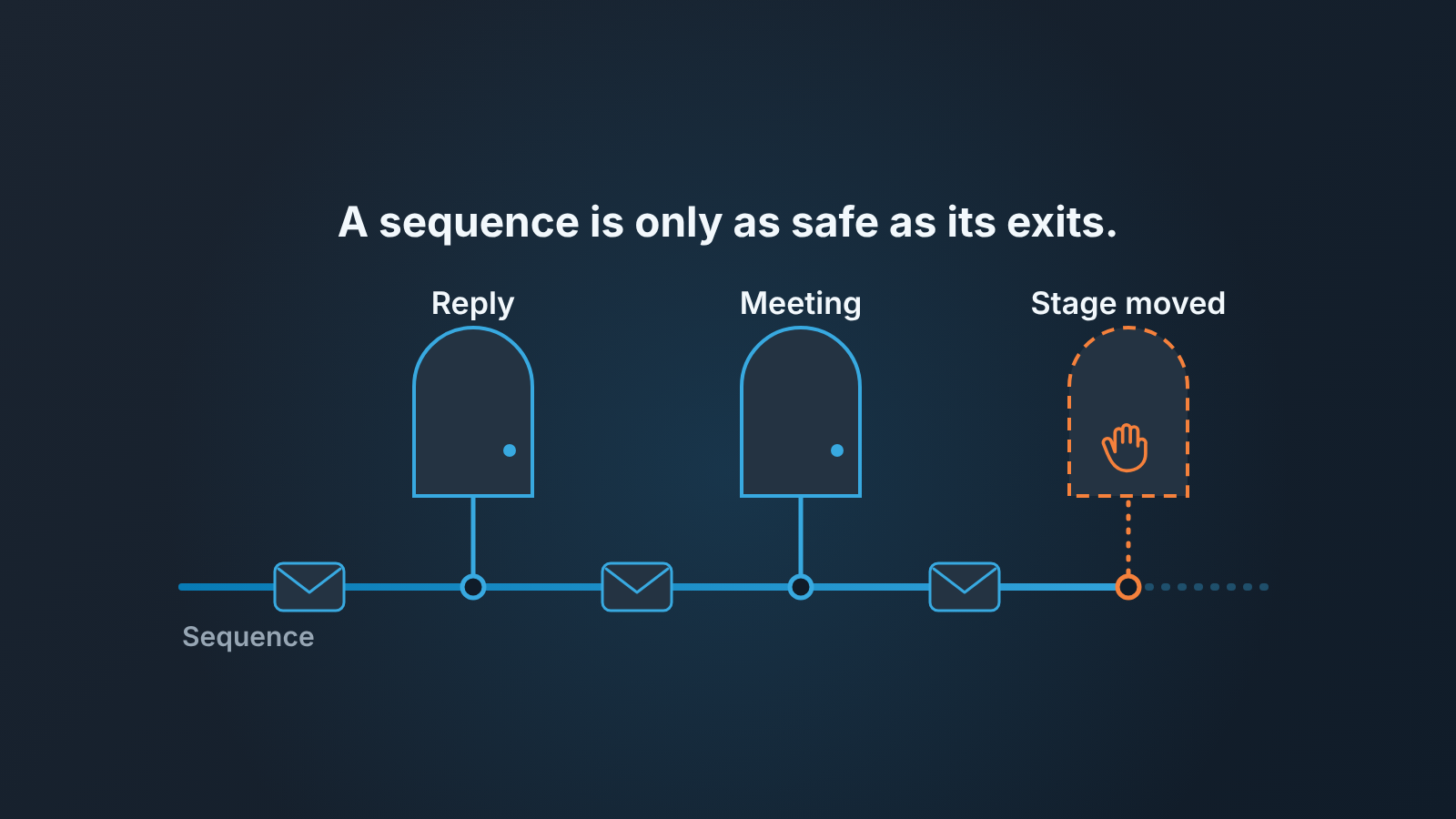
A HubSpot sequence is safe for an open deal only when it has an exit for every way a buyer can come back: a reply, a booked meeting, a deal that moved stage, a rep who changed. HubSpot gives you the first two as switches. The other two it does not know about on its own, so without a habit or a workflow behind them the sequence keeps emailing a buyer who is already talking to your rep. Everything below is about building those exits before you build the emails, and about the twenty minutes a week a manager spends checking that they held.
This piece is for HubSpot teams. If your team is on Pipedrive, the setup is different and we wrote it up in a four-step sequence for deals in Pipedrive. The rules of thumb about when to stop following up at all live in a sales cadence a small team can keep, and we won’t repeat them here.
What a sequence is good at, and where it bites
A HubSpot sequence is a series of timed, one-to-one emails and task reminders that a rep sends to one contact at a time from their own connected work inbox. It lives in Sales Hub Professional and Enterprise (and the matching Service Hub tiers). The steps can be automated emails, manual email tasks, call tasks, general tasks, and LinkedIn steps if Sales Navigator is connected. Up to 10 email templates per sequence, as many task reminders as you like, delays of up to 90 business days between steps, and a “business days only” setting that is on by default (HubSpot: create and edit sequences).
People often ask how this differs from a workflow. A sequence writes to one contact on behalf of one rep, and it has no idea a deal exists. A workflow is HubSpot’s general automation tool; a contact-based workflow can put a contact into a sequence and take them out again when a condition is met. The sequence sends. The workflow decides who is in it. We go through the split job by job in HubSpot workflows vs sequences: which one for which job.
What a sequence does well is the boring part of follow-up on a contact who has gone quiet: the third email nobody wants to write, the call task that appears on the right morning. For a team of five to ten reps this is real time back, because the alternative is a rep’s private reminder system that dies the week they are on holiday.
Where it bites is the thing the feature is named for. It is a sequence of contacts, not of deals. HubSpot enrolls a person, and each contact can be in only one sequence at a time (HubSpot: enroll contacts in a sequence). The deal that person belongs to, the stage it sits in, the forty-minute call your rep had with them on Tuesday: none of that reaches the sequence unless something tells it. An automated email step does not check the deal before it sends. So the the damage pattern on a small team is always the same. A buyer says “yes, send the proposal”, the rep is delighted and busy, and on Thursday the buyer gets “I know you’re busy, just following up on my last note.” The rep did nothing wrong by their own lights. The sequence did exactly what it was built to do.
Dynamic sequences don’t change this. They are the newer variant, on the same Professional and Enterprise tiers: automated emails go out first, and manual tasks surface only for contacts who opened or clicked one of them (HubSpot: create and edit dynamic sequences). An open is an engagement signal, not a deal stage. They need the same exits.
That is why we build the exits first.
Four exits, and which ones HubSpot sequences actually know about
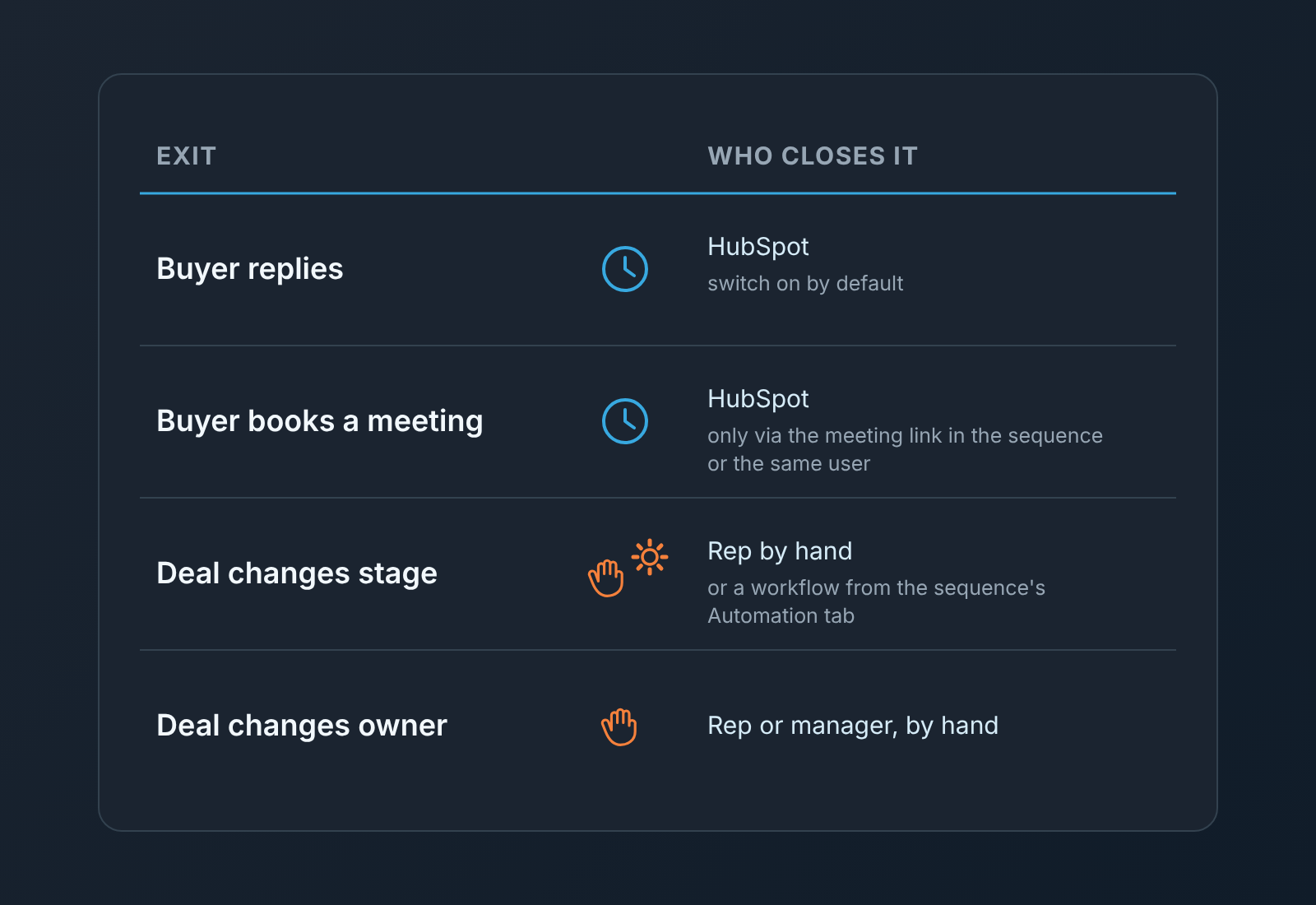
HubSpot’s own list of automatic unenrollment is short. A contact leaves the sequence when the reply switch is on and they reply to any email in it (out-of-office replies usually do not count), when they book a meeting through a meeting link included in a sequence step, when their email bounces, when the sequence is deleted, or when a workflow or an unenrollment trigger on the sequence’s Automation tab removes them (HubSpot: unenroll contacts from a sequence). Those switches sit under “Automate your sequence” in the sequence settings, and editing them needs the Edit sequences permission.
Here is how we treat each of the four exits a deal actually needs.
- Reply. Leave the switch on. Never turn it off for a deal sequence, whatever the argument for “we still want the third email to go out”. The one gap to know: a buyer who answers by phone or from a different address has not “replied” as far as HubSpot is concerned. The rep unenrolls them by hand, from the contact record or from the sequence summary page (same article).
- Meeting booked. This works automatically only if the meeting was booked through the meeting link in the sequence, or if it was logged against the contact and booked with the same user who enrolled them. A meeting the buyer booked with your founder, or one a colleague logged on the deal but not on the contact, does not unenroll anyone (same article). On a small team where the manager often takes the second call, this is the exit that leaks most. Our rule: whoever books the meeting checks the contact for an active sequence before they hang up.
- Deal stage. There is no ready-made “unenroll when the deal moves to Proposal” switch. On Professional, the sequence’s Automation tab lets you create a workflow that unenrolls contacts from that sequence based on other triggers (HubSpot: create and edit sequences). Try a deal-stage trigger there first; the article only walks through form-submission and page-view triggers, so check what your account offers. Enterprise also gets the “Unenroll from sequence” action in the full Workflows tool (HubSpot: enroll and unenroll contacts in sequences using workflows). If neither gives you a stage trigger, the exit is manual, and we make it a sentence in the team’s playbook: “If you move a deal, you unenroll the contact.”
- Owner change. A rep leaves or a deal is reassigned. The sequence keeps running under the sender who enrolled the contact, and the new owner may not know it exists. The manager unenrolls the contact as part of the handover, and the new owner decides whether to re-enroll.
Two more things from the unenroll page, both worth saying to the team out loud. Unenrolling does not recall emails that already went out; it only stops the scheduled steps. And if you unenroll and later re-enroll someone the emails send as new messages, not as replies to the old thread. So “we’ll just pause it and pick it up” is not quite what happens.
How many steps, and how far apart
We are not going to give you a benchmark number of touches. The pages we opened for this article do not publish one, and the “optimal” counts floating around the web come from cold outbound lists, not from open deals. What we can give you is the shape we use, and the reasons.
Three automated emails is the ceiling for a deal sequence on our teams, and the first step is usually not an email at all. It is a manual email task, so the rep writes the first note with whatever the buyer actually said on the call. The automated ones come after, and they carry only text that is true for every buyer at that stage: what the next step on your side looks like, who they will meet, a single question. Then one call task, then done. If the buyer has not answered three emails and a call, a fourth email is not the problem to solve, and the deal goes to the weekly review as a qualification question. What not to automate in a sales process has the test we apply to each step before it becomes automatic.
On spacing: HubSpot lets you set the delay per step and sends automated emails inside the send window you choose, on business days unless you switch that off (create and edit article above). We leave business days on, always. We set the first delay short and let the gaps widen, because the first silence after a demo is usually a calendar problem and the third one is a decision problem. The exact numbers depend on your sales cycle. Pick them once, write them next to the sequence name, and change them after a quarter, not after one annoying week. The call steps a sequence creates land as HubSpot tasks, and they need an overdue check too.
One practical limit to know before you plan the week: every user has a daily sequence email send limit set by the subscription, and when a rep goes over it the contact simply fails to enroll. Bulk enrollment also goes out at a maximum of three emails a minute (HubSpot: enroll contacts in a sequence). For ten reps enrolling on Monday morning that is fine. For one rep bulk-enrolling a conference list on top of their deal follow-ups, it is how deal emails quietly don’t go out.
Tie it to the stage, or don’t enroll at all
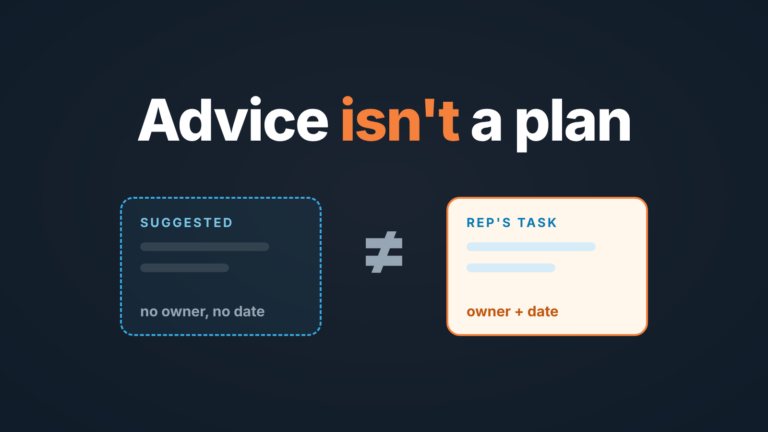
Since the sequence cannot see the deal, the enrollment rule has to do that job. Ours is one line per stage, and most stages say “no”.
Enroll at the stage where the buyer has seen the thing and gone quiet, typically after a demo or after a proposal. Each of those gets its own sequence, because the automated text that is true after a demo (“here’s what onboarding looks like”) is wrong after a proposal (“have you had a chance to look at the pricing” is a different conversation). One contact, one sequence, remember, so the proposal sequence can only start when the demo one is finished or the rep has taken them out.
Do not enroll in the first stage of the pipeline. A new inbound lead needs a person on the phone, not a scheduled email. Do not enroll in negotiation or legal review, where the silence has a reason and a scheduled “just checking in” reads as pressure. And do not enroll anyone whose deal already has a dated next activity from a real conversation. That activity was booked because the buyer said something; the sequence has not heard it.
Then teh two halves of the stage rule, which are really the exits from the previous section seen from the other side. Moving a deal forward means unenrolling the contact, because the next stage has its own sequence or none. Moving a deal to Closed Lost means unenrolling the contact too. Teams forget this one more often than you would think, and the lost buyer gets two more emails that confirm their decision.
Want this enforced rather than remembered? Start with the sequence’s own Automation tab, which Professional has: build an unenroll workflow there and see whether your account lets you trigger it on deal stage. On Enterprise you also have the “Enroll in a sequence” and “Unenroll from sequence” actions in the Workflows tool. Either way the sender has to be a user with a Sales or Service seat and a connected inbox, and HubSpot describes these as contact-based workflows (workflows article above). We did not find a deal-based version on the pages we read, so test the stage trigger on one deal before you rely on it. Where no trigger fits, enforcement is the weekly check. The email texts themselves belong in a shared library of HubSpot snippets and templates.
The Monday check: three lists, twenty minutes
The manager’s job is not to read the sequences. It is to find the three cases where a sequence is writing to someone it shouldn’t, and to find them before the buyer does.
First list: contacts in an active sequence whose deal has a recent human touch. Open the sequence summary page, which lists who is scheduled and lets you unenroll from the table or from the Actions menu next to a name (unenroll article above). Cross it against the deals that had a logged call, meeting or reply in the last few days. Any overlap is a buyer who is about to get a scheduled email in the middle of a live conversation. Unenroll, then ask the rep what they heard. The opposite case, a deal nobody has planned the next move for, shows up in a saved view that flags deals with no next step.
Second list: reps whose sequences get no replies. Compare each rep’s enrollments with their replies over the last few weeks. The point is not to rank people. A rep with lots of enrollments and almost no replies has either a bad first email, or enrolled contacts who were never going to answer, or is enrolling instead of calling. Each of those is a different conversation, and all three are easier to have with the numbers open than with “I feel like your follow-up isn’t working”.
Third list: emails that did not go out. HubSpot stops enrollment or drops a step when an address bounces, when the contact previously bounced globally, or when the rep hit the daily send limit (HubSpot: sequences enrollment errors). Each of those looks, from the pipeline, like a buyer who is thinking it over. Fix the address, re-enroll, or make the call instead.
A disclosure, since this third list is the problem we work on: we build SalesBond, a sales management layer on top of the CRM a team already uses, and it works with HubSpot. Deal Health checks every deal in the connected CRM against more than 20 rules, Activity among them, and shows the deals with no movement and the specific violation behind each one. So the deal where a sequence has been writing into silence for three weeks turns up on the manager’s list without anyone building the cross-check by hand. Check your CRM with SalesBond if that is the list you keep rebuilding on Mondays.
The mistakes we keep seeing
The enrolled-twice buyer. HubSpot won’t let one contact sit in two sequences, but it will happily let two contacts at the same company sit in two sequences run by two reps. The buyer and thier colleague compare notes. There is a sequence setting to unenroll all contacts at the same company when one of them takes the exit action (unenroll article above). Turn it on for deal sequences; a reply from the CFO should stop the email to the ops manager too.
The email after the yes. The buyer agrees to the proposal on a call, the rep updates the deal and goes to lunch, and the automated step fires that evening. It is the most expensive mistake on this list, because the buyer has just learned your emails are not written to them, and its the one with the simplest fix. Unenroll before you move the deal. Make it the order of operations and say it at the Monday meeting until nobody rolls their eyes.
The meeting that didn’t count. The buyer books through your founder’s calendar instead of the rep’s link, so the sequence carries on. The manager sees the meeting on the deal and assumes the sequence stopped. It didn’t.
The handover nobody told the sequence about. A rep leaves, their deals are reassigned, and their sequences keep sending under their name for another two weeks. Add one line to your offboarding checklist: open the departing rep’s sequences and unenroll or reassign everyone in them.
The pause that was really a stop. Someone unenrolls a buyer “for now”, then re-enrolls them a month later, and the emails arrive as fresh messages with no thread behind them. If you want the thread, don’t leave the sequence; adjust the delay instead.
If you do one thing this week, open your busiest deal sequence, check that the reply and meeting switches are on, then look at the Automation tab and find out whether a stage change can take a contact out. Whatever the answer, write the four exits into the playbook before Monday.