
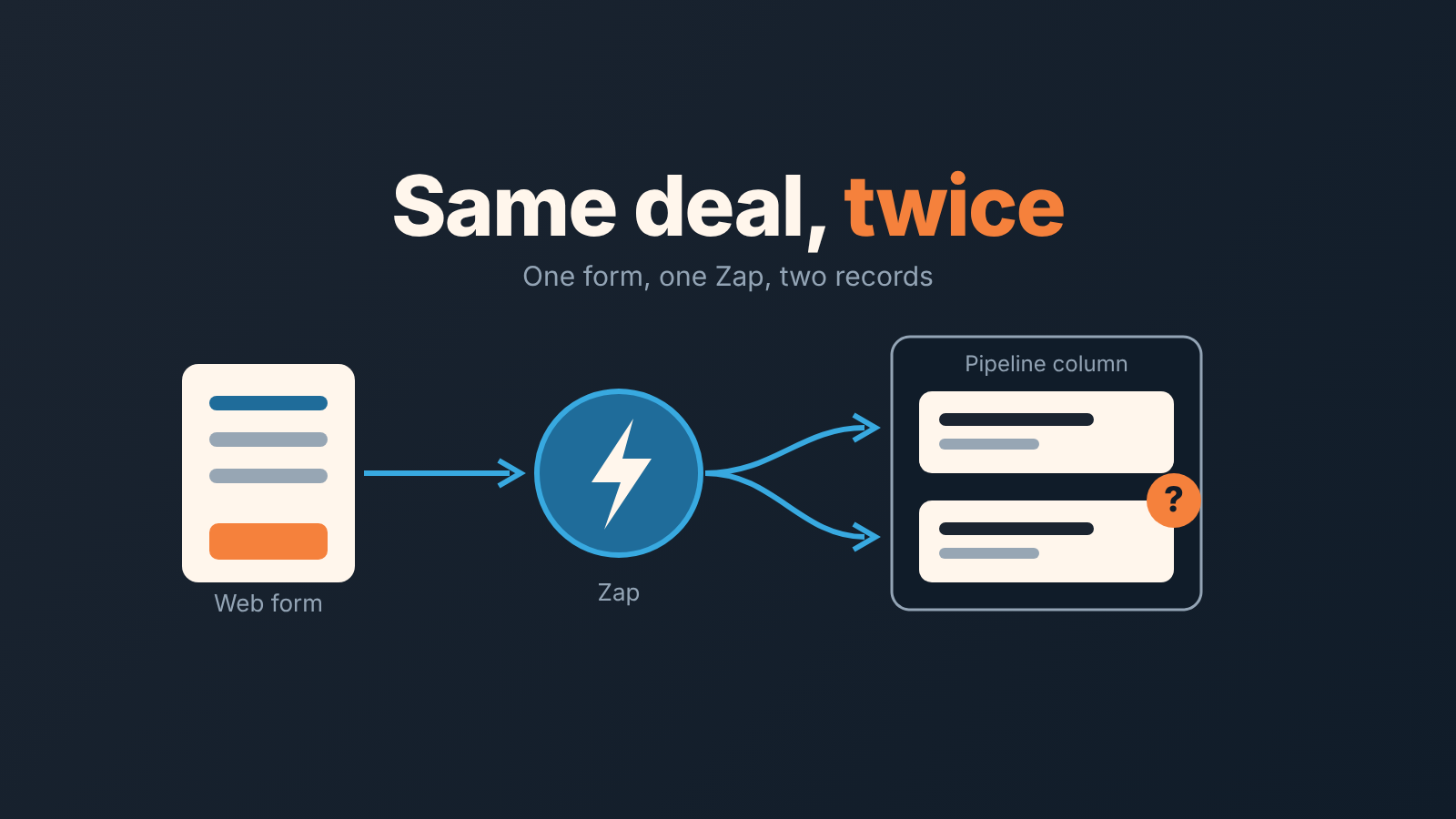
Duplicate deals coming out of Zapier almost always have one of five causes, all named in Zapier’s own help: static values instead of dynamic ones, a trigger that is too broad, several Zaps on the same trigger, an accidental loop, or a timeout followed by a replay (Zapier Help: Zap is creating duplicate data). The fix is a filter, a Find or Create step keyed on email, and the right trigger. That is the half the Zapier articles cover. The other half is that a duplicate, or a deal with no next step, is invisible from inside Zapier. The Zap ran, the run is green. So once a week someone has to look at the records the automation made, from the Pipedrive side.
Monday, two deals, one minute apart
Tavish runs sales at Fernhill Tooling (names and numbers here are illustrative). On Monday he opens the pipeline and sees two deals for the same buyer, created 10:14 and 10:15, both with the title the web form writes. Soren, the CRM operator, finds two Zap runs: same email, same form, one minute apart. The visitor had pressed the button twice, and the Zap did what it was told both times.
Neither deal has an activity scheduled. That detail is the expensive one; we will come back to it.
The five causes, and which ones show up with Pipedrive
If you have Zapier creating duplicate deals in Pipedrive, its help page lists five reasons a Zap duplicates data (Zap is creating duplicate data). In our words, with how each one shows up in Pipedrive:
- A static value where a mapped field should be. You typed a test email into the Create Deal step and never swapped it for the field from the form, so every run writes the same person. Pipedrive shows one name on every automated record.
- A trigger that fires on more than you meant. For Pipedrive, the help page suggests narrowing it with the Deal Matching Filter trigger. You get records you did not expect.
- Two Zaps on one trigger, say form-to-lead and form-to-deal, each creating its own person. One event, two records.
- A loop: a Zap that creates the kind of record it triggers on.
- Timeouts. A step “timed out” and someone replayed it; the help says such replays “may be creating duplicate data”.
Fernhill’s double submission fits none of the five neatly. The form sent two real events and the Zap handled each one correctly. What was missing is a step that asks whether this email already exists, which is exactly what Find or Create does.
Instant or polling: pick the trigger on purpose
Zapier marks each Pipedrive trigger as one of two kinds. New Deal, New Person and Updated Deal are Instant. New Lead and the Deal and Person Matching Filter triggers are Polling; Deal Matching Filter “triggers when a deal newly matches a Pipedrive filter for the first time” (How to get started with Pipedrive on Zapier).
It matters when Pipedrive is the trigger rather than the destination. An Instant trigger fires on the event itself. A Matching Filter trigger fires once, the first time a record enters the filter. So if a Zap that pushes Pipedrive deals into a spreadsheet keeps producing repeats, read the trigger name first. We prefer the Matching Filter triggers for anything that depends on a stage or a field value, because the condition then lives in a Pipedrive filter the whole team can see.
Find or Create, keyed on email
Zapier’s own recommendation is short: “If your app supports it, use a find or create action to ensure new data is only made if it does not already exist” (Zap is creating duplicate data). Pipedrive on Zapier supports it for Person, Deal, Lead, Organization, Activity, Product, Project and Task (Pipedrive on Zapier).
Which field to search on is your call, not a Pipedrive rule. We key the Person search on email and the reason is in Zapier’s troubleshooting steps: they tell you to hunt for duplicates in Zap history by “a unique identifier that is duplicated across multiple records, such as an ID or email address”. Names are not unique, and phone numbers get typed three ways. The Zapier blog says the same for meeting bookings: a Find Lead or Find Deal step updates an existing profile instead of recreating it (How to automate Pipedrive).
Find or create the Person first, then attach the Deal to that person. Search deals by title and a returning buyer with a new form title still gets a second deal.
The duplicates you already have
A fixed Zap does nothing for last month’s records. How Pipedrive flags duplicates and how to merge them is covered separately, and so is which deal to keep when you merge two. For Zapier-made records, read the activity list on both before merging. The older one is usually the real relationship, the newer one the empty shell.
The weekly look at what the automation made
Nobody in the Zapier articles writes about this part. It is where Fernhill actually lost deals.
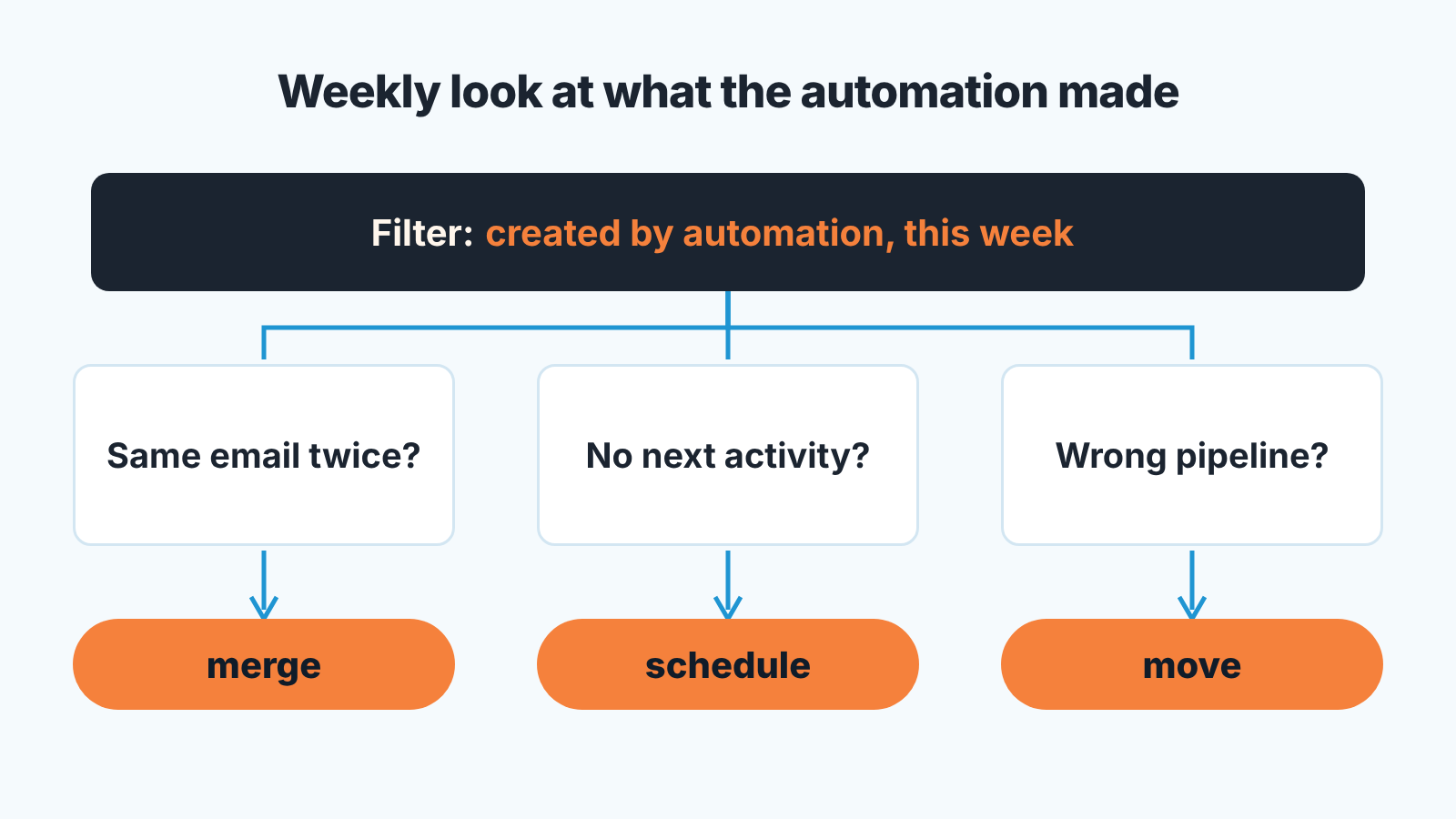
First make automated records findable: have every Zap write a fixed value into a field you choose, say a lead source of “Web form (Zapier)”, so a Pipedrive filter can show “created by automation this week”. Lead source tracking with Pipedrive web forms uses the same idea. Make the filter a shared one so it is not one person’s private view.
Then, once a week, open that filter and read it with three questions in mind. First, is anyone here twice? Sort by person or email and look for neighbors. Same email a minute apart is Monday’s double submit. Second, which of these deals has no next activity scheduled? A form submission that became a deal with an owner and no activity is not in anyone’s plan. It counts as pipeline in the report and gets no call. Tavish found eleven of these in one week, all green in Zapier, all untouched for days. (If a Pipedrive automation should have added it, see Pipedrive automation not triggering.) Third, is each record in the pipeline it belongs in? A Zap built for the demo-request form and copied for the partnership form will drop partners into the sales pipeline, with a sales owner.
Ten minutes, one filter, three questions. Write the counts down, because the count is the argument for touching the Zap at all. If the “no next activity” number is the same every week, the fix is not in Zapier. It is a rule that whoever owns an automated deal schedules the first activity the day it lands.
A disclosure: we build SalesBond, a sales management layer on top of the CRM a team already uses; we started with Pipedrive. Check your CRM with SalesBond if you want a second look at the same records. Do the weekly read by hand once anyway, so you know what normal looks like.
When you do not need Zapier at all
If both ends of the workflow are inside Pipedrive, a native automation or a Pipedrive web form that creates the lead directly removes the Zap and it’s failure modes. Native automations have ceilings of their own, covered in when a Pipedrive follow-up automation quietly stops. And the owner question from auditing Pipedrive automation owners applies to Zaps too: Zapier reaches Pipedrive through one person’s user account, so know whose it is before that person leaves. Apps that person installed in Pipedrive are uninstalled on deactivation too, so see what goes with them before you switch the user off.
Nothing here makes a Zap stop producing duplicates for good. Forms get double-submitted, people change their email, a colleague clones a Zap and forgets the Find step. What changes is that you see it on Monday instead of at the end of the quarter.


