
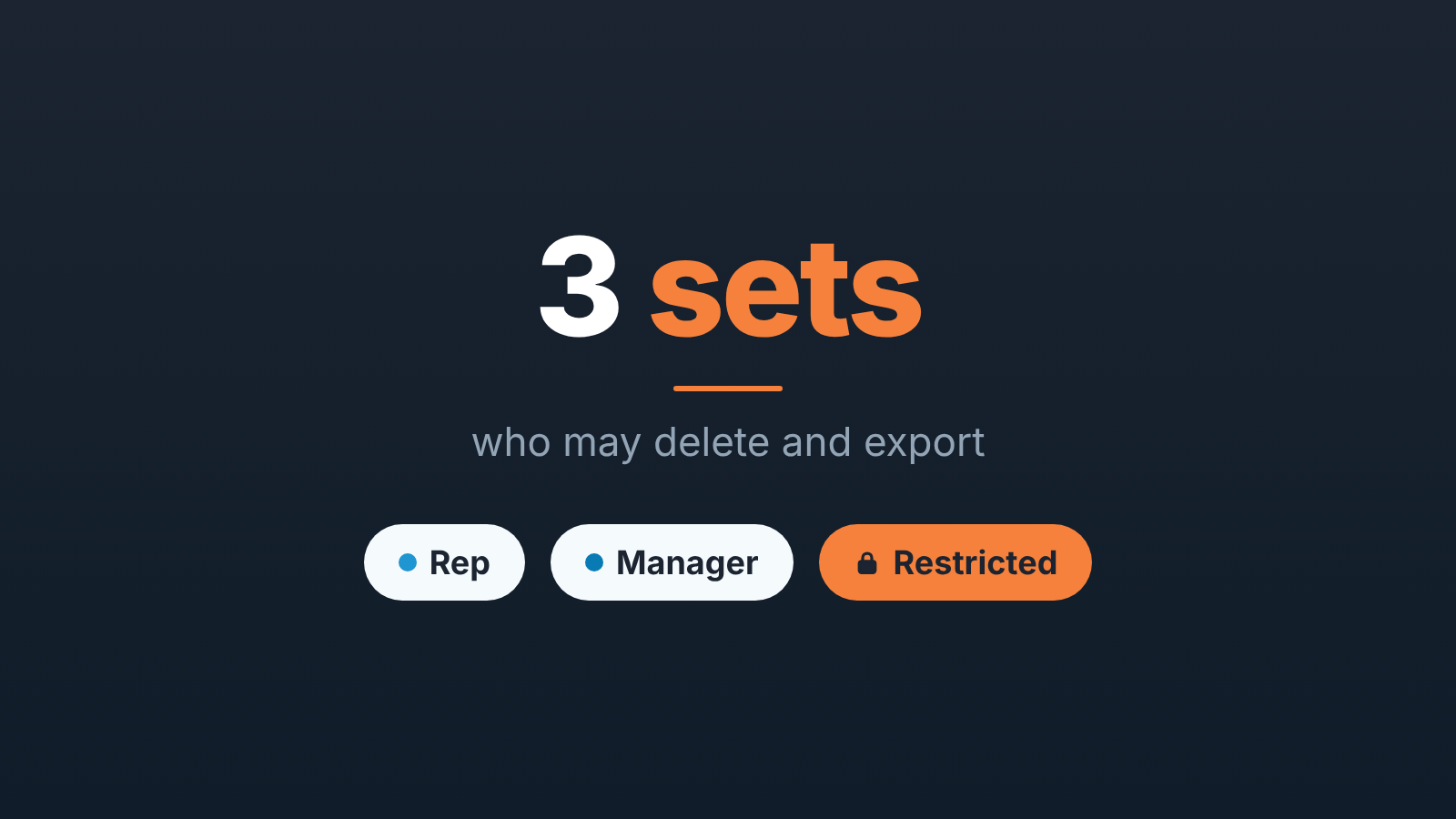
In Salesforce, permission sets add access on top of a user’s profile. For a sales team of five to ten people, keep three of them: one for reps, one for managers, and one restricted set that holds the right to delete records and export data. Then look at who holds each set once a month. That is the whole system, and it is enough until the team doubles.
Permission sets vs profiles: what a set adds
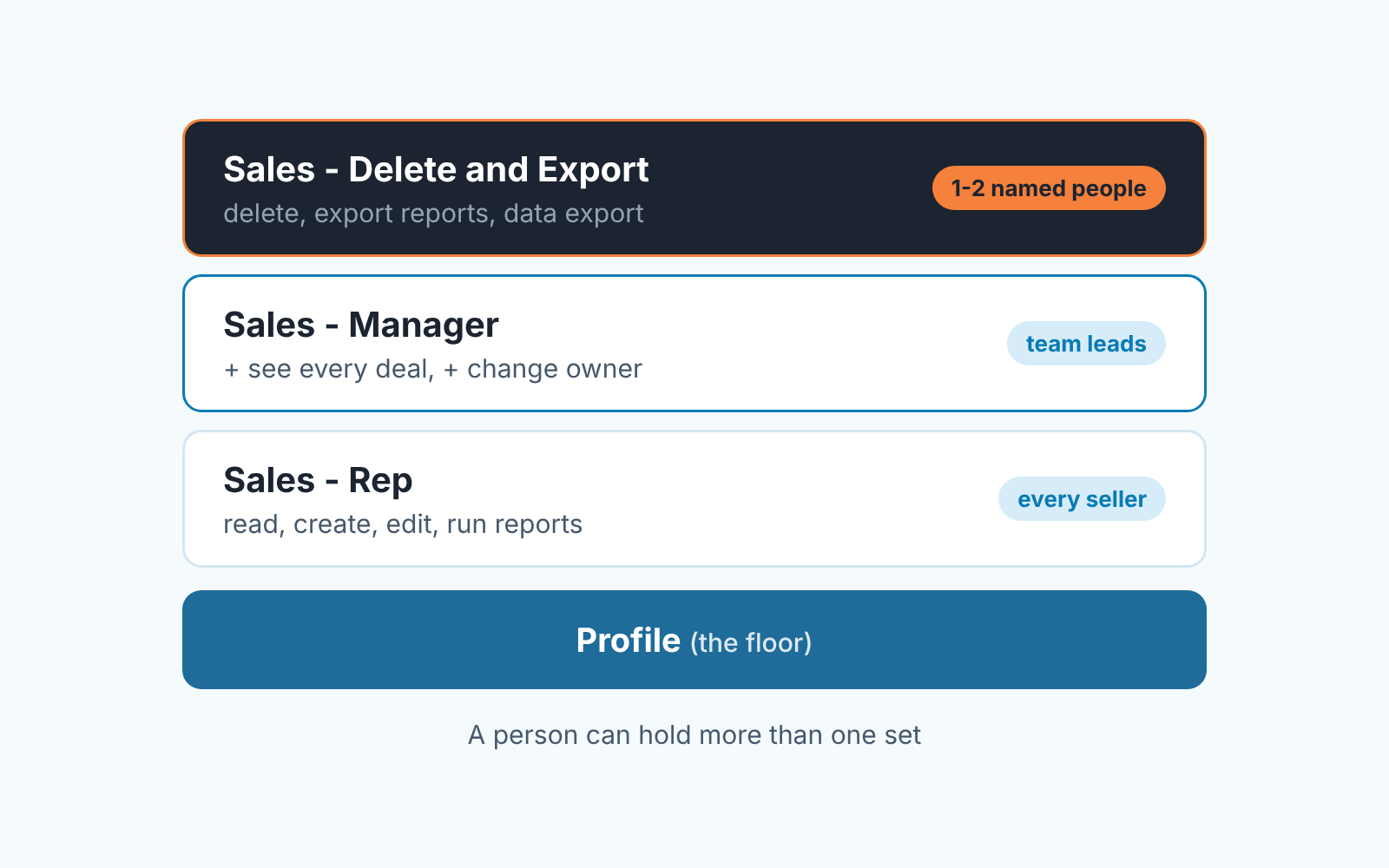
Every Salesforce user has one profile, and the profile is the floor. A permission set sits on top of it: a named bundle of extra permissions that you assign to a person, and depending on your edition a person can hold several (Salesforce Help: Permission Sets). Inside a set live the things a manager actually cares about: object permissions such as Read, Create, Edit and Delete on Opportunities, field access, and user permissions like Export Reports. Profiles and permission sets decide what a person can do. Which records they see is a different layer, roles and sharing, and we covered it in sharing rules for opportunities in a small team.
So the design question is not “which profile” but “what does this person get that the rest of the team does not”. Salesforce’s own Trailhead advice is the same: start users on the Minimum Access – Salesforce profile and add the rest through permission sets and permission set groups (Trailhead: Permission Set Groups). Groups bundle sets by job function. With three sets you can skip them for now, and the thread titled “We have a lot of permission sets” (Trailblazer Community, 12 Dec 2023) shows what happens when every access request becomes a new set.
Three sets for a sales team: rep, manager, restricted
Name them so that the assignment list reads like a seating chart. We use the team and the role, and we write the reason for the set into its Description field, because in a year nobody will remember why “Sales Ops Temp 2” exists.
Sales – Rep goes to every seller. It adds Read, Create and Edit on Opportunities, Accounts, Contacts and Leads, plus Run Reports. It does not add Delete on anything, or Export Reports. Most teams get this set wrong in the other direction: too lean. A rep who cannot run a pipeline report is not safer, just blind, and will ask you for numbers instead of looking. If your reps keep hitting an “insufficient privileges” wall on reports, we wrote up what a manager should check first before the admin opens Setup.
Sales – Manager goes to the head of sales and team leads. It has everything in the rep set plus the right to reassign a deal to another owner, for when a rep leaves or two people fight over an account. It does not add Delete or Export Reports. It is about seeing, not destroying, and seeing is mostly sharing. One thing to know: if your admin solves visibility by putting View All on Opportunities into this set, that permission overrides sharing settings. Fine, as long as you know its there.
Sales – Delete and Export goes to one or two named people. It holds Delete on sales objects, Export Reports and the Weekly Data Export permission, and nothing else, on purpose. Deleting and exporting are the two actions you cannot undo from a manager’s chair, so they live together, held by people you can name without opening Salesforce. Our choice is the admin plus one business owner. Not the best seller, not the most senior rep. The person who answers for the data.
Who may delete or export, and why the default is not enough
Delete often arrives through the profile, not through a decision. If somebody cloned a profile years ago with Delete ticked on Opportunities, it has probably stayed ticked ever since. Then a rep clears “old junk” from the pipeline before a review, and a deal you lost last quarter is gone with its history. You will not notice on the day. You notice when the forecast has a line nobody can explain.
A community thread on this exact question, how to let someone delete opportunities, got the advice to give delete access to higher-level users by adding the delete permission (Trailblazer Community, 24 Oct 2024). We agree with the mechanism and disagree with “higher-level”. Seniority in sales says nothing about care with data. The right holder of Delete is whoever would have to rebuild the record.
Export is the quieter risk. A report exported to a spreadsheet is your customer list on a laptop, and from there in a personal mailbox. Keep Export Reports out of the rep and manager sets, and keep the scheduled backup where it belongs: a weekly export run by one person, not ad hoc downloads by whoever needs a number today. When a rep genuinely needs an extract the person with the restricted set makes it. That takes five minutes and leaves a name on it.
Changing a deal’s owner sits in between. It moves commission and forecast from one person to another, so it belongs to managers, and we switch on field history tracking for Opportunity Owner so that every reassignment has a date and an author.
The monthly access check: five questions for your admin
Fifteen minutes, once a month, the admin with Setup open and you with the team roster. The answer to each question is a list of names. “It’s configured correctly” is not an answer.
Start with Who can delete opportunities today? The admin opens the restricted set, clicks Manage Assignments and reads the names aloud. Then ask the uncomfortable follow-up: does the profile itself still grant Delete on Opportunities? And does any set carry Modify All on Opportunities, which includes delete?
Who can export reports? is the same check for Export Reports. If the list is longer than two names, somebody got it “temporarily”.
Who can change the owner of a deal? should match the manager set, nobody else. Who can see every deal? goes against your sharing rules for opportunities, so visibility is decided in one place.
The last one takes the longest: Who holds a set they no longer need? Compare the three assignment lists with the roster. A rep who moved to customer success in March is still a Sales – Rep in June more often than you would think.
Write the five answers into the the same note every month. The value is in the diff: when a name appears that was not there last time, you have a question for a specific person, not a vague worry about security.
Part of the team on HubSpot? The same questions work there; here is the HubSpot version.
When a rep changes role, leaves or goes on leave
Role change means swap, not add. A rep promoted to team lead gets the manager set and keeps the rep set only if the manager set does not already contain it. The failure mode is accumulation: four roles, four sets, and access no current role needs.
When someone leaves, the order matters. Reassign their open deals first, while their record is still active, because the ownership change is the thing you want in the field history with the right date. Then the admin removes the sets and deactivates the user. Do it the other way round and you get orphaned deals and a manager reassigning them from memory.
Leave of absence is where “temporary” access is born and never dies. When a rep covers for a manager, ask the admin to set an expiration date on that assignment, which Salesforce offers when assigning a set from Manage Assignments (Salesforce Help: Manage Permission Set Assignments).
What to leave to your admin
Profiles, permission set groups, field-level security on individual fields, API and integration permissions: these are the admin’s domain, and a manager who edits them on a Friday afternoon makes Monday worse. What is yours is the list of three sets, the names on each, and the five questions. Give them the target state in one sentence: three sets, delete and export in the restricted one, assignment list reviewed monthly. How they build it is their call.
One limit worth being honest about. Permission sets decide who may touch a deal, not whether the deal is being handled well. A rep with exactly the right access can still sit on an opportunity with no next activity and a close date that passed two weeks ago. That is the check we work on: we build SalesBond, a sales management layer on top of the CRM a team already uses; we started with Pipedrive. It does not manage permission sets, that stays in Setup. For the deal side, check your CRM with SalesBond.
The access side you can finish this week: three sets, two names on the dangerous one, fifteen minutes a month.


