

Zoho CRM Plus bundles Zoho CRM with apps for support, marketing and collaboration, at $20 to $57 per user per month on annual billing in the US. For a five-rep sales team it pays off only if support and marketing will work in the same customer data. If sales is the only user, a standalone Zoho CRM edition covers the pipeline, and the bundle adds cost without changing how deals are managed. Zoho draws the same line: Zoho CRM’s “core functions are focused on sales teams”, while CRM Plus is “a unified customer experience platform” that brings sales, marketing and service teams onto one interface (Zoho CRM Plus: How is Zoho CRM Plus different from Zoho CRM?).
What Zoho CRM Plus is, and what it costs
It is Zoho CRM plus a set of other Zoho apps, sold as one subscription per user. There are two editions. On Zoho’s US prices as of October 24, 2026, Starter is $20 per user per month billed annually ($25 month-to-month), and Enterprise is $57 billed annually ($69 month-to-month), both with a 30-day free trial and no credit card (Zoho CRM Plus pricing). Five seats on annual billing come to $1,200 a year on Starter and $3,420 on Enterprise. Put those two numbers next to five seats of a plain CRM edition, which we priced in what Zoho CRM costs for a five-person sales team, by edition.
How many apps you get depends on which Zoho page you read. The pricing FAQ names fourteen: Zoho CRM, SalesIQ, Desk, Projects, Campaigns, Social, Survey, Analytics, SalesInbox, Backstage, Marketing Automation, PageSense, Meeting and Cliq. The help center overview says 16 and lists WorkDrive, Webinars and LandingPage among them (Zoho help: CRM Plus overview). Starter covers sales, marketing, help desk, live chat, social, projects, surveys and analytics; event, webinar, website and marketing automation tools come with Enterprise.
Read the list once more with a sales manager’s eyes. One app is the CRM. Two are built for salespeople. The rest belong to a support desk, a marketer or a project lead.
Plus or Zoho One? Plus is paid per user and covers sales, support and marketing apps. Zoho One is a company license meant to be bought for every employee on payroll, and we did that math in Zoho One or Zoho CRM for five reps.
What a sales manager sees in Zoho CRM Plus that a CRM edition lacks
Inside the pipeline, Plus adds almost nothing over a Zoho CRM edition: deals, stages and forecasts live in the same CRM app. What changes is what sits around the pipeline. One detail if you rely on stage gates: the Plus pricing page lists Blueprints (100 per org) under Enterprise only.
Here is what the bundle adds from a manager’s seat, and what each piece needs before it earns anything.
| What you get in Plus | Where it comes from | It helps a five-rep team only if |
|---|---|---|
| A sales email client tied to CRM records | SalesInbox | Reps live in email and you want replies logged without asking |
| Who is on the website right now, and chat | SalesIQ (visitor insights, chatbot) | Inbound leads come from the site and someone will answer the chat |
| Support tickets visible next to the deal | Desk | A support person exists and will work tickets in Zoho |
| Cross-app dashboards beyond CRM reports | Analytics (unlimited reports and dashboards in Enterprise) | You need marketing or support numbers next to pipeline numbers |
| Email campaigns, social, surveys | Campaigns, Social, Survey, Marketing Automation | A marketer will run them. Reps will not |
Sources for the rows: the app list and edition limits on the CRM Plus pricing page, opened 2026-10-24.
Look at the third column. Every row has the same condition: another role has to show up and work in Zoho. The sales manager of five reps gets SalesInbox and website visitors for the team. The rest is value only when there is a person behind it.
Zoho also markets Plus with Zia, which suggests the best times to contact customers and reads sentiment in emails and tickets (Zoho CRM Plus). A five-rep team has thin data for that, so don’t buy the bundle for Zia.
The decision rule for a five-rep team
One question decides it: in the next six months, will someone who is not a salesperson open a Zoho app every working day and touch the same customers your reps are working?
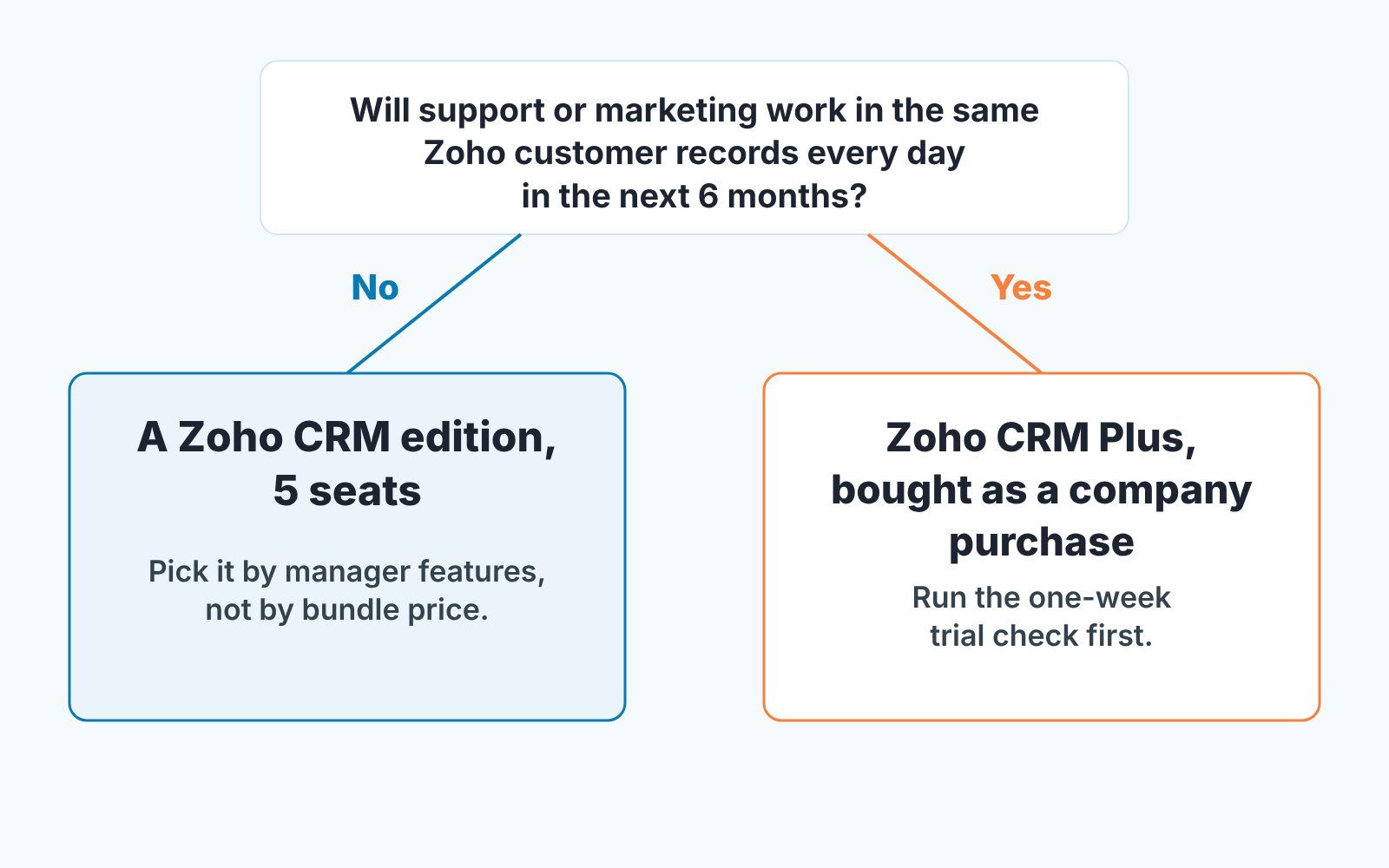
Most of what Plus adds has an owner outside sales. Desk with no support person is a second queue nobody checks, and Campaigns with no marketer is the founder sending a newsletter twice a year. We have seen the the same pattern in small companies: the manager takes the per-user price to the owner as a sales expense, and a year later the company pays bundle prices for five CRM seats.
If the answer is no, a Zoho CRM edition is the buy. Five seats, picked by the manager features you need (pipeline reports, forecasts, Blueprint). Nothing in Plus changes how a deal moves from Qualification to Closed Won.
If the answer is yes, Plus is a reasonable purchase, with two conditions. First, the people who said yes have names and start dates, not job titles you plan to hire. Second, the trial below passes.
And if the answer is “maybe next year”? Stay on the CRM edition. A bundle bought early tends to be half-configured forever, because nobody owned the half that was not sales.
A one-week trial check: pipeline, one report, one handoff
The trial runs thirty days, but one working week is enough to answer the question above. It costs nothing except attention.
Start with the pipeline on day one. Load your real deals, stages and owners and run your Monday review from them. If it works the same as in your CRM edition today, write that down: Plus did not change the pipeline, and you should not pay for it as if it did.
By midweek, build the one report you can’t build today. For most five-rep managers that is pipeline next to a support or marketing number, such as open deals per rep beside open tickets per account. If you cannot name such a report that is your answer, and the reports a sales manager needs in Zoho CRM are already in the CRM edition.
By Friday, run one handoff with a real customer. The non-sales person from the decision rule creates a ticket in Desk or a campaign in Campaigns against that contact, and your rep has to see it on the deal and act on it. If there is nobody to do this step, you found out before paying. Three passes mean buy; two mean buy only if the missing one has a named owner; one means stay put.
If you stay on CRM editions: what to do instead
Most five-rep teams will land here, and it is not a consolation prize. The problems that make managers shop for a bundle, usually “I can’t see what is going on” and “I don’t know if we’ll hit the number”, are solved inside Zoho CRM with configuration, not with more apps.
Start with the view: we walked through the layout in the Zoho CRM dashboard a sales manager actually uses. Then the number: quota attainment and forecasts for a small team in Zoho CRM covers targets and teh forecast without an extra analytics product.
A disclosure, since the next question is usually about tools on top of the CRM. We build SalesBond, a sales management layer on top of the CRM a team already uses; we started with Pipedrive, and today it works with Pipedrive, HubSpot, Salesforce and Zoho CRM. It monitors the health of deals and customers, explains the risks, and gives managers and owners a clear picture of execution, forecast and plan. If your problem is the pipeline rather than the other departments, check your CRM with SalesBond.


