
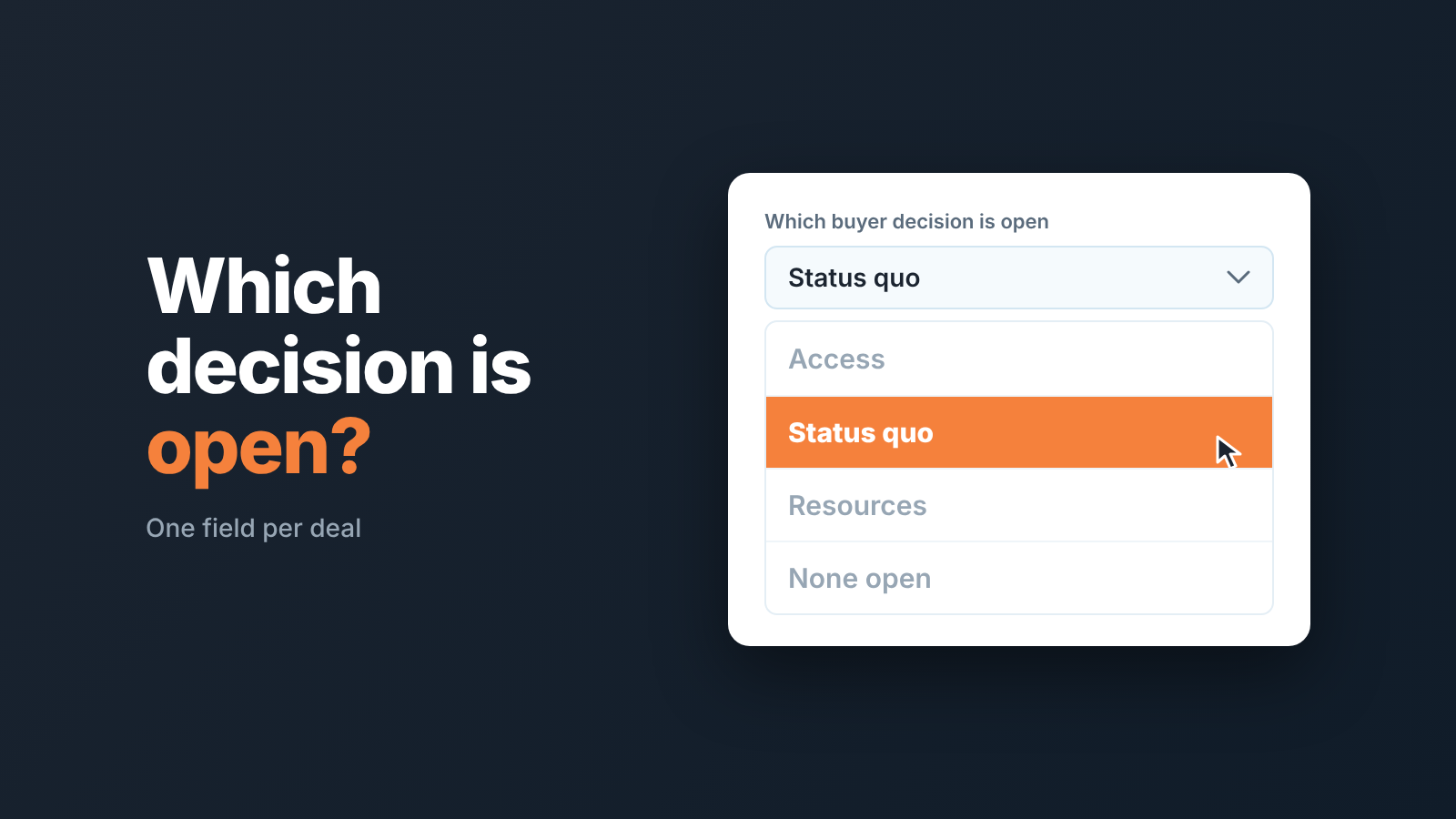
SNAP selling is Jill Konrath’s method for selling to overloaded buyers: keep it Simple, be iNvaluable, Always align, Raise priorities. For a small Pipedrive team the usable part is not the four principles but the three buyer decisions underneath them (give you access, move off the status quo, allocate resources). Record which of the three is still open on each deal, in one field, and review only that.
That is the whole post in two sentences. The rest is the field, its values, the one question for the weekly review, and a 15-minute check you can run in Pipedrive this afternoon.
What SNAP selling is, in one paragraph
The book is SNAP Selling: Speed Up Sales and Win More Business with Today’s Frazzled Customers, and the buyer in the title is the point. Konrath’s buyer has no time, too many vendors in the inbox, and no patience for a seller who makes things harder. The four principles are the seller’s answer. Weflow spells the acronym out as Simple, iNvaluable, Aligned and Priority (Weflow); Streak phrases the same four as rules: keep it simple, be invaluable, always align, raise priorities (Streak). Simple means the buyer can act on what you sent without a meeting. Invaluable means they learn something on the call they could not have got from your website. Aligned means you talk about their goal, not your feature list. Priority means you are working on something they want solved this quarter, not someday.
Good principles. Also impossible to put in a CRM. “Was this email simple?” is not a field anyone will fill in honestly, and a manager who tries to audit alignment from deal notes will give up by Tuesday.
The three decisions are the part worth keeping
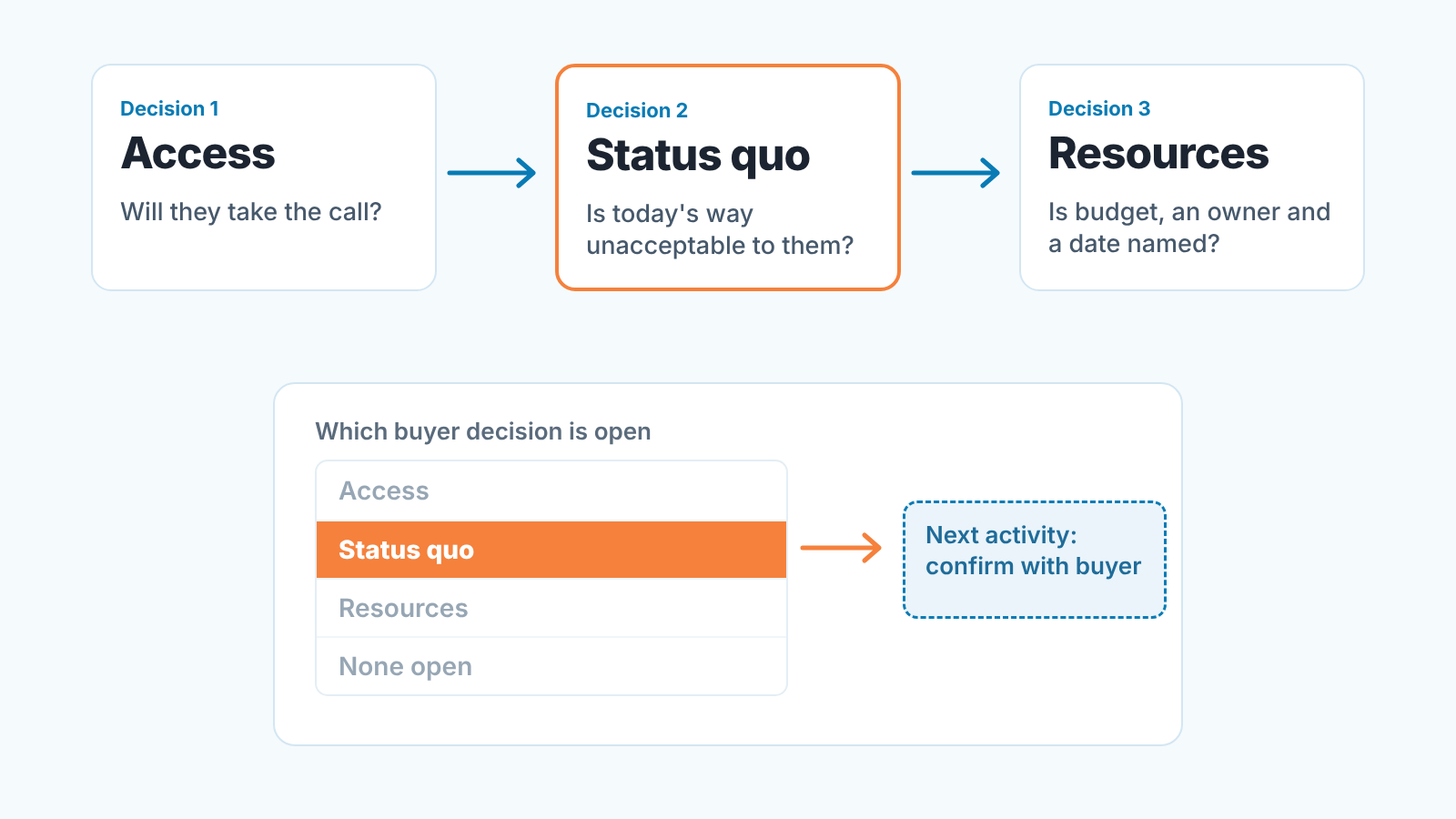
Under the four principles Konrath describes three decisions a buyer makes, in order, before any purchase happens. Weflow lists them as access, status quo and resources (Weflow). In plain words:
The buyer decides whether to give you access at all. Will they take the call, read the email, let you in the door.
The buyer decides whether to move off the status quo. Is what they do today bad enough to change, or is this a problem they have learned to live with.
The buyer decides whether to allocate resources to your option specifically. Budget, people, a slot in the roadmap, and your product rather than the other two on the shortlist.
Why do we care more about these three than about the principles? They are sequential, they are observable, and a deal can only be stuck on one of them at a time. A buyer who has not decided to change anything is a different deal from one who has decided and is choosing between vendors, even if both sit in the same stage with the same value and close date. Pipeline stages describe what the seller has done. The three decisions describe what the buyer has done, and that is the one that predicts whether the deal moves.
We see the gap most often with the second decision. A rep gets access, runs a good demo, sends a proposal, and the deal sits at Proposal Sent for six weeks. Nobody asked whether the buyer ever decided the status quo was unacceptable. The rep skipped from decision one to decision three and the buyer never made decision two. We wrote about how that looks from the pipeline side in no-decision deals; this post is about catching it earlier, on the deal record.
One field, not four
Our rule: one custom deal field, single option, called Which buyer decision is open. Not four fields for the four principles, not three checkboxes for the three decisions. One field whose value is the decision the buyer has not made yet. Four values, each with the moment it changes:
- Access: the buyer has not agreed to talk yet. The rep sets it when the deal is created and moves it once a meeting happens and the buyer actually shows up.
- Status quo: they talk to you, but have not said that what they do today is unacceptable. It moves when the buyer says, in their own words, why staying put is not an option.
- Resources: they want to change, but budget, an owner or your option specifically is not committed. It moves when budget, owner and timeline are named and yours is the option being resourced.
- None open: all three decisions made. The rep sets it with the manager’s agreement on the review, and it stays until the deal is won or the buyer backs out of a decision.
The value changes only on evidence from the buyer, never on the rep’s feeling. “They seemed keen” does not move Status quo to Resources. “Their ops lead said the manual export costs her two evenings a month and she is done with it” does. If a rep cannot quote the buyer, the value stays where it is, and that is information too.
It can also move back. A buyer who said budget was approved and then went quiet after a CFO change has reopened the resources decision, so the field goes back to Resources. It feels like a demotion. It is a correction, and it is cheaper to make on the record than in the forecast.
Each value comes with a next step. A deal that says Status quo with no scheduled activity is a deal where nobody is working on teh open decision. Pipedrive already has the mechanism for that; we covered how to run on it in the next activity field, so we won’t repeat it here. The field tells you what the next activity should be about. The next activity tells you whether anyone is doing it.
On the Pipedrive side this is one custom field on deals. You can mark a custom field as required, which blocks saving the deal until it’s filled, or as important, which highlights it as missing in the deal view without blocking the save. Check your plan first: important fields come with Growth and up, required fields with Premium and up (Pipedrive: custom fields). We would make this one important not required. Required fields get filled with whatever is at the top of the dropdown. And if you already carry a dozen custom fields nobody reads, do the cleanup first; one more field on top of twelve dead ones is one more dead field.
A disclosure, since we are at the field: we build SalesBond, a sales management layer on top of the CRM a team already uses; we started with Pipedrive. Deal Health checks every deal against more than 20 rules and shows which deals need attention and why, with no next activity scheduled among the routine signals. It does not read your SNAP field; that check is yours, and it takes the time below. Check your CRM with SalesBond if you want the routine signals handled before you open the deals.
Priority is a question, not a field
The fourth principle, raise priorities, is the one teams try hardest to turn into a field and the one that least belongs in one. “Priority: high” in a dropdown means the rep thinks it is high. SNAP’s Priority is about the buyer: is solving this problem one of the things they will do this quarter, or one of the fifty things they would like to do someday?
So we don’t store it. We ask it, once a week, about every deal where the field says Status quo or Resources:
“What did the buyer say they are doing about this before the end of the quarter, and when did they say it?”
Both halves matter. The first separates a buyer who has a plan from a buyer who was polite on the call. The second catches the answer that was true in July and is being recycled in October. A quote and a date: move on, that deal is fine for another week. “They are definitely interested”: the deal has a priority problem, and the next activity is to find out where this sits on the buyer’s list. Quite often the honest answer is “they have not decided to change anything yet,” and the field goes back to Status quo. That is the review doing it’s job.
It also keeps the review short. A manager with twenty deals and a 30-minute slot can’t ask four SNAP questions per deal. One question, asked only where a decision is open, fits.
Where SNAP goes quiet
SNAP is a method for getting in front of a busy buyer and being worth their time. It is not a qualification framework or a forecasting method, and it says little about how to close.
So do not forecast from the field. “None open” is not a commit; it means the buyer has made the three decisions as far as the rep can tell, and says nothing about procurement or the other vendor. We won’t claim the field improves win rate, because nothing in the method or our sources shows that. What it changes is what the manager sees in the list: which decision each deal is stuck on, without reading the notes. We think that is enough to justify one field.
It also does not hold the buyer’s reasons: the pain, what it costs, who signs. If your team already runs SPICED or value selling fields, the SNAP field sits next to those, not instead of them. If you run no methodology yet, start with our overview of methodologies for Pipedrive teams rather than picking SNAP because it has the shortest acronym.
A 15-minute check in Pipedrive
You can run this today, before the field has any history, because the first run is mostly about filling it in.
- Create the field. One single option custom field on deals, named Which buyer decision is open, with the four values above (Pipedrive: custom fields shows where). Mark it important if your plan has it. Five minutes, including the argument about whether “None open” should be called “Closed”. It shouldn’t, because Closed already means something in a pipeline.
- Build one filter. Pipedrive filters have two groups: ALL conditions, which a deal must meet every one of, and ANY conditions, of which it must meet at least one (Pipedrive: filtering). Under ALL: the deal is open, and it has no next activity scheduled. Under ANY: Which buyer decision is open is Status quo; Which buyer decision is open is Resources. The help article doesn’t name the “no next activity” condition, so pick it from the condition list when you build the filter, and see our next activity post for how that field behaves. Save it as something like “Open decision, nobody on it”. That list is the whole point of the field.
- Walk the list with the reps. For each deal set the field if it is blank, and schedule the next activity about the open decision. Not “follow up”. “Ask Priya whether the export problem is on her Q4 list.” Reps will tell you it is obviously Resources on every deal. Ask for the quote. A good share will move back to Status quo on the spot, and those are the deals that were going to sit at Proposal Sent for six weeks.
After the first run, the filter is the review. Open it on Monday. If it is empty, the team is working on the right things, and you can spend the half hour on the Priority question instead.
FAQ
Is SNAP the same as SPIN?
No. Weflow compares the two directly (Weflow): SPIN is question-driven and works well when the buyer’s pain is latent rather than explicit, while SNAP fits buyers who already know they have a problem but are too overloaded to act on it. The acronyms share three letters, which is where most of the confusion starts. The field in this post works with either.
Does SNAP replace MEDDIC?
Not in our view, and Weflow says plainly that the frameworks aren’t mutually exclusive (Weflow). In Weflow’s words, MEDDIC is a qualification framework: it tells you whether a deal is real, not how to message. SNAP’s three decisions record what the buyer has concluded. A small team can carry both in the CRM, because the SNAP field is one dropdown. If you only have room for one, pick the one your reps will actually fill in, and for a three-person team that is usually the dropdown.


