
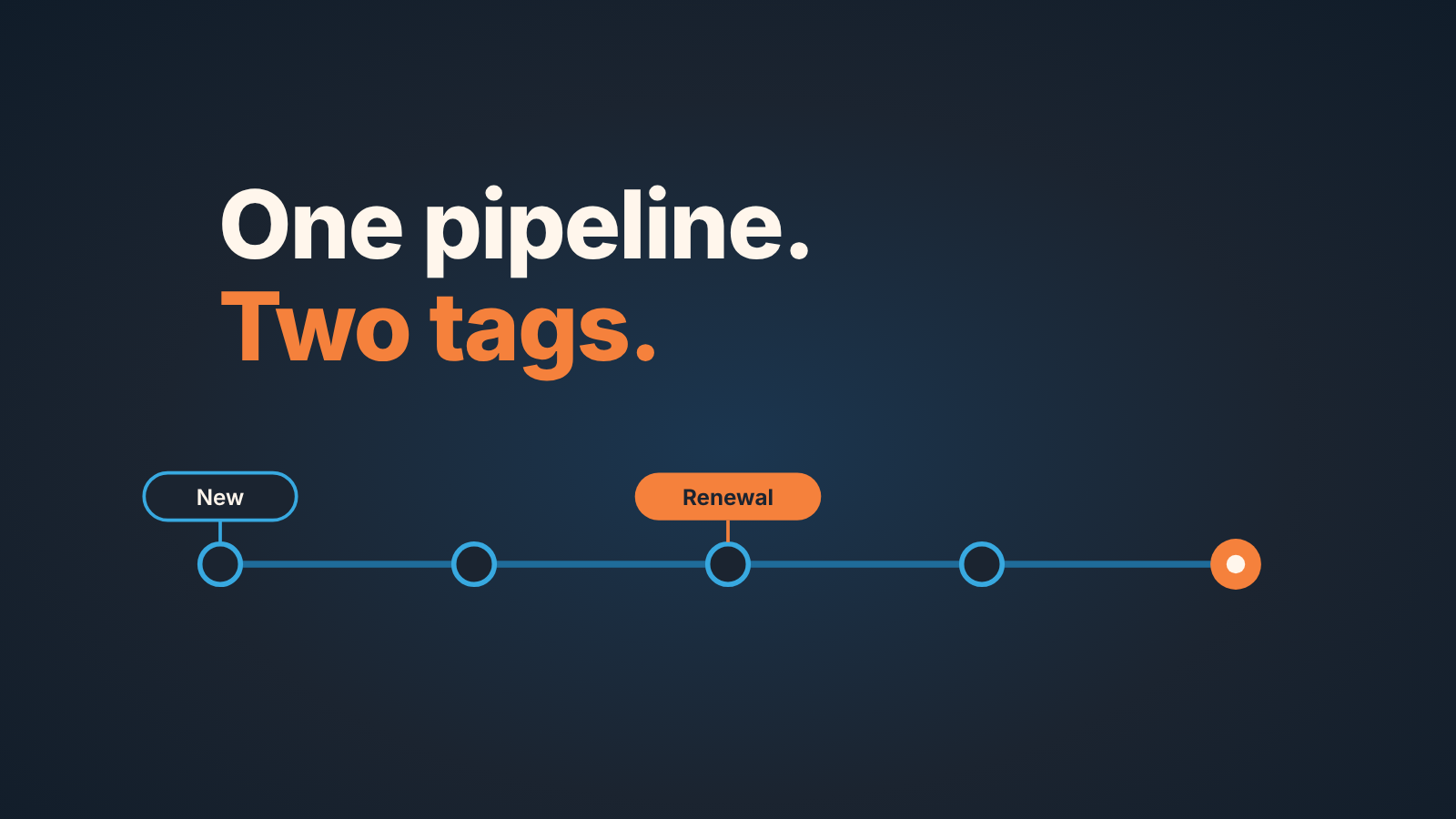
In Salesforce, a record type controls which picklist values a group of users sees on an object, and on opportunities that means which stages; the page layout controls which fields they see. Give renewals their own record type only if they genuinely move through different stages than new business. If they don’t, one Type field and one report filter keep your reports simple and your forecast in one place.
One pipeline, two kinds of deal
A renewal is not a new deal with a smaller number. There is no discovery, the buyer already knows your product, and the close date is set by a contract rather than by a rep’s optimism. The risk looks different too: a new deal is lost to a competitor or to “not now”, a renewal is lost to silence.
So the manager’s question sounds reasonable. If the deal is different, shouldn’t it have its own stages?
Most Salesforce admin blogs answer with a record type: your team, your record type, your layout. Cloud Coach uses this exact example, a new-business team and a renewals team on the same Opportunity object, each with its own stage values (Cloud Coach: Record Types and Page Layouts in Salesforce). What they don’t say is what that second set of stages costs you in reports, in the forecast and in the closed stages, or when a single field does the same job.
We think the question is framed wrong. Renewals are different from new business, nobody argues that. The question is whether their path through the CRM is different, and that is a much narrower test. We wrote about the renewal process itself, for Pipedrive teams, in a customer renewal process in Pipedrive; this article is about the Salesforce decision only: one set of opportunity stages or two.
What a record type changes, and what a page layout changes
A record type decides which picklist values and which business process a record gets; a page layout decides which fields appear on the page and how they are arranged. Admins mix the two up, and the mix-up is where most unnecessary record types come from.
Salesforce’s own Trailhead puts it in one line: record types determine the business processes, page layouts and picklist values users have access to (Trailhead: Create Record Types). On an opportunity, the business process is the sales process, which Trailhead calls “a filtered list of opportunity stages” (Trailhead: Create and Manage Stages and Sales Processes). The layout handles the rest: which fields are shown, which are required or read-only, which related lists and buttons appear. A user’s profile plus the record type decides which layout they see (Cloud Coach).
Read that as a decision rule. “Renewal reps see the wrong fields” is a layout problem, and often a smaller one than that; we covered showing fields by stage in Dynamic Forms for Salesforce stage fields. “Renewal reps should never see a Discovery stage” is a record type problem. Only the second one justifies a second sales process.
One more thing travels with the record type: the Path. A path is built on the combination of object, picklist and record type, its steps follow the picklist values in order and end on a closed stage, and you get one path per record type (Salesforce Help: Create a Path, Considerations for Creating Paths). Two record types means two paths to write and keep current. What goes into a path is its own topic, in Sales Path guidance per stage; here it is just a line item on the bill.
Four questions before you split
Answer these on paper before anyone opens Setup. In a month someone will ask why there are two record types, and “the renewals team wanted it” will not be enough.
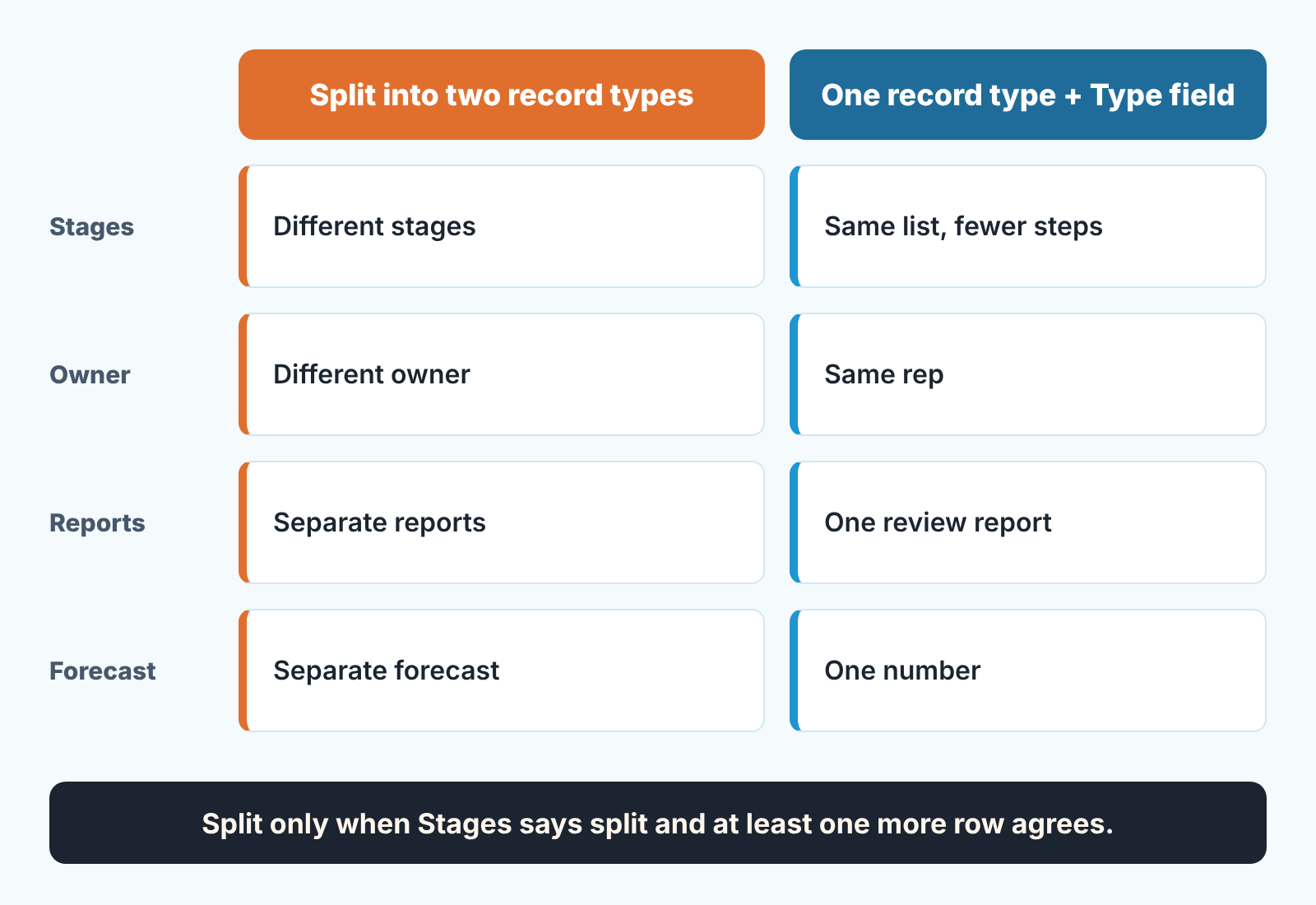
- Are the stages different, or just fewer? Write the new-business stage list and the renewal stage list next to each other. If the renewal list is the new-business list with Qualify and Discover crossed out, that is not a different process, it is the same process entered later. A different process has a stage that makes no sense for the other kind of deal: a Notice Sent stage, say, that a new deal could never be in.
- Does a different person work them? If a customer success manager owns renewals and never touches new business, two processes cost that person nothing. If the same rep works both they will switch stage vocabulary several times a week, and the vocabulary they use less will be used worse.
- Will anyone need a report that mixes both? Your Monday pipeline review probably does. We described that report in Salesforce reports for a sales manager’s week; if it groups by Stage, two processes give it two sets of rows that don’t line up.
- Do renewals roll into the same forecast number? If the owner looks at one figure for the quarter, two stage sets with two probability scales feed one number from two different rulers.
Split only when the stages are genuinely different and at least one of the other three answers is also yes. Different stages with the same owner, the same report and the same forecast is a split that serves the admin, not the manager.
If the answer is split, the build order matters. Every stage, for every record type, lives in one Opportunity Stage picklist, so new values like Notice Sent go there first. Then you create a sales process, starting from Master and removing what renewals don’t use. Only then the record type: you pick that sales process in the wizard, make the record type available to the profiles that need it and assign a layout (Trailhead: Create and Test a New Opportunity Record Type). The path for the new record type comes last.
What breaks after the split
Here is what it looks like when the split is done without the paper exercise. A Trailblazer Community thread describes an org with two opportunity record types: Standard, for new and repeat business, and Negative Risks, which got its own stages. Every record of the second type showed as Open, because none of its stages was a closed stage. The answer the thread settled on was a stage called “Closed – Final” with the type Closed/Lost, probability 0% and Forecast Category set to Omitted. Whether that change touched the Standard stages, the person asking never confirmed (Trailblazer Community thread; a community answer, not Salesforce documentation).
Three things in that story are worth separating.
Closed stages do not come for free. “Closed” is a property of a stage, its Type, not a word in its name (Trailhead). If your renewal process has no stage of type Closed, renewals never close, and every report that counts open pipeline counts them forever. You now maintain two sets of won and lost stages, each with its own probability and forecast category. A change to one is not a change to the other.
Reports get a second vocabulary. Every report grouped by Stage shows both lists, mixed together in one column. The usual repair is a record type filter on every report, which means every report built from now on needs that filter, or it is quietly wrong.
The forecast gets a duplicate risk. Picture an account with a renewal open under one record type and an upsell open under the other: two open records that look like two deals, and nothing in the stage structure tells the the forecast they are one conversation with one buyer. That is not a Salesforce bug. It is what you asked for when you told Salesforce these are two processes.
And every stage in the second process needs its own exit rule, the thing we wrote up in exit criteria for Salesforce opportunity stages. The rules you wrote for new business don’t transfer, because the stages they describe don’t exist on the renewal.
The no-split option: one field and one filter
We think most teams don’t need two processes. They need one process and one honest field.
Keep one opportunity record type. Use the Type picklist on the opportunity to say which kind of deal it is: New Business or Renewal, with an Upsell value if you work those separately. Make the rep pick it when the opportunity is created, since a renewal created with the wrong type is a renewal nobody will find.
Then the rest is a filter. The Monday report stays one report, grouped by Stage, with Type as a column; want renewals only, filter Type equals Renewal. The forecast stays one number on one probability scale. The Path stays one path, so there is one guidance text to keep current. If renewal reps need thier own block of fields, a Dynamic Forms visibility rule can show it when Type equals Renewal, the same mechanism we described for stage fields, with no second layout.
The cost of this option is real: renewals will pass through stage names written for new business. A renewal has nothing to discover, so a rep will create it straight into Propose, and that is fine as long as the exit criteria say what “Propose” means for a renewal (the renewal quote is sent) as well as for a new deal. One stage list, two sentences of guidance where they differ.
This option fails when the first of the four questions got a yes. If your renewal process really has a stage no new deal can be in, a Type field cannot express it, and reps will park the renewal in whichever stage is closest and write the real state in Next Step. Then you are paying for two processes and getting the reports of one. Split.
Ten minutes with the report you already run
Before you decide either way look at what your renewals are already doing in the stages you have. Open the opportunity report you use for the weekly review, group it by Stage and add the Type column (or Opportunity Record Type, if the split already exists). Then read it for three things.
Renewals in a stage renewals never use. Say you find twelve renewals in Discover. That is not twelve reps discovering; it is twelve records nobody has touched since creation. A hygiene finding, and no record type fixes it.
Renewals that cannot close. A renewal sitting in a process where no stage is of type Closed is the thread above happening to you. Count them. They are in your open pipeline number today.
Stage names that mean nothing for one of the two types. If the renewal rows cluster in, say, two of your six stages and skip the rest, your renewals do not need their own stages. They need a shorter walk through the ones you have, and a line of guidance that says so.
Write down what you found before you touch Setup. A record type change is easy to make and slow to undo, and the report shows you which of the two problems you actually have.
A disclosure, since this is the point where a tool comes up. We build SalesBond, a sales management layer on top of the CRM a team already uses; we started with Pipedrive, and it works with Salesforce today. It checks deal and customer data in the CRM and explains what needs attention: the renewal sitting in Discover and the one that cannot close, not the admin question of how many record types you have. If that list is the part you keep rebuilding by hand, check your CRM with SalesBond.
What a record type will not do for you
A record type decides which stages a user can pick. It decides nothing about whether the stage was picked honestly.
It will not require a field. Required fields live on the page layout or in validation rules; a second sales process with the same empty Next Step field is the same empty field with a different stage name. It will not tell you a renewal is at risk, because the risk in a renewal is that nothing happened for weeks, and a stage picklist does not know what weeks of nothing look like. And it will not make a report honest that nobody reads.
If you still want the split after the four questions and the report, take it, and build the closed stages first, on the same afternoon, before a single renewal is created under the new type. If you don’t, add the Type value, make it mandatory at creation, and spend the saved afternoon on the exit criteria. Either way the deal is the same. Only the amount of Salesforce around it changes.


