
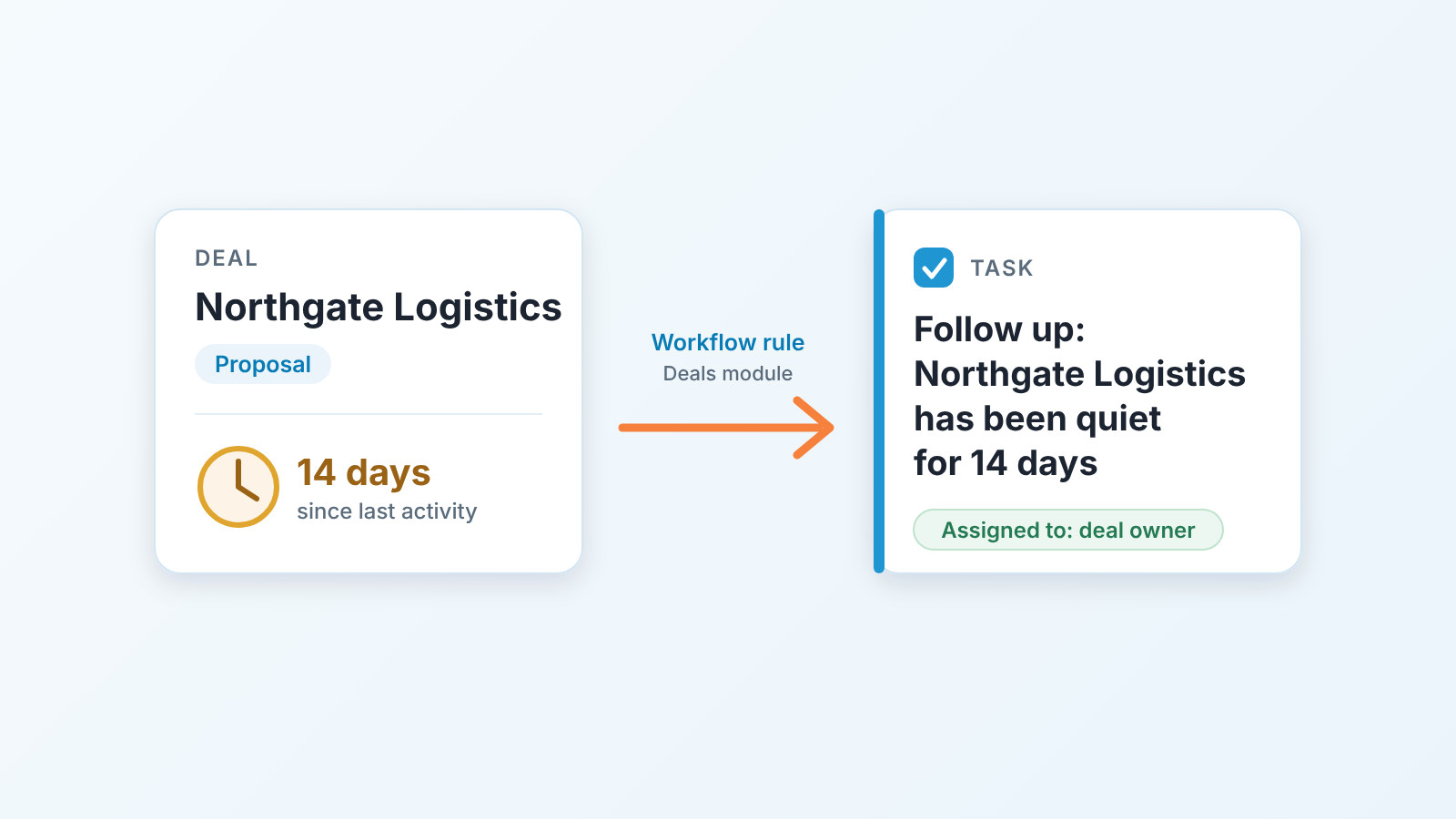
In Zoho CRM, a workflow rule on the Deals module can create a follow-up task when a deal goes quiet. Use the “On a Date/Time” trigger, pick Last Activity Time as the date field, set the number of days, and add Create task as the action. Before you build it, check two limits for your edition: how many conditions a rule may have and how many tasks one action may create (Zoho CRM help: Configuring workflow rules).
The deal nobody called back
Every pipeline we have looked at has one. A deal at Proposal, a decent amount, a rep who sent the quote and moved on. The buyer did not reply. The rep meant to chase, then thier week filled up with demos. Nobody lied about anything. The deal just stopped moving, and because nothing changed on the record, nothing in the CRM said a word.
A workflow rule in Zoho CRM is an automation with a trigger, optional criteria and actions such as tasks, email notifications and field updates. The trigger is either a record action (a record is created or edited) or a date/time. Most rules people build use the first kind, but silence is the absence of an event. To notice it, you need the rule that runs on time rather than on a change.
We wrote the Salesforce version in one scheduled flow that nudges stale opportunities. Zoho gets there with less machinery. The catch is that its limits sit in one long help page that nobody reads until a rule quietly does not fire.
The rule in one sentence
Here it is: for every open deal, fourteen days after its Last Activity Time, create a task for the deal owner.
Three parts, and each one is a decision.
The condition is “open deal”, which in practice means Stage is not one of your closed stages. Keep the criteria short. Every extra condition is one more thing a future admin has to understand, and your edition caps how many you get anyway.
The time is your threshold. Fourteen days is our starting point for a team selling to small and mid-sized companies: a buyer who has not replied to a proposal in two weeks is not thinking about you daily, and a rep who has not touched the deal in two weeks has probably forgotten it. Shorten it for a fast transactional cycle, lengthen it for enterprise. But pick one number for the whole pipeline first and tune by stage later, once you have seen how many tasks the rule actually produces.
The action is a task, not an email and not a field update. A task lands on the rep’s list with a due date, the manager can see it, and it stays open until someone deals with it. If you read our take on one open task per deal for HubSpot, this is the same idea, enforced by a rule instead of a saved view.
People confuse this with Blueprint, so one line on that. A Blueprint holds a deal in a stage until the rep fills in what the stage requires; a workflow rule reminds the rep that the deal has gone quiet. We covered Blueprint stage gates for a small team separately. You want both and they do not overlap.
Setting it up: Deals module, Last Activity Time, Create task
The Zoho CRM workflow screen lives under Setup, then Automation, then Workflow Rules. Create a new rule for the Deals module, then:
- Name it so the next admin understands it. “Deal quiet 14 days: task for owner” beats “Follow-up rule 2”.
- Trigger: On a Date/Time. Zoho offers Created Time, Modified Time, Last Activity Time or Unsubscribed Time here. Choose Last Activity Time, set the execution to fourteen days after it, and enter a time of day. Early morning works, so the task is waiting when the rep opens the CRM.
- Recur: Once. The other options are Every Month and Every Year, which is a different job from a follow-up.
- Criteria: Stage is not any of your closed stages. That’s one condition. Excluding deals below a certain amount would be a second. Stop there if you can.
- Action: Create task. Subject along the lines of “Follow up: {deal name} quiet for 14 days”, due one or two days out, so it reads as a nudge rather than an alarm. The help page’s own example assigns the task to the record owner; confirm the owner in step 6.
- Save, then test on one deal. Find a deal whose Last Activity Time is already past your threshold, confirm the task appears at the next run, and check whom it was assigned to. Only then tell the team.
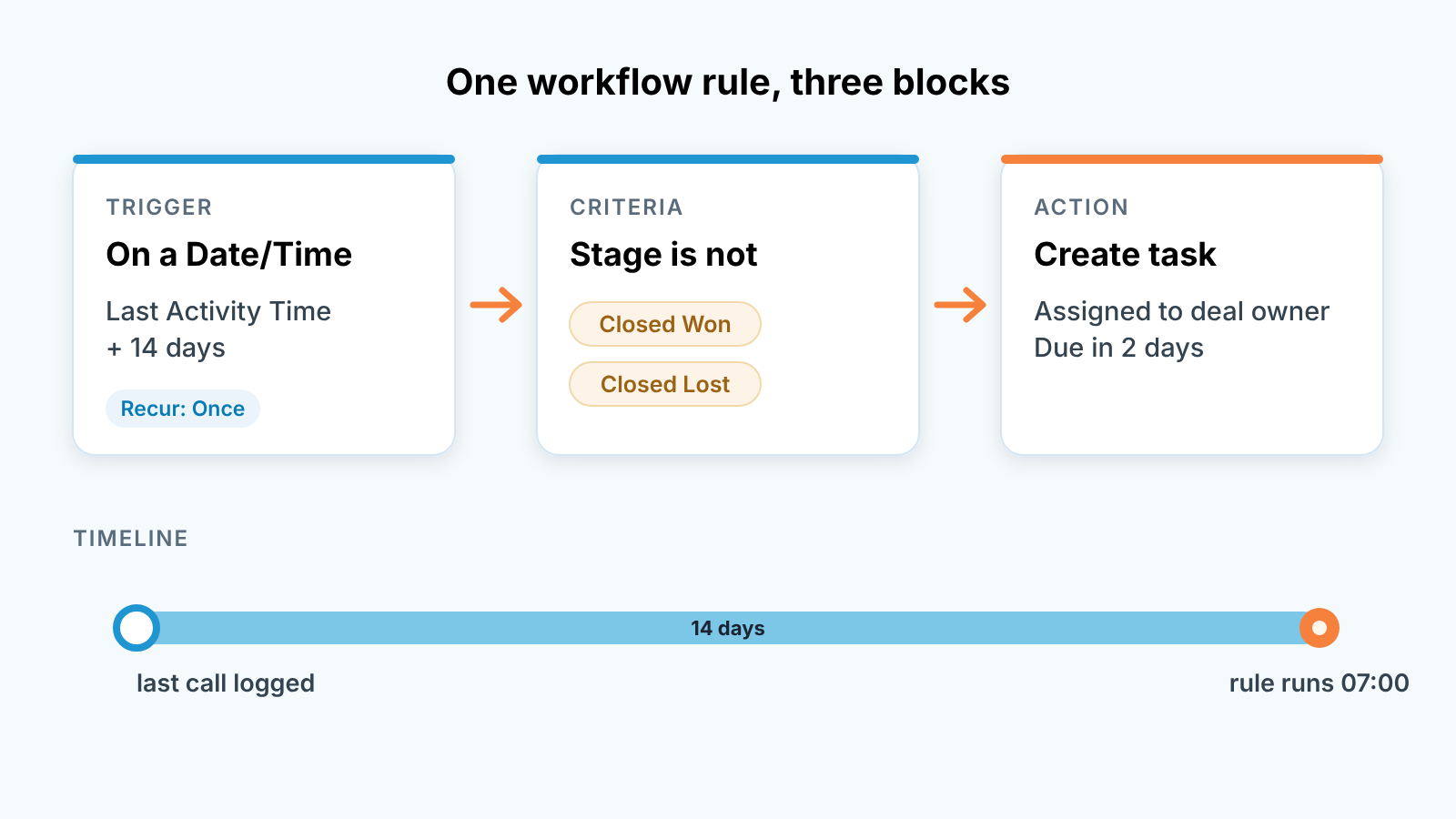
Two things from the help page matter here. A date-based trigger does not wait for the record to be created or edited; it runs on the value in the date field, which is exactly the point. And Zoho warns that scheduled actions can take a few minutes to trigger, so do not test with a stopwatch.
Limits that bite
We checked these against Zoho’s help page on 2026-10-08. They change between editions and releases, so treat the source link as the truth and this table as the reason to go look.
| Limit | What Zoho says | Why it matters for this rule |
|---|---|---|
| Conditions per rule | 10 in Enterprise and Ultimate; 5 in Standard and Professional | A quiet-deal rule needs one or two; one that also filters by amount, pipeline, owner and region can hit five on Standard |
| Tasks per action | Up to 5 tasks (alongside up to 5 email notifications and 5 field updates) | More than enough here, but a shared rule that already creates four tasks has one slot left |
| Instant action sets per rule | 1 | You cannot stack a second set on the same trigger |
| Scheduled actions per rule | 5 | Relevant if you move to an edit-triggered variant with delayed actions |
| Date-based trigger volume | 5,000 records every 10 minutes; the rest run in the next 10 minutes | A small team never notices; a 20,000-deal database spreads the morning run over about 40 minutes |
Source for every row: Zoho CRM help: Configuring workflow rules.
The conditions row is the one that catches people. Someone on Standard builds a rule with five criteria, it works, and a year later a new pipeline needs excluding. There is no sixth slot, so the workaround is a second rule that must be kept in sync with the first. Start lean and you may never meet this problem. If the follow-up is a series of steps and not one task, Zoho CRM Cadences is the other tool, and the exit rules are what to set first.
On Pipedrive the ceilings are different in kind; we went through Pipedrive’s automation limits for follow-ups, and the lesson is the same: know the limit before the rule stops firing in silence.
Will it be noisy?
Less than you fear, and the arithmetic is worth doing before someone objects on the planning call.
Take five reps with around thirty open deals each, so 150 open deals. These are made-up numbers to show the method, not a benchmark. Suppose a third of the pipeline goes quiet for two weeks within a given fortnight, which is pessimistic for a team that works its deals. That is 50 tasks over ten working days, about one per rep per day. One extra task on a list that already has calls and demos is noise only if the task is useless.
It is useless when it fires on deals that should have been closed lost weeks ago. That is where the noise really comes from: not the rule, the pipeline. Expect a cluster of tasks in the first week on deals nobody believes in, and treat that as the rule doing it’s job. The honest response to “Northgate has been quiet for 14 days” is often “Northgate is lost, mark it”. A pipeline that sheds twenty zombie deals in week one has a better forecast than it had on Friday.
It does get noisy on a long enterprise cycle with a fourteen-day threshold, where deals legitimately sit for three weeks between procurement steps. Set 30 days there, or give the enterprise pipeline its own rule with a longer threshold. The conditions cap is the reason to split by rule rather than pile criteria onto one.
The bigger catch is what “activity” means. According to Zoho’s own solution page on recording the actual time of the last activity, Last Activity Time moves with the latest task, call, meeting or email, and also with any edit to the record’s fields. Change the amount or push the closing date and the clock starts again. So this rule catches deals nobody has touched, not deals nobody has contacted. Zoho’s suggested workaround is a custom field, something like “Last Real Activity Time”, that a separate workflow updates only on real activity; point the date trigger at that field instead if field edits are common on your team. Whether the follow-up task the rule creates itself resets the clock, we could not confirm. Check it in the step 6 test.
When the record changes
Zoho’s documentation is clearer here for scheduled actions than for the date-based trigger, so the two need separating.
Scheduled actions are the delayed kind you attach to an edit-triggered rule, and for them the help page is explicit. If a record is edited and no longer meets the criteria, the queued actions are deleted; if it meets them again later, they are scheduled again. If the date or time field the schedule is based on changes, the actions are rescheduled to the new value. Delete the record and the queued actions go with it, and restoring the record does not bring them back.
For the date-based trigger on Last Activity Time, the one we recommend above, the help page says only that it runs on the value in the date field. What happens when Last Activity Time moves forward before the run, Zoho does not state. So test it. Take one deal past the threshold, log a call on it the afternoon before the run, and see whether a task appears in the morning. The same test answers a second open question: with Recur set to Once, does a deal that goes quiet, gets worked and goes quiet again get a second task? If it does not, the rule catches each deal once and the weekly review has to catch the the repeat offenders.
That points to the one thing the rule cannot do. It tells a rep that a deal is quiet. It does not tell the manager how many deals are quiet, which reps collect them, or whether Proposal is where everything stalls. For that you need a view across the pipeline, in Zoho the dashboard a sales manager actually uses with a component on deals by days since last activity. A disclosure, since this is the gap we build in: we make SalesBond, a sales management layer on top of the CRM a team already uses, and Deal Health flags deals without movement regardless of which automation rules are switched on. Check your CRM with SalesBond if you want that list without maintaining rules yourself.
Build the rule first, though. One condition, one threshold, one task. Then spend the first Monday closing out the deals it surfaces. The same task logic can also drive renewals and customer check-ins in Zoho CRM for whoever owns existing accounts.


