
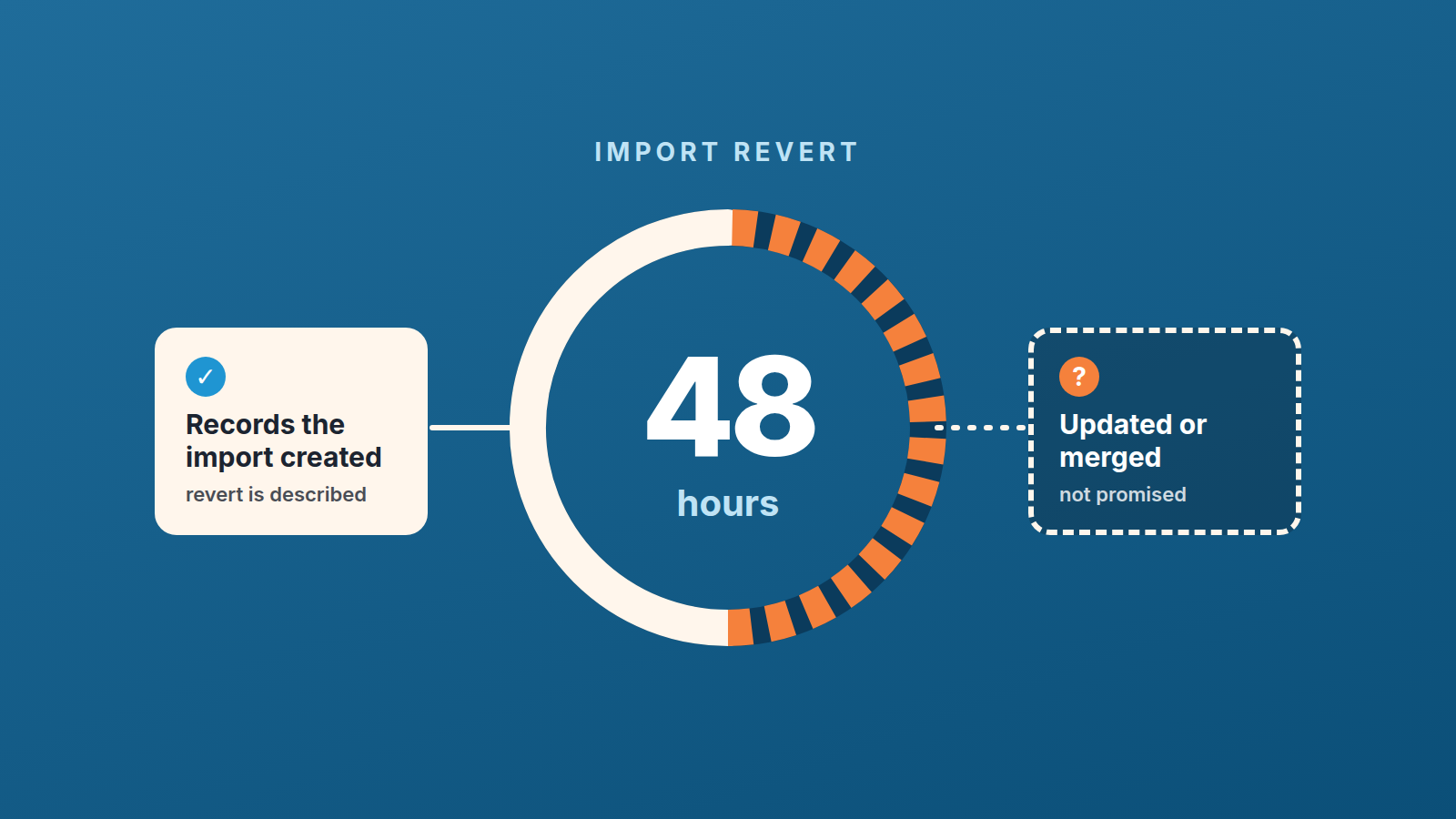
When you import data from a spreadsheet into Pipedrive, the import can be reverted from the import history tab within 48 hours, and only a user with global admin permissions can do it (Pipedrive: importing data with spreadsheets). That is the whole safety net, and the help page spends one sentence on it. It makes no promise about records the import updated or merged into existing ones, and Pipedrive’s own article on merging says that once two items are merged with the Merge Duplicates feature they can’t be un-merged (Pipedrive: merge duplicates). So split import day in two: the part the revert is described for, which is the records the import created, and the part you plan as if it were permanent. Run the first pass on twenty rows with merging switched off, read the summary, and only then import the rest.
Friday import, Monday panic
An invented scene, though the shape of it will be familiar. Greta Hollis runs sales at a company that has just moved off an older tool. The export from that tool has been sitting in her downloads for a week. On Friday afternoon she finally opens Pipedrive, uploads it, maps the columns, and reaches step 5. Pipedrive asks how to handle duplicates and offers to merge them instead of creating new records. Duplicates sound bad. She ticks merge and starts the import. The summary comes back with numbers in every column: added, updated, merged, skipped. She closes the laptop.
Monday morning Pavel Nunez, one of her reps, opens his pipeline. Three of his open deals now hang off an organization he has never spoken to. A customer contact carries the phone number from the old tool, which was already wrong when the old tool was retired. Two accounts he was working separately have become one person with two email addresses. He messages Greta. Greta goes to the import history tab, finds the import, and looks for the revert button.
She is not a global admin. The founder is, and the founder is on a plane until Tuesday. Count the 48 hours as calendar time, as we do, and Friday afternoon plus 48 hours is Sunday afternoon: the clock ran out while everyone was off. And even with the founder in the room on Saturday, nothing on the help page says the revert would have touched the merges.
Nothing in that story is exotic. Every failure in it is a default: the default day, the default checkbox, the default person holding the permission.
One more thing that merged person carries: with two email addresses, the marketing status on the card belongs to the main one, which matters when you look for unsubscribed contacts after a merge.
What the revert undoes (and the 48-hour clock)
Three facts, all from the same help page. The revert lives on the import history tab. It is available within 48 hours. Only global admins can use it, and if the button is missing you contact Pipedrive support (Pipedrive: importing data with spreadsheets).
The 48 hours are written as hours, not business days, so we count them as calendar time. So for an import that finishes at four on Friday, we plan as if the window closes at four on Sunday. Nobody checks the pipeline on Sunday, which means the practical window for a Friday import is Friday evening. For a Tuesday morning import it is the whole of Tuesday and Wednesday, with a team actually working in the CRM and noticing what looks wrong.
After that window, a recent export is what you have, so keep a backup of your Pipedrive data on a schedule and not only before imports.
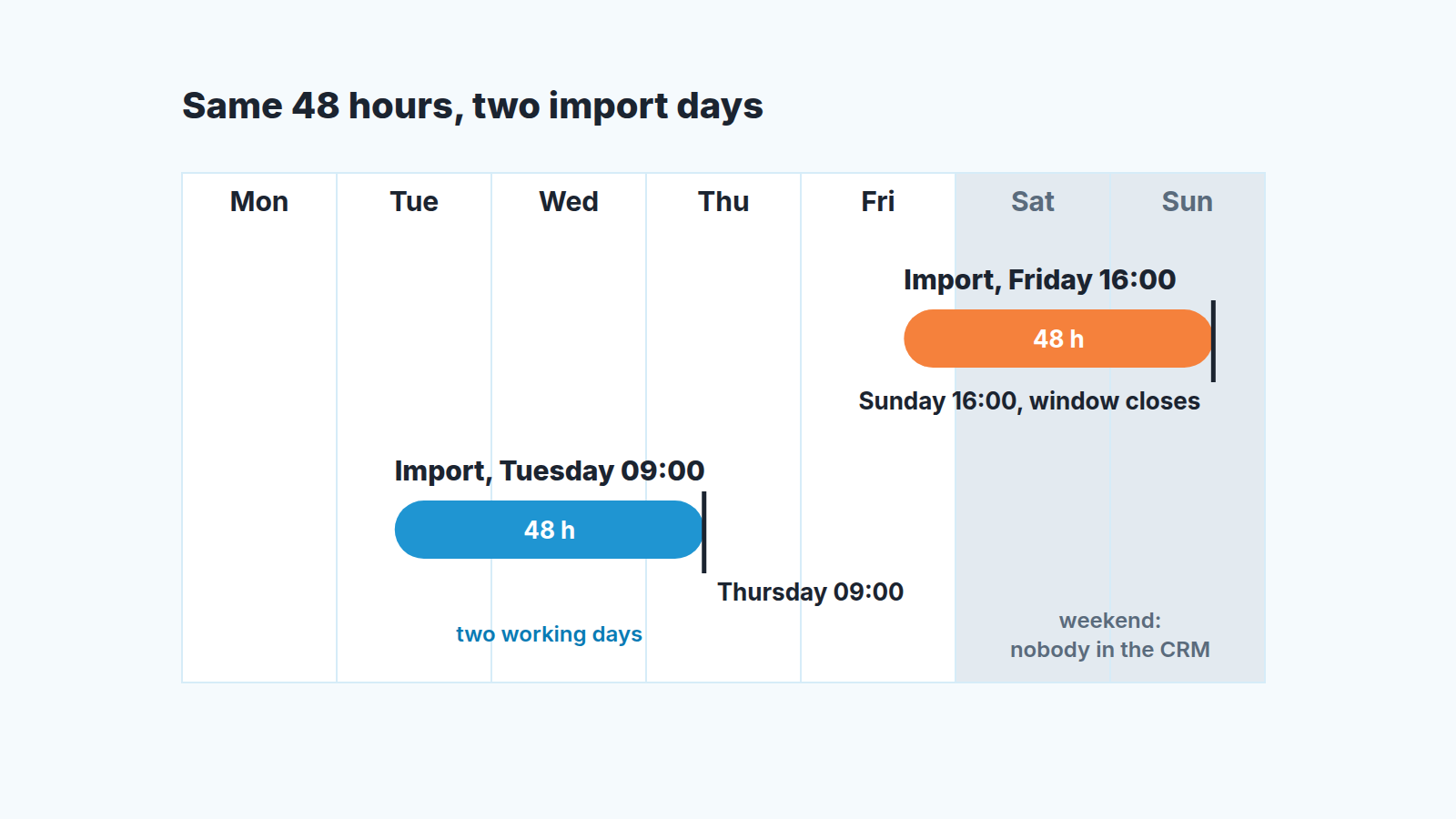
What the revert is for, in our reading of the page: the import created records that should not exist, and you want them gone as one batch instead of deleting them by hand. That is the case the page describes, and it is the case we rely on it for. The summary after the import tells you what you are dealing with: how many records were added, updated, merged or skipped, with a View button for the details. Read that summary the minute the import finishes, not on Monday. If the added number is wrong by a factor of two, you have a mapping problem and the revert is exactly the right tool, as long as the admin is around.
What it doesn’t: updates and merges
An import can do three different things to your data and the summary counts them separately. It can add a record. It can update an existing one. It can merge an incoming row with an existing record, if you chose that at step 5. The help page describes the revert in one sentence and says nothing about the second and third cases.
We don’t read that silence as a yes: we plan as if updates and merges stay. A merge done through the Merge Duplicates feature can’t be undone, in Pipedrive’s own words, and the import help page does not promise to bring merges back. An update overwrites a field value with what was in your spreadsheet, and nothing on the page says the old value is kept anywhere. So the rule we work by is short:
- Added records: the revert is built for these. You have 48 hours and you need a global admin.
- Updated records: nothing promises the old values come back. Keep an export from before the import, because that is the only copy you control.
- Merged records: the revert sentence doesn’t mention them, and merges made with Merge Duplicates can’t be un-merged. Plan as if import merges are permanent, and decide on merging on purpose, never by default.
The merge option deserves a closer look because it is the one with the friendliest wording. Pipedrive decides what counts as a duplicate by its own criteria: for people, the same name plus a matching phone, email or organization; for organizations, the same name plus the same address (Pipedrive: how the merge duplicates feature identifies duplicates). Two different people with the same name at the same company fit that rule. So does a contact whose email in your spreadsheet is the generic info@ address. Pipedrive’s September product updates also list admin-configurable duplicate matching (Pipedrive: product updates), which means what counts as a duplicate in an account is now partly a setting; we have not seen that screen and will not describe it. How duplicates get into a Pipedrive account in the first place is a separate story, and we told it in the duplicate records article.
If what you actually want is to change existing records from a spreadsheet, that is an update job and it has its own rules around the system ID; we covered it in updating records from a spreadsheet by ID.
The revert belongs to one person. Check their calendar
The revert belongs to global admin permissions, and in a small company that usually means the founder or whoever set up the account. The person doing the import is usually someone else: the sales lead, an ops person, the newest hire who got handed the spreadsheet. That gap is teh whole problem. The importer notices the damage, the admin holds the button, and the clock runs whether or not the two of them are in the same time zone.
So the question to ask before any import is not “is the file clean” but “who can revert this, and where will they be for the next two days”. If the answer is a name and a calendar with nothing on it, go ahead. If the answer is “the founder, probably”, the import waits. We would rather lose a day than lose the revert.
It also settles the day-of-week argument. Friday afternoon is the natural moment for an import because the week’s selling is done and nobody will be disturbed. It is also the moment that hands your 48 hours to the weekend. Tuesday morning is dull and correct: two full working days in which reps open their deals, see what the import did to them, and complain while the button still works. The sentence for the Monday meeting is one line. No import starts unless a global admin is reachable through the next two working days.
Limits that bite: 50,000 rows, 50 MB, linked rows
The file limits are plain: no more than 50,000 rows and a file under 50 MB (Pipedrive: importing data with spreadsheets). A larger export has to be split, and every piece becomes its own import with its own line in the history. That is not a problem but it does mean the admin has to be around for every piece. Deals in the file also count against the leads and deals limit, and once it is reached the extra deals go to the skip file.
The limit that actually bites is a sentence most people skim. All data in a row is linked: if one row contains a person name, an organization name and a deal value, Pipedrive creates and links all three (same page). Read that from the other side. One badly filled row creates three records, wires them together, and the wiring is where Pavel’s deals ended up under a stranger’s organization. A column shifted by one in the old export, a company name typed into the person column, a deal value sitting in a row that was meant to be a note: each of these turns into linked objects that look perfectly tidy on their own.
This is why the trial file matters more than the file requirements checklist. Twenty rows that include your ugliest cases will show you the linking behaviour. Fifty thousand clean rows will not, and the fifty thousand are never all clean.
The import protocol: trial file first, merging last
- Export the people, organizations and deals the import can touch before you run it; why that untouched export is your way back for updated fields is covered in updating records from a spreadsheet by ID.
- Build a trial file of twenty rows and import it with merging off. Choose the rows on purpose: a person with an organization and a deal in one row, a contact you know already exists, a row with an odd date or an empty mandatory field. Read the summary, click View, open the records. If anything is linked wrong, revert the trial, fix the mapping, and run it again.
- Name the global admin on duty for the 48 hours after the real import, in writing, with the import time next to it. If no admin can commit to that window, move the import. In practice this rule alone kills Friday imports.
- Decide on merging as a separate decision, after the trial. With merging off, rows that match existing records show what merging would have folded together; open them before turning it on. Turn it on only when you have read the duplicate criteria and checked those rows, and only for an import where you would accept the merges as permanent.
- Spend the first hours after the real import inside the CRM, not away from it. Read the summary, compare the added count with the row count, open a few of the created deals, and look at the skipped count: skipped rows land in a skip file with the reason for each failure, ready to fix and import again. Any revert decision gets made the same day, by the admin from step 3, while the button is there. If the import created duplicate deals instead, here is how to merge two deals and choose the primary one.
Before step one, if the file is your old sales sheet, decide which columns move at all; we wrote about what each column in your tracking spreadsheet is covering for.
That is the entire protocol. There is no step for cleaning the spreadsheet because you will do that anyway; the steps are the ones people skip.
Once the real import is in, run the four counts that have to match after the import before the team works a single deal.
When a single trial file is enough
Most of the above is for teams that import regularly: event lists, lead purchases, a migration from another tool, a partner’s spreadsheet every quarter. If your team imports once a year, only new records, no updates and no merging, then step 2 alone covers you. Twenty rows, read the summary, import the rest the the same morning while you are still looking. The revert exists, and the admin rule is good hygiene, but a trial file catches the mapping errors that make up nearly all of the pain in that scenario.
The protocol earns its keep when the import touches records you already have. Updates overwrite values, and the help page doesn’t promise to restore them. Merges fold two records into one, and nothing promises a way back. A contact list from a trade show is the typical case, which is why we suggest checking for duplicates before an event import rather than after it. And if your cleanup habit is a bulk edit in list view rather than an import, that has its own trap, a checkbox that fires your automations, and its help page says changes can’t be undone after confirmation.
Greta’s Monday would have gone differently with three changes, none of them technical. Tuesday instead of Friday. The founder’s name on a calendar entry. Merging left off until she had seen twenty rows land. The revert button is real, and 48 hours is a fair window. It is a window the help page describes for one half of the damage; plan the other half as if there is no window, and prevent it rather than undo it.


