
For a sales manager the difference between Zoho CRM and Salesforce is less about features and more about who has to maintain them. Both can enforce stages, required fields, next-step tasks and a weekly pipeline report. Salesforce usually expects an admin to set that up, while Zoho CRM is pitched at configuration by the sales team itself. So compare them on the eight checks you will run every Monday, not on a feature grid.
Why the Zoho vs Salesforce feature grids miss a manager’s question
Both vendors publish a page about the other, and both are worth ten minutes, as long as you read them as positions. Zoho’s page calls Salesforce a “top-down” product built with enterprises in mind and says you only get the most out of it “if you have a dedicated implementation team” (Zoho CRM: Zoho vs Salesforce). The Salesforce vs Zoho CRM page from the other side returns the favor: Zoho is “ideal for startups or very small businesses” that need basic CRM functionality, while Salesforce is for businesses that need “advanced AI, deep customization, and a platform that scales” (Salesforce: Zoho vs Salesforce). Each table then compares price, the number of integrations and the name of the automation builder.
None of that tells you what you will see at 8:40 on Monday. Which open deals have no next step? Can you make Amount mandatory before a deal reaches Proposal, and who on your team can do it? Which report shows deals that have not moved in three weeks?
Those are the questions a manager actually lives with, and they are the ones we compare below.
One thing we leave out on purpose: prices. The two comparison pages quote different plan names and different numbers, so anything we wrote here would be stale by the time you read it. Check Zoho CRM pricing and Salesforce Sales Cloud pricing the week you decide. If you only need the Zoho CRM figure, we priced the editions separately in Zoho CRM cost for a five-person team.
The weekly checks we will compare
Here is the list. It is deliberately not the same list we used for Zoho CRM vs HubSpot or HubSpot vs Salesforce; those start from trial questions, this one starts from the Monday routine.
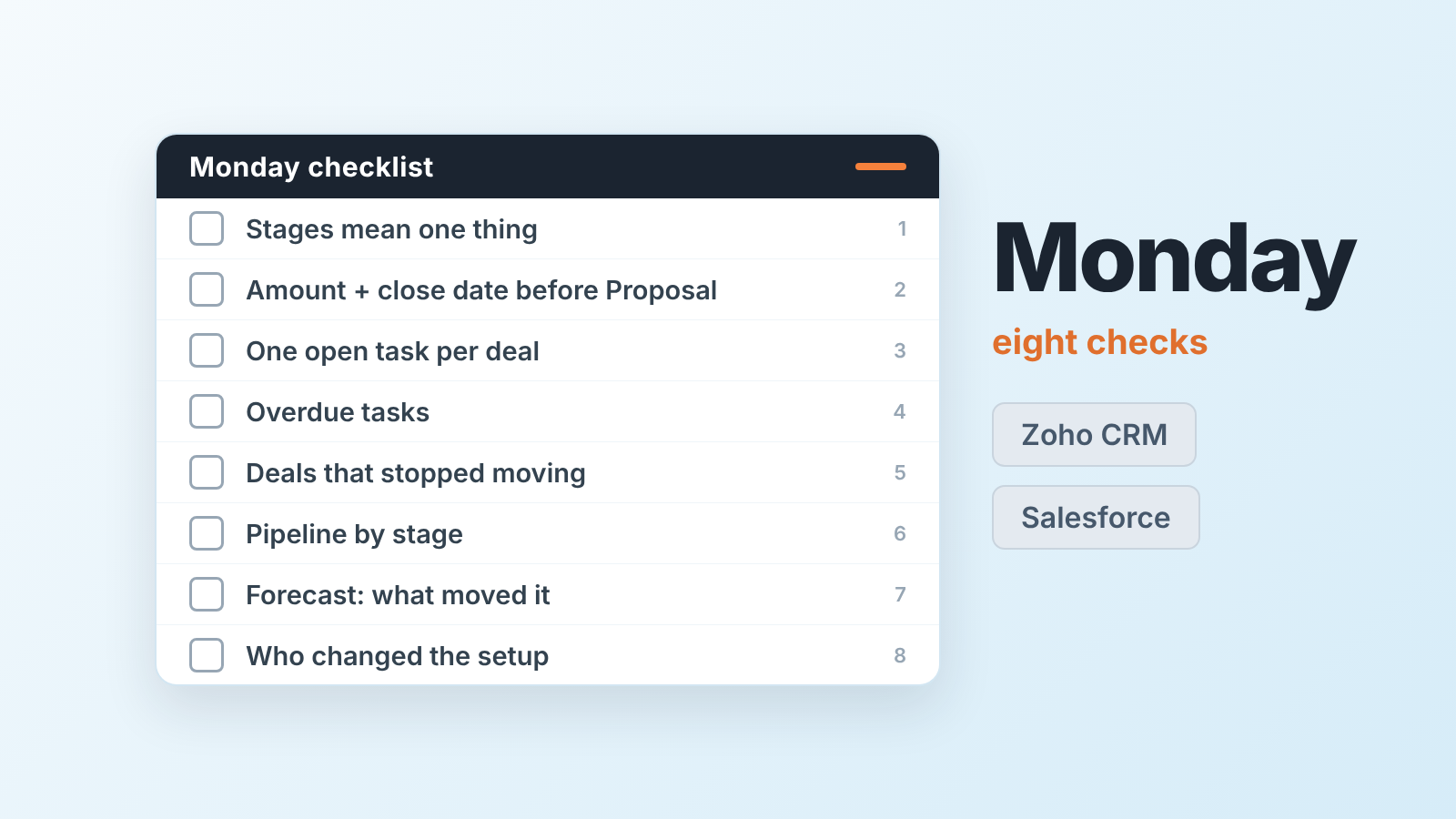
- Every open deal sits in a stage that means the same thing to every rep.
- The fields the forecast is built from, Amount and the close date, are filled in before a deal counts.
- Every open deal carries one open task with a due date.
- Overdue tasks: who has them and how many.
- Deals that have not changed stage in a number of days you pick.
- Pipeline by stage, deals closing this month, deals lost this month with a reason.
- The forecast number, and what moved it since last Monday.
- Who changed the setup this week, and whether anyone had to wait for an admin to do it.
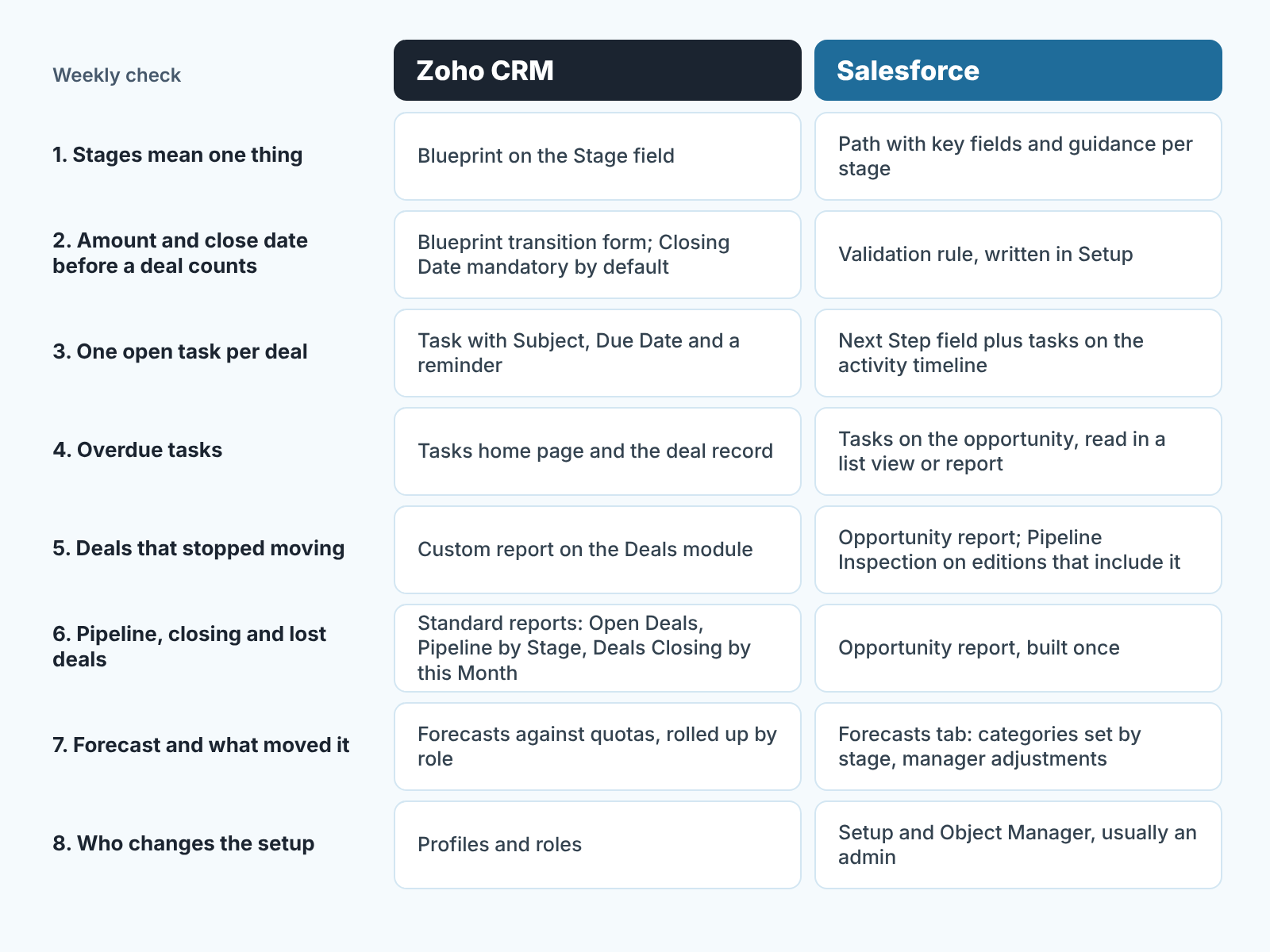
The same map as a table, with the place in each CRM where the check lives:
| Weekly check | Zoho CRM | Salesforce |
|---|---|---|
| 1. Stages mean one thing | Blueprint on the Stage field | Path with key fields and guidance per stage |
| 2. Amount and close date before a deal counts | Blueprint transition form; Closing Date is mandatory by default | Validation rule, written in Setup |
| 3. One open task per deal | Task with Subject, Due Date and a reminder | Next Step field plus tasks on the activity timeline |
| 4. Overdue tasks | Tasks home page and the deal record | Tasks on the opportunity, read in a list view or report |
| 5. Deals that stopped moving | Custom report on the Deals module | Opportunity report; Pipeline Inspection on editions that include it |
| 6. Pipeline, closing and lost deals | Standard reports: Open Deals, Pipeline by Stage, Deals Closing by this Month | Opportunity report, built once |
| 7. Forecast and what moved it | Forecasts against quotas, rolled up by role | Forecasts tab: categories set by stage, manager adjustments |
| 8. Who changes the setup | Profiles and roles; a manager with the right profile | Setup and Object Manager, usually an admin |
Stages and required fields
In Zoho CRM the stage rule lives in a Blueprint. You pick the Deals module and the Stage field; every stage becomes a State and every allowed move becomes a Transition with a form the rep fills in on the way through (Zoho CRM: Designing a Blueprint). The form can hold fields and checklist items, and the enforcement is blunt: “A transition cannot be saved until the mandatory checklist items are checked off” (Zoho CRM: Executing a Blueprint). Closing Date is already mandatory on every Zoho deal (Standard Fields in Deals), so the gate into Proposal only needs to ask for Amount. We wrote up the transitions worth gating in Zoho CRM Blueprint: three stage gates a small team can live with. Short version: gate two or three moves, not all of them.
Salesforce splits the same job in two. Path, the bar across the top of the opportunity, shows reps the key fields to complete before the next stage, plus guidance such as best practices and policy reminders (Trailhead: Optimize Sales Processes with Path). It shows the fields. It does not force them. Forcing is a validation rule, which “verifies that data entered by users in records meets the standards you specify before they can save it”, built from Setup, Object Manager, Validation Rules, with a formula and an error message the rep sees (Trailhead: Optimize Data Entry with Validation Rules). “Stage is Proposal and Amount is blank” is a one-line formula. Whoever writes it needs access to Setup.
For checks 1 and 2 the result is the same on both: a rep cannot move a deal into Proposal without the number the forecast needs. The difference is where the manager stands. In Zoho the Blueprint editor is a sales-process screen, and Zoho’s comparison lists Blueprints next to Workflows, Wizards and Cadences as tools that work “with minimal configuration”, while describing Salesforce customization as something that increases “dependency on administrators and developers”. That is Zoho talking about a competitor, so discount it. But the test is cheap: in the trial, ask the person who will own the CRM to make Amount required at Proposal, alone, and time it.
Next steps and overdue tasks
Every open deal needs one open task with a due date. A stage says where a deal is; a task says what happens next.
In Zoho a task has a Subject, which is the only mandatory field, a Task Owner and a Due Date, and you can set a reminder by email or popup (Zoho CRM help: Working with Tasks). Open tasks appear on the deal record and on the Tasks home page. What Zoho does not ship as a standard report is the list a manager wants most, open deals with no recent activity. When we built the Monday reports for a Zoho team, that one had to be a custom report on the Deals module (the reports a Zoho CRM sales manager runs weekly).
In Salesforce the manager gets one extra line to read. Next Step is a standard text field on the opportunity, described as the “next task in closing opportunity” (Salesforce Developers: Opportunity object), so it shows up in a list view without opening the record. Below it, the activity timeline holds the tasks, calls and emails on the deal. The routine we use with Salesforce teams is in how a sales manager uses Salesforce Sales Cloud week to week: Next Step is a sentence, a task with a due date is a promise, and a deal needs both.
Our position on checks 4 and 5, for either CRM: do not read overdue tasks per rep as a diligence score in the first month. One rep logs every voicemail, another works from the the inbox and logs nothing. The number tells you who logs, not who sells. Treat it as a data-quality signal first and a coaching signal only once logging habits are even.
Reports and dashboards for the Monday review
Zoho ships more than 40 standard reports across its modules (Zoho CRM help: Working with reports), and the three that cover check 6, Open Deals, Pipeline by Stage and Deals Closing by this Month, are among them. Put them in a folder named for the meeting rather than the person, share it with the users who sit in that meeting, and schedule it weekly by email or Cliq (Zoho CRM help: Scheduling reports). “Users with the Manage Reports permission can create, edit and share report folders” (Understanding and building reports), and that is the first place a Zoho manager meets the question “who is the admin here”.
Salesforce reporting, in Zoho’s words, is “primarily built on top of reports”, so most views need a report built before they are usable. Vendor framing again, but it matches our experience of the Monday report: the useful one is an opportunity report that shows how Close Date and Stage changed, built once and then opened every Friday. Editions that include Pipeline Inspection put the same review on one screen, and it can show a Push Count field next to each deal, the number of times its close date has been pushed out (Salesforce Developers: OpportunitySettings, pushCountEnabled). Check which edition you are quoted before you plan the review around it.
Net for the manager: Zoho gives you the first version of the Monday pack on day one; Salesforce gives you the same pack after someone builds it. Once built we would not call either one easier to read.
Forecast and who may adjust it
Salesforce adds up the forecast by forecast category, which each stage sets by default, and lets a manager adjust the team’s number on top; Zoho rolls forecasts up against quotas through the role hierarchy. That is why check 7 is the one where the two products think differently.
In Salesforce the standard categories include Pipeline, Best Case, Commit, Omitted and Closed. Each stage maps to a default category, and the category on a single opportunity can be changed (Salesforce Developers: OpportunityStage object). A forecast manager can also adjust a subordinate’s forecast without touching the deals underneath (Salesforce Developers: ForecastingAdjustment object). So the Monday question in Salesforce is two numbers, not one: the forecast as the deals add up, and the forecast as somebody adjusted it. If they drift apart for three weeks, the adjustment is a wish.
Zoho’s forecasting page describes a “top-down hierarchical view” across the organization and forecasts set against quotas (Zoho CRM: Forecasting). It is a marketing page, and it does not say whether a manager can override a rep’s number the way a Salesforce adjustment does. We did not find an open help page that settles it, so we will not claim it either way. Put it on the trial list: “Can I change my team’s forecast without editing the deals, and does the system show that I did?”
Either way, the forecast is only as honest as checks 1 and 2. A forecast category or a quota roll-up reads Stage and Amount ; if the gate into Proposal is loose, the Monday number is a guess with decimal places.
Permissions and who maintains the setup
In Zoho CRM a manager with the right profile can change the stage rules and report folders; in Salesforce the same rules live in Setup, which in most teams means an admin. Check 8 sounds like an IT question. It is a sales question, because every rule above has to change the week your process changes, and whoever can change it decides how fast your team adapts.
Zoho’s access model is roles plus profiles. Roles mirror the org chart, as a Role Hierarchy or a Reporting Hierarchy, and decide who sees whose records. Profiles decide what a user may do, down to restricting deletion or export, and data sharing rules extend access across roles and groups (Zoho CRM: Role-based security).
In Salesforce the rule-writing surfaces, validation rules among them, sit in Setup under Object Manager, and automation runs through Flow Builder, which Salesforce’s own comparison calls a builder “with advanced logic”. Someone on your team, or a partner, holds Setup. We covered what that costs in practice in who owns the automations in HubSpot vs Salesforce, and the same question against a lighter product in Zoho CRM vs Pipedrive.
There is a check neither CRM runs for you, and it sits between the rules: the deal that passed every gate and then stopped. It’s Amount is filled, its stage is Negotiation, its close date was last Thursday, and no task is open. A Blueprint does not see it, because nothing is transitioning. A validation rule does not see it, because nobody is saving. We build SalesBond, a sales management layer on top of the CRM a team already uses, and this is the gap it works in: Deal Health reads the open deals from Zoho CRM or Salesforce and lists the ones with a passed close date and no next activity, with the reason, so the Monday list does not depend on who built which report. Check your CRM with SalesBond if you want that list before you choose a column below.
Zoho CRM or Salesforce: which fits which team
No winner, three questions.
Who will maintain the setup? If the honest answer is “the sales manager, on Friday afternoon”, Zoho’s pitch of Blueprints, Workflows and report folders configured by the team is aimed at you, and the trial test from the stages section will show whether it holds. If you already have an admin, or a partner on retainer, Salesforce’s assumption that someone owns Setup is not a cost. It is your situation. If Salesforce is on your shortlist, we compared which Salesforce edition fits five people and what the figure leaves out.
How many sales motions do you run? Zoho’s comparison table marks multiple pipelines in Salesforce as “Requires customization”; Salesforce’s page answers with Flow Builder and “deep customization”. Read together: one motion, either product. Several motions with different stage rules: expect configuration work in Salesforce, and check how far Zoho’s layouts and Blueprints take you before you need a custom function.
What will the team look like in two years? Salesforce sells scale and says so. Zoho says Salesforce “more recently started to provide more SME-oriented solutions” and that the result feels disjointed, which is exactly what a competitor would say. Neither page knows your reps. The eight checks do, so run them in both trials with your real deals, and pick teh CRM where the Monday list was true without anyone fixing data on Sunday night.


