
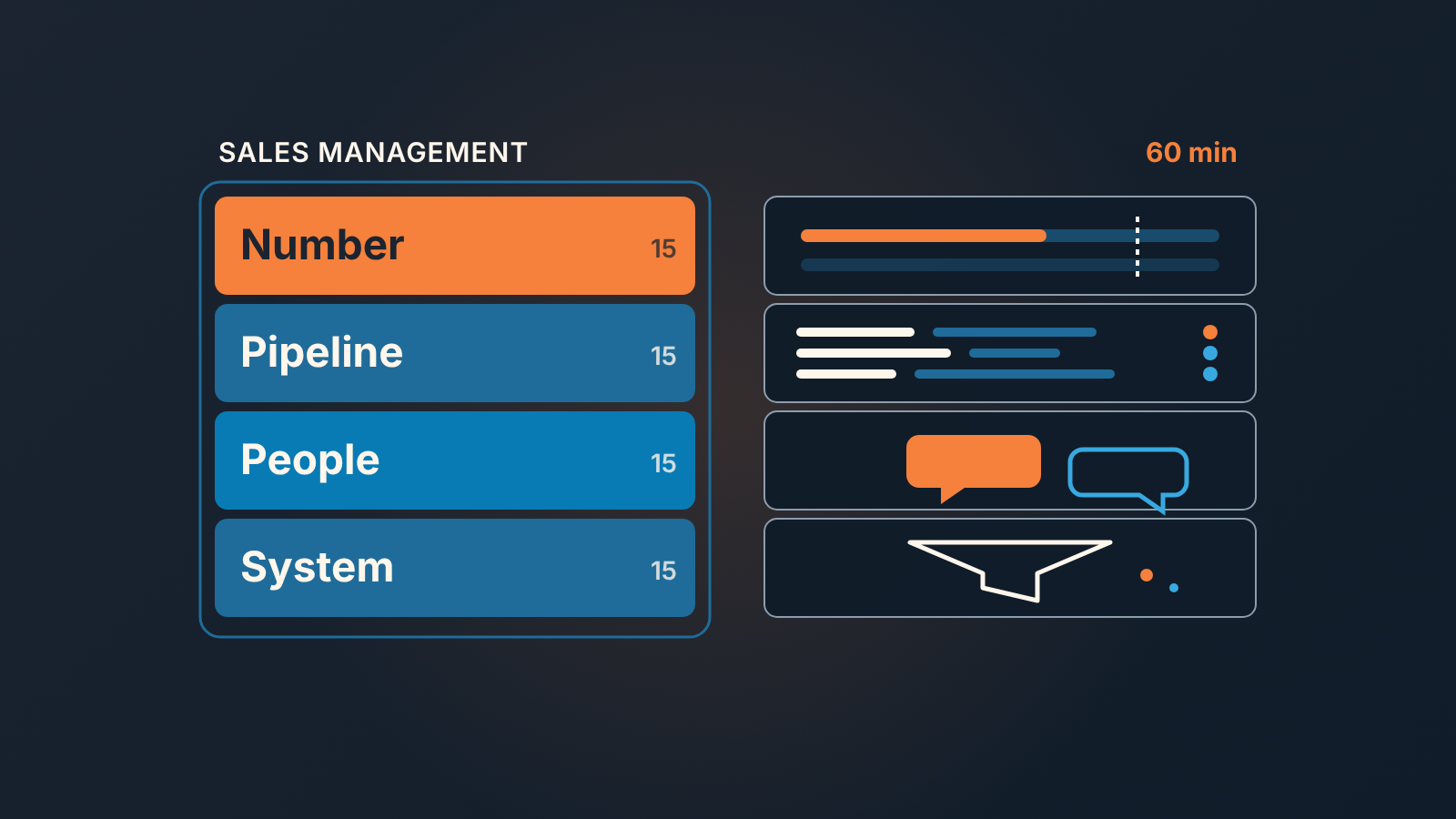
Sales management is deciding the sales number, checking the pipeline against it, coaching the people who sell, and fixing the system they sell in. An owner who does all four can keep it to about an hour a week by giving each job one CRM view and 15 minutes.
What sales management is when the owner is also a seller
What is sales management? In the usual definition, it is how a sales team is organized, led, and measured so that it hits a revenue target. The guides that rank for the term write it for a hired manager. Salesforce’s version lists hiring and retaining talent, training staff, building a sales culture, and coordinating operations. Useful if you have that person. Most small companies don’t, yet. The owner sells the big deals, signs off discounts, and “manages sales” in the gaps between customer calls.
In that setting the useful question is which parts of that job cannot be skipped, and how little time they can take. We think there are four, and each one comes down to a single question.
- Set the number: what are we trying to win this period?
- Inspect the pipeline: do the open deals add up to it?
- Coach the people: who needs help, and with what?
- Fix the system: what in the CRM or the process made that help necessary?
Everything else, from territory design to comp plans, is one of these four in disguise or can wait for a hire, and when the list of things that can wait gets long, read when an owner needs a chief operating officer. Once a month, pair the weekly hour with a monthly money review that ties the CRM to the books. If you are unsure which numbers a sales manager should check first, business acumen for a small-team sales manager lists them with the CRM fields behind each.
Job 1: set the number
An owner usually has the number in their head and nowhere else, so the team works to a target it hears about in the last week of the month. The job is to write it down where the CRM can compare against it: a target for the period, and a report that shows the won amount next to it. If your CRM does not hold targets, a single cell in a spreadsheet beside the won report does the same work. What matters is that the comparison sits on a screen and not in a conversation.
One decision comes first: which number you mean. A quota, a target, a goal and a forecast are four different things, and it’s easy to say one while meaning another. We unpacked who owns each of the four numbers and where each lives in the CRM. Pick the target. The others follow from it.
The 15 minutes are mostly reading one line: won so far against target, and the gap. A target of 100,000 with 35,000 won by mid-month means 65,000 has to come out of the pipeline in the remaining weeks (example numbers only). That gap is the input to job two.
Job 2: inspect the pipeline
The view is one filtered list of open deals expected to close this period, with the next activity visible. Not the whole pipeline, which gets glanced at rather than read.
The question for the 15 minutes is the one the gap from job one hands you: do these deals cover it, and which ones are quietly not moving? Two longer pieces cover how to read that list, five questions to ask your CRM about sales management every week for an owner looking at the pipeline cold, and six weekly CRM checks for a sales manager for when the job has a name. Both start the same way, with the question written down before the list is opened.
Job 3: one rep, one conversation, every week
Coaching is the job owners drop first, because it has no deadline and the the deals do. It is also the only one of the four that a CRM view cannot do for you. The view can only tell you where to look.
Here the view is one rep’s open deals, filtered by owner, and it is context for the meeting. The meeting is a short 1:1 that belongs to the rep: the one thing they are stuck on, the one skill you are working on together over several weeks, and what each of you will do before next time. If it turns into a walk through every deal, it has become a second pipeline review, and job two already covers that. Our sales 1-on-1 agenda runs thirty minutes; inside the owner’s hour it gets fifteen, so keep the rep’s question and the commitment and cut the rest.
With two or three reps, one 1:1 a week means each rep gets the owner’s full attention every two or three weeks. A coaching meeting moved for a customer call twice in a row has been cancelled, and the rep knows it even if the calendar doesn’t. Protecting that slot is a calendar job, and time blocking for an owner or sales manager shows how.
Job 4: fix the system
Every pipeline review and every 1:1 turns up something that is not a rep’s fault: a stage nobody uses, a required field everyone fills with a dash, a deal that sat in “Proposal sent” for weeks because nothing forced a decision. If the owner only ever fixes reps, teh problem comes back with the next hire.
The view is a hygiene filter over open deals, and the question is one: what rule or field would have stopped this? Then change one thing a week; a process rewritten in a single afternoon is usually ignored by Friday. In SalesBond, Deal Health checks every deal against more than 20 rules and shows the specific violations, so those 15 minutes can go to the change itself.
Our starting point for this job is managing sales by process rather than by the number alone, and when a stall has no obvious cause, use a problem-solving process for a stalled pipeline before changing a rule. When fixes start piling up faster than one a week, read who does sales operations in a small team, and what to skip.
The weekly hour: 4 x 15 minutes
Put the four jobs in one block on the calendar, in this order, which at this size is the whole sales management process.
- Set the number. Open won-this-period next to the target and leave with one figure, the gap.
- Inspect the pipeline. Open the deals closing this period and leave with the two or three that need a push, a new date, or an honest “lost”.
- Coach one rep. That rep’s deals sit on the screen for context, the rep does most of the talking, and you both leave with a commitment for next week.
- Fix the system. The hygiene filter, one question about what slipped through, and one change to a stage, field or rule.
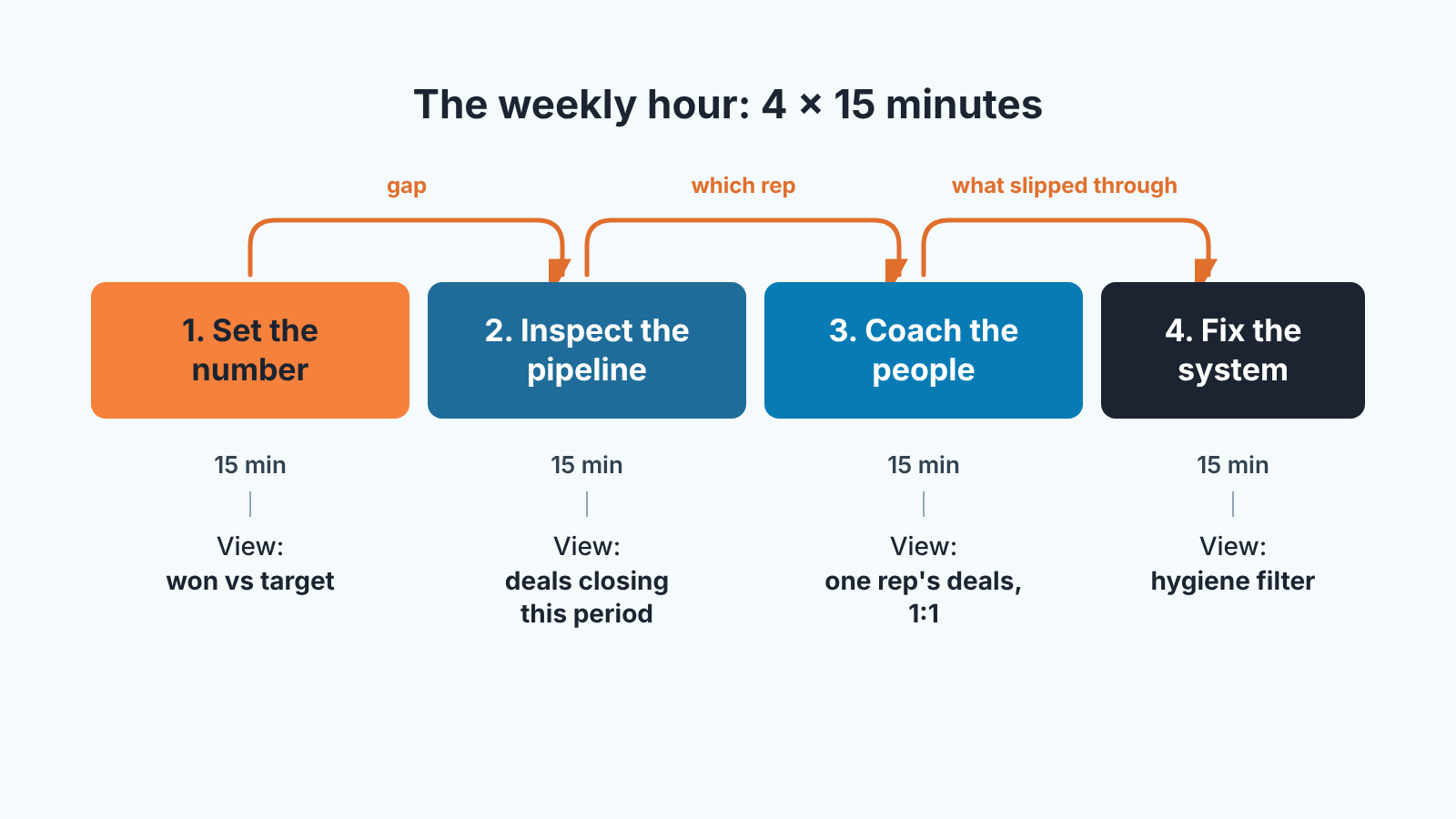
The gap decides what you look for in the pipeline, the pipeline tells you which rep to sit with, and the 1:1 shows you what the system let through. Run it backwards and the hour turns into four unrelated meetings.
Does it stay at an hour? Mostly. The 1:1 runs long when a rep is struggling. What should not grow is the pipeline review. If it does, the list is too wide, so narrow the filter rather than extend the meeting.
One more thing we hold to. Your own deals go through the same job-two list and get the same questions as everyone else’s. We think they are the easiest deals in a small team to wave through, because nobody reviews the reviewer.
When to hand a job to a first sales manager
The sign is that one of the four jobs has stopped happening, whatever the headcount. Usually it is coaching: the 1:1s slide, then stop, and a quarter later two reps are working the pipeline in two different ways.
Hand off the jobs one at a time, in the order they fail. For most owners, learning how to manage a sales team through someone else starts with coaching and the pipeline inspection, because those are weekly and need someone whose calendar is not full of customers. The owner keeps setting the number for a long time after that, and often keeps the system job too, since changing the CRM’s rules is a decision about how the company sells. What to keep and what to hand over is a prioritization question, covered in prioritization for an owner or sales manager.
The handoff changes the owner’s hour rather than ending it. Instead of inspecting deals, you inspect the inspection: did the review happen, and what changed because of it. We described that view in the weekly CRM checks for managing sales managers.
Until then, the first step is small. Book the hour for next week, write the target where the won report can see it and open the job-one view before anything else.


