
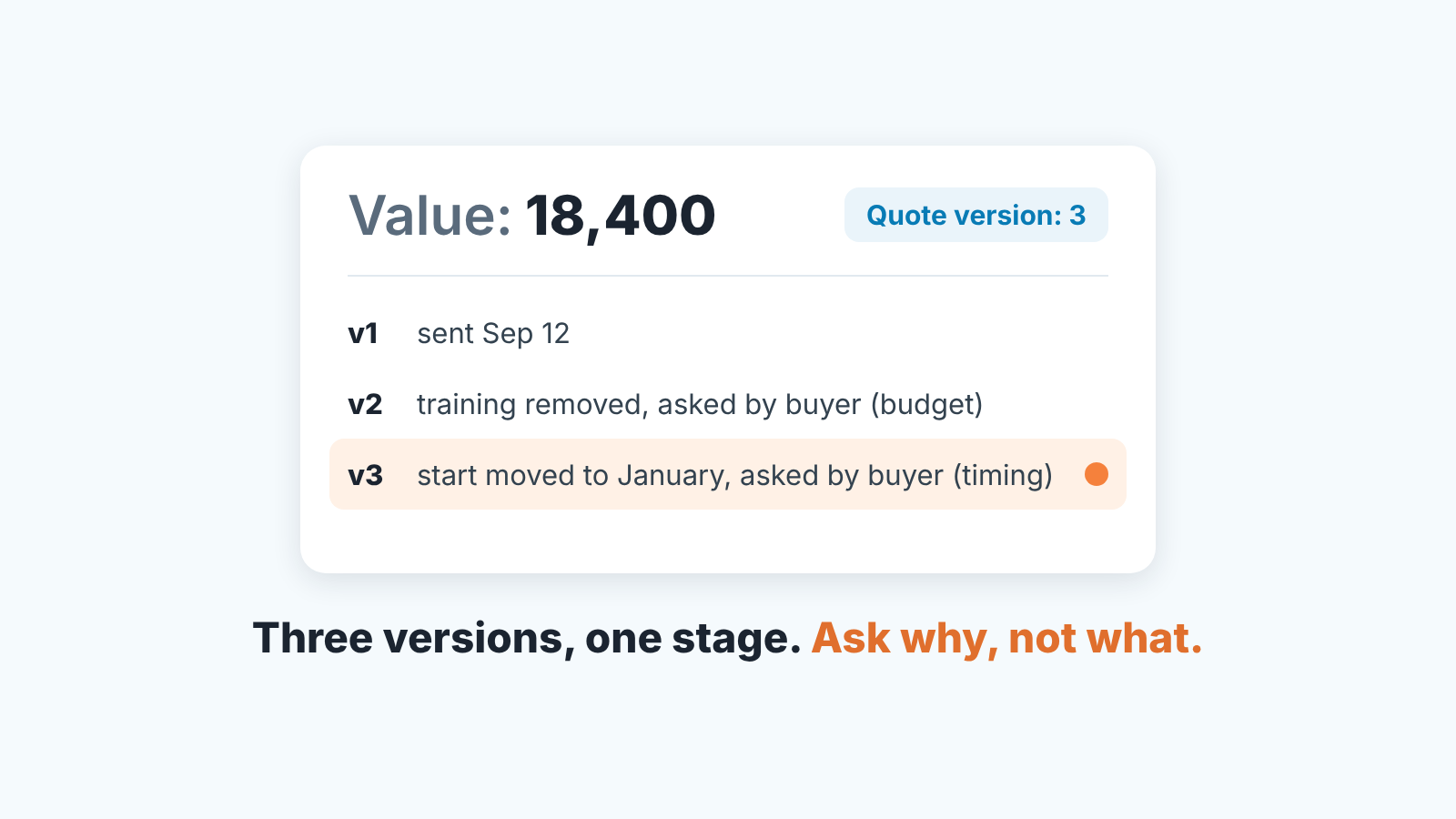
Record every revised quote as one line on the deal (“v2: training removed, asked by the customer, budget”), keep only the current amount in Value, and treat the third version with no stage change as a signal to stop recalculating and ask what is blocking the decision. A revised quote is a new version of a quote that replaces the earlier one. When the quote goes out as a PDF by email, Pipedrive has no document to revise, so the version has to live in the deal: in Value, in a pinned note and in a version field.
The document can have as many revisions as the buyer wants. The deal should not. After the third version the conversation has to move from the numbers to the reason, because a fourth quote almost never answers a question the first three could not. The rest of this article is how to make that hold in Pipedrive, for teams that email PDFs and do not run a CPQ.
“Can you just tweak it a little?”
Take a deal like this one, stitched together from several we have watched. Ignatius sent the quote on a Tuesday. On Thursday the buyer wrote back: looks good, could we take the training days out, the team will manage. He took them out and sent v2 the same afternoon. The following week: could the start move to January, and could the first invoice move with it. v3 went out on Friday. The whole time the deal sat in “Proposal sent” with a fresh “last activity” date and three emails in the thread, so on Monday it looked like one of the healthiest deals in the stage.
Lazlo, who runs the team, asked the usual question in the pipeline review: where is this one? Ignatius said the buyer was “fine-tuning”. There was a budget owner, a signatory, a timeline. Every version had been requested by the buyer, answered within a day and acknowledged with thanks. Nothing was wrong with any of it, except that nothing had happened.
What Lazlo could not see from the deal was that this was already the third version, and that the first revision was about money and the second about time. Two different conversations, one email thread. The deal card showed a value, a stage and a date. It did not show that the number had been changed twice at the buyer’s request, or why.
We think that history is the most useful thing in the deal at this stage, and in most teams it lives nowhere except in a rep’s Sent folder. The quote is a document. A revised quote is an event in the deal, and an event is something you write down. After signature a request is no longer a revised quote; it is a change order, an addendum or an amendment.
What changes in the deal when you send a revised quote, and what does not
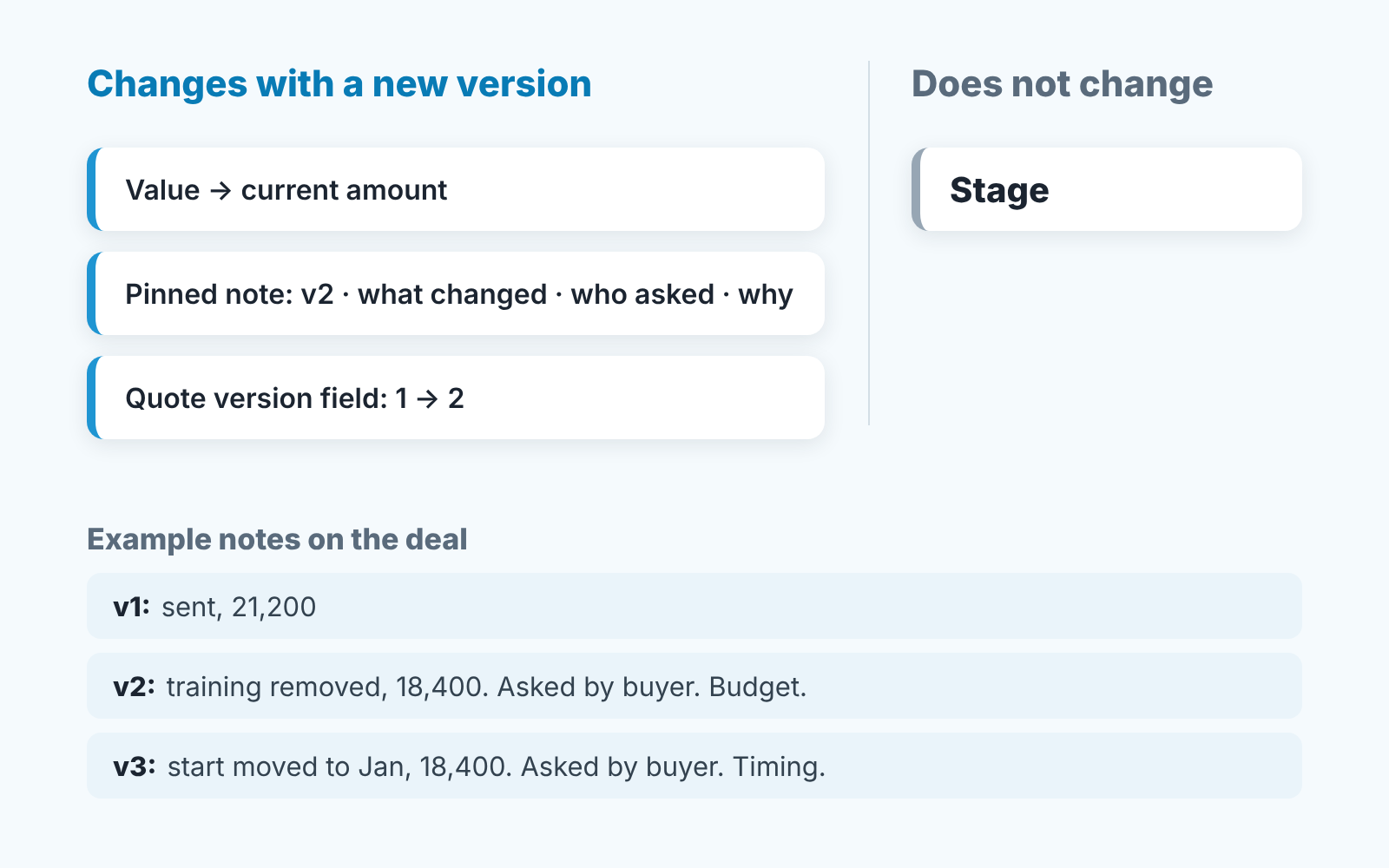
Three things move. Everything else stays put.
Value changes. Value is the deal amount field, and it should hold the amount of whatever version the buyer is reading today, updated the moment that version is sent. Older amounts are not worth keeping in the field, because Pipedrive keeps them for you: the Changelog tab under the deal’s History records updates to value along with stage, expected close date and custom fields (Pipedrive: deal detail view). How to read that tab before a forecast call is in the deal changelog article. One caution: if your “versions” are really different packages offered side by side rather than edits of one offer, that is a different problem, and good, better, best proposals covers which number goes in the deal.
A note is added. One line, in a fixed shape, pinned so it sits in the Focus section with activities and email drafts instead of scrolling away in the History (Pipedrive: deal detail view). The shape is version, what changed, who asked, why:
v2: training days removed, 18,400 (was 21,200). Asked by the buyer. Reason: budget.
That is the entire record. Not a summary of the email, not the attachment. The “why” is one word from a short list in the next section, and it is the word that makes the note worth writing.
A field goes up by one. Add a number field on the deal called Quote version (Pipedrive: custom fields), set it to 1 when the first quote goes out and add one with each revision. The field lets a manager find these deals without reading every note. The note tells them what happened once they get there. A template that carries the version number helps; what to put in a quote template covers the other fields.
What does not change is the stage. A revised quote is not progress. “Proposal sent” stays “Proposal sent” through v1, v2 and v3, and a rep who moves the deal forward because “we’re in negotiation now” has just hidden the one fact the pipeline needed to show. If your team logs trades the way the negotiation article describes, the “asked, gave, got” note and the version note are separate notes. One records a trade; this one records that the document was reissued and why.
Price, scope or timing: what each request says about the deal
Every revision request we have seen fits one of three words, and the word tells you more about the deal than the change itself.
Price. The amount is wrong for them, so something comes off. Once is normal. Twice on the same scope means the buyer is not negotiating with you, they are negotiating with someone on their own side, and the number they need is whatever that person will sign. The useful question is not “how much lower” but “who is the number for”. How to answer a price request without giving the amount away is the negotiation article’s job; here you only write down that the request was about price.
Scope. Something is taken out, added or swapped. The first scope revision is usually good news: the buyer is picturing themselves using it and has found the edges. A second one in a row often means a different buyer. Someone new has joined the evaluation and is reshaping the purchase to what they understand, and your champion is relaying those edits as thier own. Ask, lightly, who else has seen the proposal.
Timing. The start moves, the invoice moves, the term changes. These are the revisions that most often end in no decision, because the thing being moved is the decision itself. January is not a plan. January is “not now” with a month attached. A timing revision after a price revision, as in Ignatius’s deal, is the buyer buying themselves a quarter. A quote reissued because the old one ran out (“reprice” in the quote expiry article) is also a version and gets the same one-line note.
The reason goes in the note as the last word, which is why the note takes ten seconds to write and still means something a month later. Read together, the words tell a story: scope, scope, scope is a buyer still building, and price, then timing is a buyer stepping back.
Version three: the question to ask instead of writing version four
Our threshold is three. A third version with the deal in the same stage it was in at the first is where the rep stops editing the document and starts a different conversation. Three is a line we drew from watching our own deals, not a law. The point is to have a line and make it visible, because without one every version feels reasonable on it’s own.
The conversation at version three is about the decision, not the quote. Three ways to open it that do not sound like pressure:
“Before I send a third version, can I check something? We’ve changed the training and the start date. Is there anything in the proposal that is still open, or is the question now whether to go ahead at all?”
“If this version is right, what happens next on your side, and who is involved?”
“We’ve reworked this twice. If I’m honest, that usually means a conversation is happening that I’m not in. Would it help if I joined it?”
All three ask the same thing: is a decision in progress, or is the quote being revised so that nobody has to make one? The answer tells you whether v3 is worth sending. Often it is and the buyer will tell you exactly what it needs to contain. Sometimes the budget owner has not seen any of the versions, and v3 would be the first document they read, which changes what goes into it entirely. And sometimes the answer is silence. That is an answer too, and that deal belongs with no-decision deals in Pipedrive, not in the forecast.
What the rep should not do is send v3 as a reflex, the same afternoon, because the buyer asked nicely. A fast, helpful rep is a feature of your team. A fast, helpful rep who has reissued the same quote three times without a stage move is doing the buyer’s hesitation for them, on paper.
Keep the current file findable
This part is for PDFs sent by email. If you send proposals as Smart Docs links, keeping one live version works differently and is covered in Smart Docs view tracking. With PDFs the risk is simple: the buyer forwards an old version to someone who never saw the new one.
Three habits cover it:
- The file name carries the version and the date,
Proposal-Acme-v3-2026-10-03.pdf, notProposal-Acme-final-FINAL.pdf. One piece of advice that circulates (R1/R2 suffixes, a line saying the quote “supersedes all previous quotations”) is fine for the file, as long as the deal gets its line too. - The email carrying the new version says in its first sentence that it replaces the earlier one, and it goes to everyone who got the earlier one, not only the person who asked for the change.
- The PDF is attached to the deal, where the History keeps files, emails and notes together (Pipedrive: deal detail view), so the current version is the top file on the deal and not the top file in someone’s Downloads folder.
The note on the deal is still the one that matters, and it carries the reason: “v3: start moved to January, 18,400 unchanged. Asked by the buyer. Reason: timing. PDF v3 attached, v1 and v2 marked replaced in the email.”
Once a week: deals with three or more versions and no stage change
The check is a saved filter: Quote version is 3 or more, stage is the one where proposals sit. Pipedrive’s advanced filters take conditions on custom fields, and a filter can be saved and shared with the team (Pipedrive: advanced filtering). Open it before the pipeline review. For each deal on it, two questions: when did it last change stage (the Changelog answers that in seconds), and what do the pinned notes give as the reasons? Six weeks in the proposal stage with notes reading price, price, timing is a different conversation from a deal that moved stage a week ago after a scope change the buyer asked for. Where the rep is still waiting on a reply rather than writing a new version, following up after a proposal is the better guide.
We build SalesBond, a sales management layer on top of the CRM a team already uses; we started with Pipedrive. Deal Health checks every deal against more than 20 rules, and its Progression rules look at whether a deal is actually moving between stages, whatever the email thread looks like. So the quote that has been “fine-tuned” for a month can surface without anyone building the filter. It does not know what a quote version is; that is still your field and your note. If you want to see which of your deals are being revised instead of decided, check your CRM with SalesBond.
The list is usually short. Those are the deals where the the forecast is most wrong, because every one of them looks active, has a value and has a buyer who is still replying. The version count is the one number that says: still replying, not yet deciding. Ignatius’s deal came off the list the week after Lazlo asked in the review. The buyer, it turned out, was waiting for a new CFO to start. Version four was never sent. The deal closed in February on version three. Build the filter this week and see what is on yours by Friday. Teams on HubSpot can run the same check for HubSpot quotes.


